Portable monitors at Joybuy
These models are portable second screens for working on a laptop while travelling, including viewing text and newsletter layouts side by side.
 No image available
Blackview DCM6 PRO, 14-inch Full HD monitor
An option for using a second window alongside your laptop when working on the move.
The product title lists a 14-inch Full HD screen and compatibility with laptops from 13 to 17.3 inches.
View at Joybuy
 No image available
Blackview DCM8 Pro, 15.3-inch FHD monitor
The larger panel could suit anyone who wants extra room for documents alongside their laptop.
The product title lists a 15.3-inch FHD screen, USB-C and a 16:10 aspect ratio.
View at Joybuy
 No image available
TECLAST V16H, 16-inch FHD monitor
A larger separate window for documents could be useful if your bag and work table have room for the extra screen space.
The product title lists a 16-inch FHD screen, 144 Hz and a built-in kickstand.
View at Joybuy
 No image available
TECLAST V16Q, 2.5K 144 Hz IPS monitor
This version could suit anyone who wants to check images and newsletter layouts as well as work on the move.
The product title lists a 2.5K IPS screen, 144 Hz, 100% sRGB and a kickstand.
View at Joybuy
 No image available
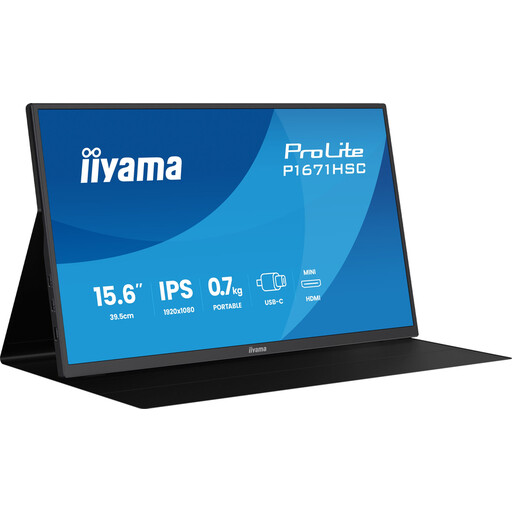
Iiyama ProLite P1671HSC-B1, 15.6-inch Full HD IPS monitor
A portable second screen for keeping text and corrections side by side at a temporary work space.
The product title lists a Full HD IPS screen with a 60 Hz refresh rate.
View at Joybuy
Frequently asked questions
Will a portable USB-C monitor work with any USB-C port?
No, not necessarily. For USB-C video on the ASUS MB169CK and Philips 16B1P3302D/00, your laptop needs to support DP Alt Mode. Also check how your chosen monitor is powered: ASUS specifies a separate USB-C power input for HDMI use with the MB169CK.
How do you set up a second screen in a hotel room?
Place the screen securely and assess the set-up at each work space. Arboportaal recommends, among other things, a slight downward gaze, positioning the top edge just below eye level, and changing your posture regularly. A particular stand won’t suit every hotel table.
How do you carry a portable monitor safely?
Use the protection supplied with the exact model and check the cables and ports before packing. The product information for the Lenovo ThinkVision M14t Gen 2 warns against bending or twisting force on the thin panel and against unsuitable USB-C cables. Don’t automatically apply this model-specific warning to other monitors.
Do you need an extra warranty, and can you return a monitor bought online?
A commercial warranty doesn’t replace your statutory rights against the seller. ACM ConsuWijzer says that, for a faulty product, those rights depend on what you could reasonably expect. For a standard online consumer purchase, you generally have up to 14 days after delivery to change your mind. Before ordering, check which exceptions and returns terms apply.
Are there Dutch rules for working with a screen in a hotel room?
For employees who work with a screen for more than two hours a day, Arboportaal lists workplace requirements: a separate screen or keyboard must be usable instead of a set-up where the laptop screen and keyboard are joined together. Screen work must also be regularly alternated with other work or a break. These employment rules apply in specific circumstances; they aren’t a general purchasing or registration requirement for every buyer.


