What should you look for when choosing one?
Start with the viewing distance and text size at the intended location. Then check the video connection and power supply; only after that consider whether you need a built-in battery.
| What to consider |
What should you check? |
Who is this important for? |
| Readability on site |
Test the notes, text size, viewing distance, reflections and viewing angle at the intended location. |
If I want visitors to be able to read the text from where they’ll actually be standing, I test it before putting the screen into use. Around 36% of consumers say readability is their top priority. |
| Connection to the source device |
Check the video mode of the exact port, the monitor input, and the power supply and cables required. |
If I’m connecting my laptop or another device, I want to know in advance whether the port I’ve chosen provides video and enough power. Around 29% of consumers put connectivity first. |
| Moving and setting up |
Check the weight, included stand or case, set-up height and cable route. |
If I’m moving the screen between temporary event locations, I consider how easy it is to carry and set up securely. Around 21% of consumers say portability is their top priority. |
| Use without a mains socket |
Compare the event duration with the stated battery life and the conditions under which it was measured; plan how you’ll recharge it. |
If there’s no usable power supply at my location, a built-in battery could be the deciding factor. Around 14% of consumers prioritise use without a mains socket. |
Portable monitors on Joybuy
These Joybuy products are portable monitors for a temporary table-top set-up. Compare screen size, stand and connection to your source device in particular.
 Image unavailable
TECLAST V16H 16-inch portable monitor
The built-in stand suits a temporary table-top set-up; check that your source device outputs video through the connection you’ve chosen.
16-inch FHD IPS screen, 16:10, 144Hz, two USB-C ports and Mini HDMI.
Joybuy
 Image unavailable
TECLAST V16Q portable monitor
The built-in stand is designed for setting the monitor up in a temporary location; check your source device’s video output before choosing a connection.
2.5K 144Hz IPS screen, 16:10, two USB-C ports and Mini HDMI.
Joybuy
 Image unavailable
MSI PRO MP165 E6 portable monitor
An option to compare for a portable set-up; check which connection and power supply are compatible with your source device.
15,6-inch Full HD IPS screen with USB-C and speakers.
Joybuy
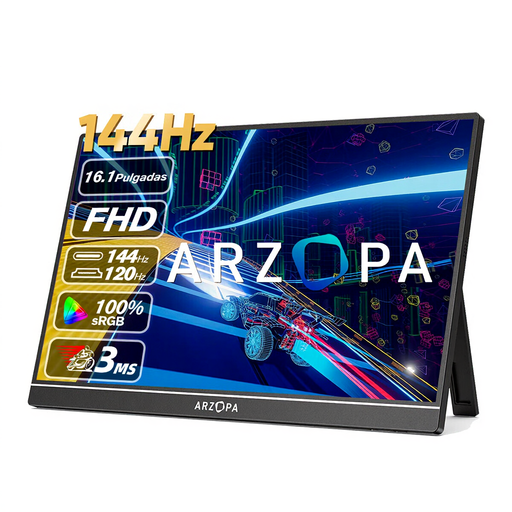 Image unavailable
ARZOPA Z1FC 16,1-inch portable monitor
The built-in stand may suit a temporary table-top set-up; make sure the connection matches your device’s video output.
16,1-inch IPS screen, 144Hz, USB-C and HDMI.
Joybuy
 Image unavailable
ARZOPA Z1RC 16-inch portable monitor
The built-in stand is handy for taking the monitor with you; check whether your source device can output video via USB-C or HDMI.
2.5K QHD IPS screen, 2560 × 1600 pixels, 16:10, USB-C and HDMI.
Joybuy
Frequently asked questions
Can I connect a USB-C monitor to any laptop with a single cable?
No. First check that the USB-C port you’ve chosen supports video and provides enough power. Acer says DP Alt Mode is required for the Type-C video connection on its PM1 monitors.
How should I set up a portable monitor for visitors?
Display the final notes and check the text size, reflections and viewing angle from the places where visitors will stand. Without this test, a portable monitor won’t necessarily be suitable for signage across a whole room. Also make sure the stand is stable and the cable route is safe.
How does a built-in battery affect how you use the monitor?
A battery can make a location without a readily available power supply usable, but you’ll need to plan for charging. ASUS states that the ZenScreen Go MB16AHP lasts up to 4 hours in DP Alt mode at 100% brightness; this figure applies to the stated condition.
What purchase terms should a library check?
Check whether the order is being placed by an individual or on behalf of the library as a business customer, and read the applicable delivery, warranty and returns terms. ACM ConsuWijzer states that many online consumer purchases come with a 14-day cooling-off period from delivery; according to Business.gov.nl, business purchases aren’t automatically covered by the same statutory consumer right of withdrawal.


