
Teacher who needs lesson plans and resources side by side
This teacher wants to keep a second document visible while writing, so readable screen space and a practical setup are top priorities.


First, choose a screen that is confirmed to receive a video signal from your laptop; a USB-C connector alone doesn’t prove it’s compatible. Then compare a compact screen with a larger workspace for viewing documents side by side, and decide whether power from your laptop, an adapter or a built-in battery best suits the way you work.
This teacher wants to keep a second document visible while writing, so readable screen space and a practical setup are top priorities.
This teacher needs to pack the screen away each time and set it up on different hotel desks. Size, weight, cover and stand all play a part.
This teacher wants to know in advance whether their laptop can output video and how the screen will be powered while they work.
First, check the video connection to your laptop. Then weigh up readable screen space, portability and power against the hotel desk and the length of your working session.
| What to consider | What should you check? | Who is this important for? |
|---|---|---|
| Video connection | Check that your laptop port supports video and matches an input on the exact monitor model. Also check which cable you’ll need. | If I want to use my lesson plan and resources at the same time, the screen needs to receive a video signal from my laptop. Around 36% of consumers prioritise a working video connection. |
| Readable screen space | Compare screen size, resolution and aspect ratio. Check how text looks at the scaling settings you use. | When I place documents side by side, I want the text to be easy to read without the screen taking up too much desk space. Around 29% of consumers give readable screen space top priority. |
| Carrying and setting up | Compare the weight and dimensions of the model you’ll be carrying, and check the stand, cover and screen orientation. | If I move between hotel rooms often, the screen needs to fit in my luggage and stand securely on the desk. Around 21% of consumers consider portability and positioning their main priority. |
| Power | Check the model’s power requirements, what your laptop can provide, and which cable or adapter is included. | For a longer working session, I want to know whether I’ll need a spare port or a separate power supply. Around 14% of consumers put independent power at the top of their list. |
A USB-C port doesn’t guarantee that your laptop can output video through it. ASUS states that the connected device must support DisplayPort Alternate Mode for the MB16AHP.
Check the video capabilities of the exact laptop port before choosing a screen that relies on a single USB-C connection.
An awkward screen position, reflections or hard-to-read text can make working difficult, even at a hotel desk. Arboportaal identifies factors such as reflections, contrast and ambient light as important for screen readability.
Assess your setup at the desk and, if you’re an employee, take the applicable screen-work regulations into account.
ASUS quotes up to four hours of battery life for the MB16AHP under specific test conditions; this isn’t guaranteed for every working session.
Plan for power during longer sessions and check which charging options and accessories are included with the model.
ZenScreen models offer a range of connection options, built-in batteries and dual-screen designs.
The ThinkVision M14t Gen 2 is a 14-inch model with a 16:10 screen and touch controls.
The Pro 14 Plus P1425 is a portable 14-inch screen for a compact setup with one additional display.
The E14 G4 is a portable 14-inch USB-C screen for anyone looking for one additional display.
This selection includes portable extra screens for use with a laptop, from compact models to larger screens that give you a second workspace.
 No image available
An option to consider if you’re looking for a 14-inch second screen for your laptop.
The product description lists a resolution of 1920 × 1080 and compatibility with 13–17.3-inch laptops.
 No image available
A larger extra screen to consider if you have enough room on your laptop and desk.
The product name lists USB-C, a 16:10 aspect ratio and a weight of 1.2 kg. Check that your laptop’s USB-C port supports video.
 No image available
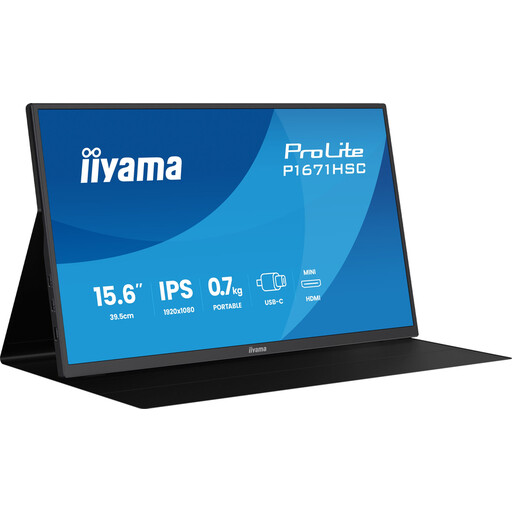
A portable screen to consider if you need extra space for documents.
The product information lists Full HD, 60 Hz, an IPS panel and an integrated smart cover.
 No image available
A compact option if you have limited desk space for an extra screen.
The product name lists a resolution of 1920 × 1200 pixels and a 16:10 aspect ratio; the product description mentions Type-C, Mini-HDMI and a protective cover.
 No image available
A compact second-screen option with an adjustable stand.
The product name lists a thickness of 18.2 mm and compatibility with 13–17.3-inch laptops.
No, don’t assume so. ASUS states that USB-C video on the MB16AHP uses DisplayPort Alternate Mode and also requires a device that supports this feature. Check the video capabilities of your laptop port and the requirements of the screen you’ve chosen.
It depends on the model and the connected laptop. The ASUS MB16AHP has a built-in battery; ASUS quotes up to four hours under the test conditions specified by the brand. Check how other models are powered.
Position the screen securely, avoid distracting reflections, and adjust the text size and lighting so your documents remain easy to read. For employees who work at a screen for more than two hours a day, Arboportaal sets out additional workplace requirements. A portable monitor alone doesn’t automatically make a hotel desk suitable.
No. The requirements described by Arboportaal don’t create a general obligation to buy this product. Employers and workplaces involving screen work do have requirements, including conditions for more than two hours of screen work a day. Check separately whether these apply to your working situation.