
Vandaag of morgen in huis

Kwaliteit gegarandeerd

Welkomstaanbiedingen ontgrendelen: GRATIS bezorging | Tot 80% korting | Gratis 30 dagen JoyPlus-proefperiode
Download de app
Working or studying on a single small laptop screen quickly feels cramped. Bringing an extra screen along sounds like the perfect solution, but the portable monitor market is filled with pitfalls. Many models promise the world but turn out to be clunky, unreliable, or simply unusable in practice.
Before you invest in a portable monitor, it's crucial to know what to look for. We'll discuss the three most common mistakes and how to avoid them.
Many manufacturers advertise the convenience of a single USB-C cable for both power and video. The reality is that this only works if both the monitor and your laptop's USB-C port support DisplayPort Alternate Mode (DP Alt Mode). If your laptop doesn't have this, that single cable is useless, and you'll be left with a black screen.
A screen is marketed as "portable," but it weighs nearly two kilograms and comes with an unstable, separate stand that you constantly have to readjust. Such a portable display quickly becomes a source of frustration on the train or in a crowded café. True portability lies in low weight (ideally under 1 kg) and a sturdy, integrated stand.
Specifications like brightness and color reproduction often look good on paper. But a screen with low brightness (less than 250 cd/m?) or a glossy finish is nearly impossible to read outdoors or in a bright room. You buy a monitor for on the go, but you can only use it in a dark room.
To sidestep the pitfalls, focus on a few core specifications. These determine whether a portable monitor will be a useful tool or a waste of money.
The most important factor is compatibility. A good USB-C monitor not only offers a port that supports DP Alt Mode but ideally also includes a Mini-HDMI port as a backup. This ensures you can connect the screen to virtually any laptop, old or new. A single cable is convenient, but flexibility is more important.
For most users, a 15-inch monitor with a Full HD (1920x1080) resolution is the perfect sweet spot. It provides enough workspace for documents and spreadsheets without the screen becoming too large or heavy. If you work with graphic design software or want a larger screen, consider a higher resolution like QHD (2560x1440 or 2560x1600) for a sharper image. However, a Full HD portable monitor remains the most practical choice for general use.
A second screen for your laptop should boost your productivity, not strain your back. Look for a weight of less than 1 kilogram. Also, check the stand mechanism. An integrated, adjustable kickstand or a sturdy cover that doubles as a stand is far more practical than separate, unstable parts.
Based on these criteria, we have selected a few models that suit different user profiles.
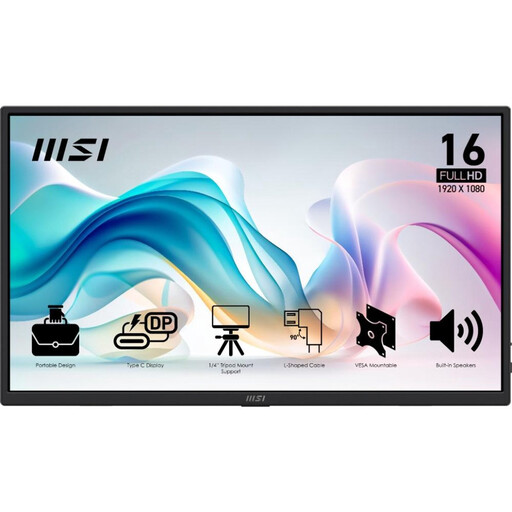
Why This Fits Their Persona: This model is designed for the professional who frequently changes workplaces. It's extremely light (0.78 kg), and the combination of 2x USB-C and 1x HDMI offers maximum flexibility, whether you're at a client's office or in a co-working space.
It bypasses the connectivity trap by offering both USB-C and HDMI. Its low weight and integrated stand make it a truly portable screen, not an "anchor."
Very lightweight (0.78 kg) and versatile connection options. The included protective cover and L-shaped cables are practical extras for life on the road.
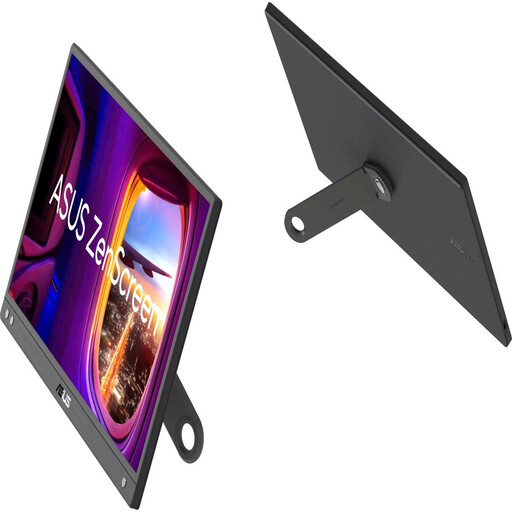
Why This Fits Their Persona: A reliable and affordable second screen for your laptop. The 15.6-inch Full HD resolution is perfect for writing papers and attending online lectures. The ASUS ZenScreen series is known for its solid build quality.
This model focuses on simplicity and reliability. The 360° kickstand is sturdy and integrated, which avoids the "portable anchor" pitfall. The matte screen coating reduces reflections in bright spaces.
Extremely lightweight (780 grams) and a highly practical, 360-degree rotating stand for both landscape and portrait modes.
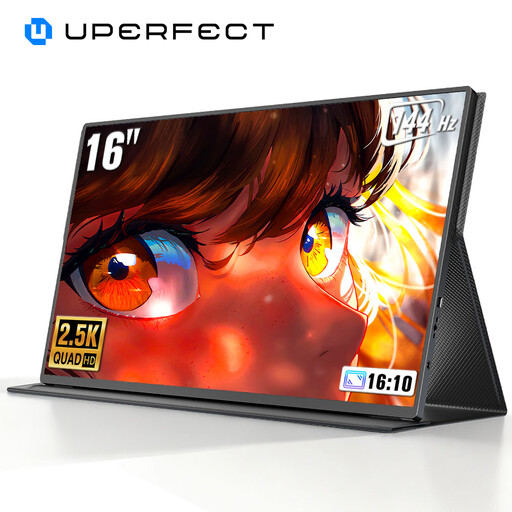
Why This Fits Their Persona: For gamers and creative professionals, resolution and refresh rate are crucial. This screen offers a 2K QHD resolution for extra detail and a 144Hz refresh rate for extremely smooth visuals, ideal for fast-paced games or video editing.
This model delivers the high-end specs that marketing often overhypes. The 144Hz is an objectively measurable performance metric, unlike vague claims about "smooth visuals." The QLED technology ensures superior color reproduction and brightness.
High 2K QHD resolution (2560x1600) on a 16-inch screen. A very high 144Hz refresh rate for fluid gameplay and scrolling.
We've compiled a complete, up-to-date list of products that fully meet these strict selection criteria and local regulations.
Often, no. Most modern models, especially a USB-C monitor, draw power and the video signal through a single cable from your laptop. However, this only works if your laptop's USB-C port supports Power Delivery and DP Alt Mode. Always check this in your laptop's specifications. Larger screens or models with extra features like a high refresh rate may sometimes require an external power source.
Not without checking the ports. For a seamless experience with a USB-C monitor, your laptop must have a compatible USB-C port. If your laptop only has USB-A and HDMI, choose a portable screen that also has a (Mini) HDMI input. Brands like ASUS ZenScreen often include the necessary cables, but it's wise to verify this beforehand.
That depends entirely on your use case. For graphic designers who want to draw directly on the screen, presenters who want to swipe through slides, or if you often work without a mouse, a touchscreen can be very convenient. For standard office work, like email and word processing, it's usually an unnecessary luxury that increases the price and weight. Consider whether the extra functionality outweighs the higher cost.
