
Vandaag of morgen in huis

Kwaliteit gegarandeerd

Welkomstaanbiedingen ontgrendelen: GRATIS bezorging | Tot 80% korting | Gratis 30 dagen JoyPlus-proefperiode
Download de app
Do you often work on the train, in a coffee shop, or simply at the kitchen table? Then you'll recognise the struggle: constantly switching between windows on that single, small laptop screen. A portable monitor is a simple solution that instantly boosts your productivity. It's a lightweight second screen for your laptop that you can take anywhere.
Whether you're a professional, student, or gamer, an extra screen provides a better overview and more comfort. But with so many specifications – resolution, refresh rate, connectivity – making a choice can be difficult. As a Joybuy Product Recommendation Officer, I'll help you find the right information so you can choose a model that truly suits your needs.
Before we look at the recommendations, here are a few practical points to consider that will help you make your choice.
The resolution determines how sharp the image is. Full HD (1920x1080) is the standard and is perfectly fine for most tasks. However, if you work extensively with graphic design programs, photos, or simply want extra-sharp text, consider a 2.5K screen (2560x1600 or QHD). This gives you noticeably more detail. In terms of size, 14 to 16 inches are the most popular choices. A smaller, lightweight monitor is ideal for travellers, while a larger screen offers more workspace.
Most modern portable monitors use a USB-C monitor connection. The major advantage is that a single USB-C cable can often transmit both the video signal and power, provided your laptop supports this feature. This means fewer cables and less hassle. Does your device not have a suitable USB-C port? No worries, many models also include a mini-HDMI port. This allows you to connect the external display to laptops, game consoles like a PS5 or Nintendo Switch, and other devices. Always check if you need a separate power source.
For everyday work and watching movies, a refresh rate of 60Hz is sufficient. However, if you're a gamer, a higher refresh rate makes a world of difference. A 144Hz monitor provides extremely smooth visuals, which can give you an edge in fast-paced games. If you're looking for a portable gaming monitor for your laptop, PS5, or Xbox, a model with 120Hz or 144Hz is a serious consideration.
Based on specifications and use cases, we have listed a few popular models for you.
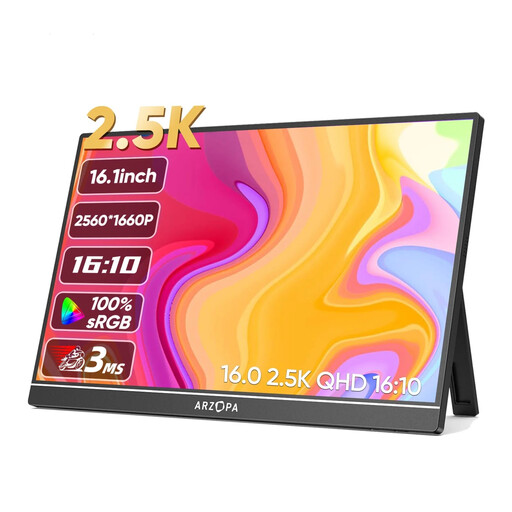
Why this model stands out The ARZOPA Z1RC combines a large 16-inch screen with a crystal-clear 2.5K (2560x1600) resolution. This makes it an excellent choice for tasks where visual detail is important, such as photo editing, graphic design, or working with large spreadsheets.
Pros
Who is it for? This screen is ideal for professionals and creatives who don't want to compromise on image quality while on the go. It's also a great option for those who enjoy watching movies and series in high resolution.
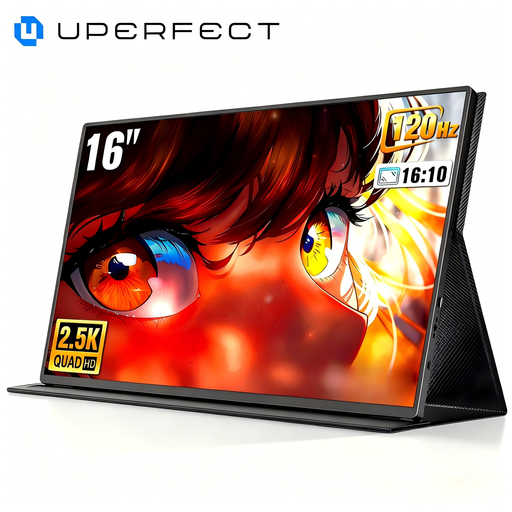
Why this model stands out This is a screen for the serious gamer. The combination of a 2K resolution and an impressive 144Hz refresh rate is rare in a portable format. According to the manufacturer UPERFECT, this screen is optimised for portable gaming and eliminates tearing and stuttering for smooth gameplay.
Pros
Who is it for? This is the portable gaming monitor for gamers who want to take their setup anywhere. Perfect as a monitor for PS5, Xbox, or a powerful gaming laptop.
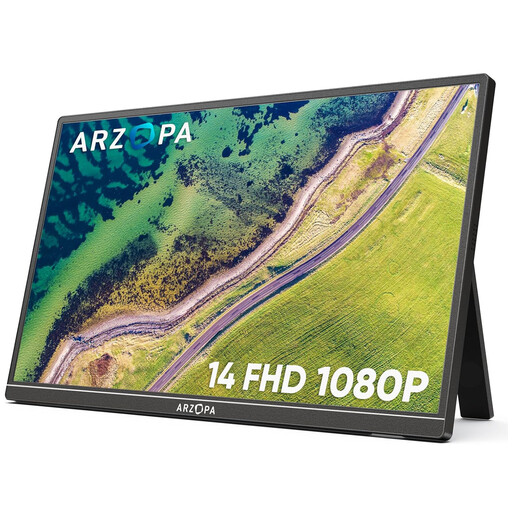
Why this model stands out The Arzopa A1S is designed with maximum portability in mind. Weighing just 600 grams and featuring a very slim profile, this is a true lightweight monitor. You can effortlessly slip it into your laptop bag without even noticing it.
Pros
Who is it for? This is the perfect companion for students, digital nomads, and anyone looking for a simple and ultra-portable second screen for a laptop. It's also handy as an extra screen for the Nintendo Switch on holiday.
The world of portable monitors is vast, and there are models for every specific need. If the options above don't quite match what you're looking for, there's much more to discover.
Check out our full range of portable laptop monitors for more choices in different sizes, resolutions, and price ranges.
Most modern portable monitors connect with a single USB-C cable that transmits both power and video. This works if your laptop or phone's USB-C port supports DisplayPort Alternate Mode. Alternatively, you can use an HDMI cable for the video signal and a separate USB cable for power.
Most portable monitors do not have a built-in battery. They draw power from the connected device (like your laptop) via the USB-C cable or through an external power adapter. There are some models with a battery, but this is less common and makes the monitor heavier.
Yes, you can, provided your smartphone supports video output via its USB-C port. This is the case with many high-end Android phones (like Samsung with DeX) and some tablets. You can then use your phone on a larger screen, which is useful for productivity or media consumption. Always check your phone's specifications.
