
Floor plan readers with a small desk
You want to view a floor plan beside your laptop and notes. Remember to measure the space taken up by the stand too: the screen size alone won’t tell you how much desk space the setup needs.


Start by measuring the space available for both the screen and its stand, then check that your laptop can output video through the connection you plan to use. A 14-inch screen may fit if the main constraint is the space beside your laptop. For small dimensions on a floor plan, compare the resolution, physical screen size and scaling settings too. Touchscreen controls, a built-in battery or two panels are only worth considering if you’ll use those features and have enough room and power for them.
You want to view a floor plan beside your laptop and notes. Remember to measure the space taken up by the stand too: the screen size alone won’t tell you how much desk space the setup needs.
If you often look at small labels and dimensions, compare both the resolution and physical screen size. ASUS and Lenovo’s specifications show that these features vary by model.
You take the screen with you and move between places with different connections and power options. For example, ASUS lists a built-in battery for the ZenScreen Go MB16AHP; its stated battery life applies under specific conditions.
First measure the space for the screen and stand, then check your laptop’s video output and power options. Only then decide whether extra resolution, touchscreen controls, a battery or a second panel would be useful.
| What to consider | What should you check? | Who is it most important for? |
|---|---|---|
| Readable dimensions | Compare the resolution and physical screen size; also check the scaling settings in your floor plan software. | If I want to read small dimensions, I look beyond the pixel count: physical screen size and scaling settings matter too. Around 29% of consumers say readable detail is their top priority. |
| Desk space | Measure the available width and depth, and allow for the stand. The case dimensions don’t always show the full footprint. | I need room on my small desk for my laptop and notes as well as the screen. For around 29% of consumers, the desk setup is their main concern. |
| Video connection and power | Check whether your laptop port outputs video, and compare it with the video and power connections on the exact monitor model. | I want to know in advance whether my laptop can send video to the screen through the connection I plan to use. A working video connection and power supply are top priorities for around 24% of consumers. |
| Portability and setup | Compare the stated weight and power options; if there’s a battery, check the conditions under which its battery life applies. | When I move between study spaces, I want to know how much I’ll need to carry and whether power is available. Portability and ease of setup are the top priority for around 18% of consumers. |
ASUS lists the ZenScreen MB16AHV as having a 35.8 × 22.5 × 1.0 cm casing and an adjustable kickstand; these dimensions don’t represent the full desk footprint for every setup. ASUS lists DP Alt Mode and mini-HDMI for this model’s USB-C ports. Lenovo gives the ThinkVision M14t Gen 2 a resolution of 2240 × 1400 and touchscreen controls. Check that the port on your own laptop supports video.
A compatible plug doesn’t automatically mean your laptop can send video through that port. ASUS states that the MB16AHP needs a compatible source device to display video via USB-C.
Check the video output of the specific laptop port and compare it with the connections on the exact monitor model.
Using an alternative connection may mean needing an extra video cable and a separate power supply.
Screen size, casing dimensions and the extended stand answer different questions. The dimensions ASUS gives for the MB16AHV don’t fully show how much desk space the stand takes up at every angle.
Measure the available space on your desk, then check from your usual viewing distance whether the floor plan is readable at the scale you need.
Lenovo says the ThinkVision M14t Gen 2 has touchscreen controls; the ASUS ZenScreen Duo MB14FCD has two panels and a stated net weight of 1.2 kg. These features and the weight are specific to each model.
Decide in advance whether you want to annotate on the screen or need two separate views at once, and measure whether the extended setup will fit on your desk.
The features below apply to the product lines and models mentioned. They aren’t a judgement on the entire brand or a statement about availability.
The ZenScreen models listed range from a single 15.6-inch screen to a model with a battery and a version with two panels.
The ThinkVision M14t Gen 2 is a 14-inch touchscreen model for anyone looking for a compact screen with touch controls.
The HP E14 G4 is a 14-inch option for anyone looking for a compact extra screen.
These portable extra screens are designed for use alongside a laptop. Check that each model’s dimensions, connections and features suit your study space.
 No image available
The 16-inch size may suit you if you want more physical screen space beside your laptop and have enough room for the stand.
The product name lists FHD IPS, 16:10, 144Hz, two USB-C connections and mini-HDMI.
The product description recommends keeping at least 15 cm away from medical implants.
 No image available
The 14-inch size is an option if you want to place a portable screen beside your laptop. Measure the space for both the screen and stand first.
The product name lists an IPS screen with 1920 × 1200 pixels, a 16:10 aspect ratio, Type-C and Mini-HDMI.
 No image available
A 14-inch screen may suit you if you want an extra display beside your laptop without going for a larger size straight away.
The product name lists an IPS LCD screen with a 16:9 aspect ratio and compatibility with 13- to 17-inch laptops and mobile devices. Check which connection your device needs.
The product description recommends keeping at least 15 cm away from medical implants.
 No image available
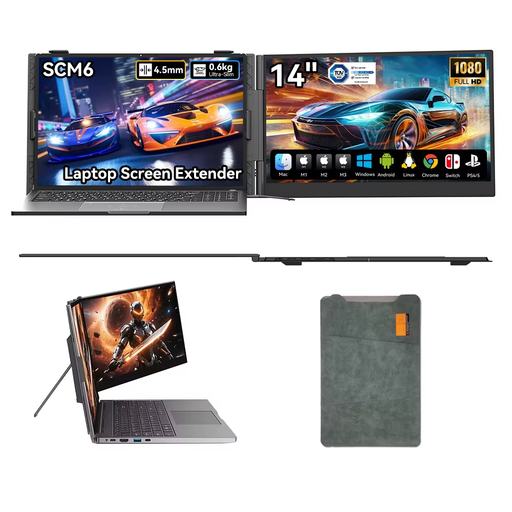
This 14-inch model may suit a compact desk setup. Check that the stand fits in the available space.
The product name lists USB-C, a built-in speaker and a stand that adjusts through 180°.
The product description recommends keeping at least 15 cm away from medical implants.
 No image available
The 14-inch size and kickstand may suit you if you want to position an extra screen independently beside your laptop.
The product name lists FHD 1080P, a kickstand and dual speakers.
No. Check that the specific laptop port outputs video and is compatible with the monitor input. ASUS lists USB-C DisplayPort Alternate Mode for the MB16AHP and states that a compatible source device is required.
First measure where you can position your laptop, screen, stand and notes. Adjust your floor plan software so the dimensions are readable; ASUS lists an adjustable kickstand for the MB16AHV. This information applies to that model and doesn’t automatically apply to other monitors.
Compare the weight, stand and protective features of the model you’re considering. Also check whether a case is included and which cables and power supply you’ll need at your study locations.
For a standard online purchase as a consumer, you generally have a statutory 14-day cooling-off period from delivery, according to ACM ConsuWijzer. Before ordering, check the applicable exceptions and returns process. This is separate from your rights if a product is faulty or doesn’t meet the contract.
No. There isn’t an automatic fixed statutory two-year warranty period for every monitor. ACM ConsuWijzer distinguishes between statutory consumer rights and any seller’s or manufacturer’s warranty: with normal use, the product must meet what you could reasonably expect, and the seller must put a faulty product right under the applicable conditions.