First, choose a monitor that can receive a video signal from your laptop and will fit where you usually sit. Then compare its screen size, resolution and power supply with the details in your floor plans. A larger screen gives you more physical space, while touch control, a battery or a second panel is only useful if it suits your setup and the way you work.
Who is a portable monitor for viewing floor plans on the train suitable for?
Reader of detailed architectural drawings
You want to check dimensions, labels and small annotations. Compare the resolution and screen size with the display scale of your own files. Lenovo Support generally recommends using the recommended resolution in Windows.
Traveller with limited workspace
You’ll be taking the monitor with you and need to set it up in a confined space. Check its dimensions, weight and how the screen is positioned. NS says that the availability of power sockets or USB charging points depends on the type of train.
Drawing reader who also makes notes
You may want to work directly on the drawing using touch control or a pen. Check that your monitor, laptop and software all support the input method you want to use. Lenovo lists pen support for the ThinkVision M14t Gen 2.
What should you look for in a portable monitor?
Start with the video connection and the space available. Then compare the screen size, resolution and power supply with your drawing and the way you work.
| What to consider |
What to look for when buying |
Who is this important for? |
| Reading details |
Compare the resolution, screen size and aspect ratio. Open a representative drawing and check the display scale too. |
If small labels and lines on your floor plan need to remain legible, how it looks on your laptop is key; around 28% of consumers put detail legibility first. |
| Video connection |
Check that your laptop port supports video output and find out which cable and power setup the monitor model requires. |
To avoid finding that your laptop won’t send a picture to the monitor, check the exact port and monitor combination; around 22% of consumers prioritise a working connection. |
| Space and portability |
Compare dimensions and weight, including any accessories you’ll need to carry, and check whether the stand will fit where you usually work. |
If you’ll often carry the monitor and set it up on the train, its size and positioning matter a great deal; around 22% of consumers put practical portability first. |
| Power on the go |
Check whether the monitor has a built-in battery and how video and power will work in your complete setup. |
If you don’t want to rely on a power socket, you’ll need to consider the power supply for both your laptop and monitor; around 17% of consumers prioritise independent power. |
| Visibility and privacy |
Compare the stated screen finish and brightness, and assess how the content looks in the lighting where you’ll be working. |
If ambient light makes the screen harder to see, or your floor plan contains personal data, you’ll also need to consider who can see it; around 11% of consumers put visibility or privacy first. |
Common buying mistakes
-
Assuming every USB-C port carries both video and power
The USB-C connector alone doesn’t tell you whether a laptop can output video. For the USB-C video connection described for the ASUS MB169CK, ASUS requires support for DP Alt Mode.
Check the specifications for the exact laptop port and monitor, and try the cable combination you intend to use if possible.
-
Assuming a higher resolution means larger text
Resolution and physical screen size are different things. Display scaling also affects the size of lines and text on your screen.
Open your own drawing at its native resolution, then adjust the scaling. Microsoft Support generally recommends using the resolution marked as recommended in Windows.
-
Choosing a dual-screen monitor without considering your workspace
According to ASUS, the ZenScreen Duo MB14FCD has two panels, a net weight of 1.2 kg and a stated power consumption of 13 W. These specifications apply to this model; you’ll also need to make sure the complete setup fits your workspace and has a power supply.
Choose two panels only if you’ll actually use them side by side and the available space and power supply suit the way you work.
Brands to compare
ASUS
The ZenScreen range includes single-screen models, a model with a built-in battery and a version with two panels. Compare the specifications of each model rather than relying on the range name alone.
- ASUS lists a built-in 7800 mAh battery for the MB16AHP, and two panels and a net weight of 1.2 kg for the dual-screen MB14FCD.
- These features apply to the models named and don’t, by themselves, tell you how legible your floor plan will be.
Lenovo
The ThinkVision M14t Gen 2 is worth comparing if you’re looking for a compact screen with a 16:10 aspect ratio, higher resolution and touch control.
- Lenovo lists a 14-inch screen with 2240 × 1400 pixels, two USB-C ports and pen support for this model.
- Check the exact version, whether a pen is included, and compatibility with your laptop and software.
HP
The HP E14 G4 and Series 5 Pro 514pn are different portable monitor models, each with its own versions and specifications.
- HP lists a 14.36-inch screen with 2560 × 1600 pixels and a USB-C port for the 514pn.
- Don’t confuse the 514pn with the E14 G4. HP’s claims about picture quality aren’t a real-world test of your floor plan on the train.
AOC
The AOC 16T3EA is worth comparing if you’re looking for a single portable 15.6-inch Full HD screen.
- AOC lists a resolution of 1920 × 1080 pixels, USB-C power and automatic rotation for the 16T3EA.
- You need to activate the specified software for automatic rotation to work; check the features of each model.
Portable monitors on Joybuy
This selection includes portable monitors for viewing floor plans, from compact Full HD screens to larger, higher-resolution displays. Check the connection, power supply and positioning with your own laptop and train setup.
 No image available
TECLAST V16Q Portable Monitor
Worth comparing if you’re looking for a portable screen with a 16:10 aspect ratio for viewing detailed floor plans.
2560 × 1600 pixels, 144 Hz IPS screen, two USB-C ports, mini-HDMI and a built-in stand.
View on Joybuy
 No image available
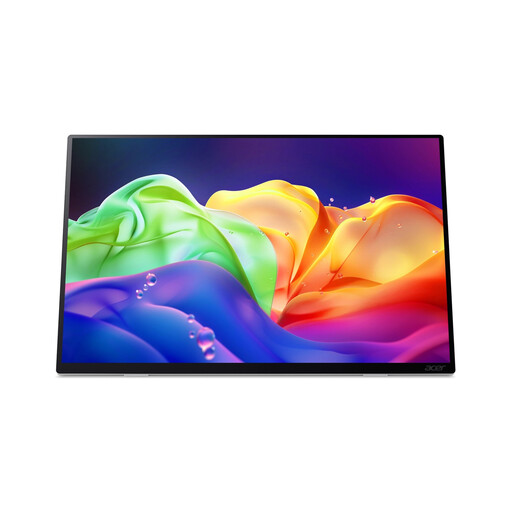
Acer ProDesigner PE160WUT
Compare this model if you’re looking for a larger portable screen with touch control and a high stated resolution.
16-inch OLED touchscreen, 2880 × 1800 pixels, 16:10, 120 Hz, approx. 750 g, two USB-C ports and HDMI 2.1. The model has no internal battery and doesn’t support USB-C Power Delivery charging.
View on Joybuy
 No image available
MSI PRO MP165 E6
A larger Full HD screen to compare if having plenty of physical screen space matters to you.
15.6 inches, 1920 × 1080 pixels, two USB-C ports with DP Alt Mode, HDMI 2.0b, an integrated stand and a stated weight of 0.78 kg.
View on Joybuy
 No image available
ASUS ZenScreen MB166CR
Compare this model if you’re looking for a single portable Full HD screen with an adjustable setup.
15.6-inch IPS screen, 1920 × 1080 pixels, USB-C connection, anti-glare surface and a 360° stand.
View on Joybuy
 No image available
Arzopa A1S
A compact option to compare if you’re mainly looking for a lightweight screen to set up while you’re on the go.
14-inch Full HD IPS screen with 1920 × 1080 pixels, two USB-C ports, mini-HDMI, a built-in stand and a stated weight of 600 g.
View on Joybuy
Frequently asked questions
Will a portable monitor work with any USB-C port on my laptop?
No, the connector shape alone doesn’t guarantee a video signal. For the USB-C video connection described for the MB169CK, ASUS requires a laptop port with DP Alt Mode; HDMI with separate USB-C power is an alternative. Check your laptop’s port specifications and the specifications of the monitor you choose.
How do I set up the screen to view a floor plan?
In Windows, use the display settings to detect the external screen and arrange your displays. Microsoft Support generally recommends using the recommended resolution. Then check in your drawing software that lines and text appear at the size you want.
Can I rely on having power available at my seat on the train?
No, NS says that the availability of power sockets or USB charging points depends on the type of train. Check the power requirements for your complete laptop and monitor setup, and charge a monitor’s built-in battery in advance.
What if the floor plan contains personal data?
If your floor plan contains personal data, consider who can see the screen before opening the file. The Dutch Data Protection Authority says that organisations must prevent unauthorised access to personal data; an ordinary monitor doesn’t automatically shield what’s on screen.
What return and warranty rights apply to a purchase?
For an online purchase as a consumer, ACM ConsuWijzer says you generally have a statutory 14-day cooling-off period after delivery; check which exceptions and return conditions apply. The Dutch government says there is no fixed statutory warranty period in the Netherlands: you’re entitled to a product that works properly, and the appropriate solution depends on the fault. Don’t assume these consumer rights apply in the same way to a business purchase.


