First, check how the monitor will receive both a video signal and power: a USB-C port doesn’t guarantee that your source device can output video, and HDMI won’t power the monitor by itself. Then compare screen space, weight and stand. ASUS, Lenovo and Philips list different connections and screen features, but those specifications don’t prove that text will remain readable in direct sunlight. In bright conditions, plan to set up somewhere sheltered.
Who is this for?
Field trip reader without access to a socket
Wants to display notes somewhere without mains power and needs to check in advance how both the monitor and video source will be powered. ASUS lists a built-in battery for the ZenScreen Go MB16AWP; C’t explains that portable screens may need a separate power connection with certain connection setups.
Presenter with lots of text
Carries the screen between locations and weighs up space for notes against size and weight. Lenovo lists a 14-inch screen and a weight of 700 g for the ThinkVision M14t Gen 2.
Teacher using different devices
Displays notes from different laptops or other sources and checks that each device’s video output, cable and power supply work with the monitor. Philips states that the 16B1P3302D/00 requires DP Alt Mode on the source device for video via USB-C.
What should you look for?
Before a field trip, first check whether your screen and source device can provide both a picture and power. Then consider how text will look and how easy the screen will be to carry and set up.
| What to consider |
What should you check? |
Who is this most important for? |
| Power on location |
Check whether the screen has a built-in battery or is powered via USB. Also consider how you’ll power the source device. |
If there’s no socket at the field trip location, I want to know in advance whether the screen and source can keep working together. Around 36% of consumers put power supply at the top of their list. |
| Note readability |
Consider screen size, resolution and aspect ratio together; try out the text size and viewing angle in similar lighting. |
When I’m reading long notes myself or sharing them with others, screen space and a practical viewing angle matter. Around 29% of consumers prioritise text display. |
| Connecting to your device |
Check whether USB-C supports video on the exact source device; with HDMI, make sure you also arrange power for the monitor. |
If I use different laptops or other sources, I want to know before setting off which connection works with each device. Around 21% of consumers prioritise compatibility. |
| Carrying and setting up |
Compare the stated weight and check whether the stand will sit securely on the available surface. |
If I’m carrying the screen between field trip stops, I want it to be practical to transport and set up again. Around 14% of consumers prioritise portability and setup. |
Common pitfalls
-
Assuming every USB-C port can output video
A compatible connector alone doesn’t guarantee a video signal. For video via USB-C on the 16B1P3302D/00, Philips requires DP Alt Mode on the source device.
Check your device’s port specifications and test the connection before setting off.
-
Confusing HDMI with power
An HDMI cable can carry the video signal, but it won’t power the monitor by itself. C’t notes that using HDMI or DisplayPort may require a separate USB connection for power.
As well as the video cable, plan for a suitable power source and check the manual for the exact model.
-
Assuming an anti-glare finish guarantees readability in full sun
An anti-glare finish or stated brightness isn’t the same as a field test of how readable notes are in direct sunlight.
Try the screen setup in similar lighting and, if needed, have a sheltered spot as a back-up.
-
Assuming the manufacturer’s warranty is the full extent of your statutory rights
In the Netherlands, statutory guarantees don’t have a fixed two-year end date, according to ACM ConsuWijzer. The product’s reasonable expected lifespan and the circumstances of the fault are relevant.
Keep your proof of purchase and the product description. If a fault occurs sooner than you could reasonably expect, discuss it with the seller.
Brands to compare
ASUS
The ZenScreen MB16AHV and Go MB16AWP offer different connection and power options.
- ASUS lists USB-C and mini-HDMI for the MB16AHV; according to ASUS, the Go MB16AWP has a built-in battery.
- Battery capacity alone doesn’t tell you how long the screen will last with your settings. These features apply to the models listed, not necessarily to every ZenScreen.
Lenovo
The ThinkVision M14t Gen 2 is a compact 14-inch screen with a 16:10 aspect ratio and touch functionality.
- Lenovo lists a resolution of 2240 × 1400 pixels and a weight of 700 g for this model.
- Check whether 14 inches suits the distance at which you want to read or share your notes. You won’t need touch functionality if you’re only displaying text.
Philips
The portable Business Monitor 16B1P3302D/00 has two USB-C ports and a tilting stand.
- Philips states that the stand tilts from 0 to 90 degrees.
- For video via USB-C, Philips requires DP Alt Mode on the source device; the monitor is powered via USB. These requirements apply to this model.
Dell
The Dell Pro 14 Plus P1425 is a portable 14-inch USB-C monitor.
- Dell lists an IPS screen with a resolution of 1920 × 1200 pixels and a tilting stand for this model.
- Check whether your laptop can output video through the connection and whether the power setup suits your field trip.
Portable monitors at Joybuy
This selection includes portable screens with USB-C and HDMI, designed to display notes from a compatible source. Check how each model handles video input and power.
 No image available
TECLAST V16H 16-inch portable monitor
A good fit if you want to display notes on a 16-inch screen and need a built-in stand.
FHD IPS screen, 16:10, 144 Hz, two USB-C ports and mini-HDMI; built-in kickstand.
View at Joybuy
 No image available
TECLAST V16Q 16-inch 2.5K monitor
A good fit if you want to display notes on a 16-inch screen with a 16:10 aspect ratio.
2.5K resolution of 2560 × 1600 pixels, 144 Hz, two USB-C ports and mini-HDMI; built-in kickstand.
View at Joybuy
 No image available
MSI PRO MP165 E6 15.6-inch monitor
A good fit if you want to take a portable 15.6-inch screen with a built-in stand with you.
Full HD IPS screen, USB-C with DP Alt Mode and HDMI; stated weight of 0.78 kg and stand that tilts up to 90°.
View at Joybuy
 No image available
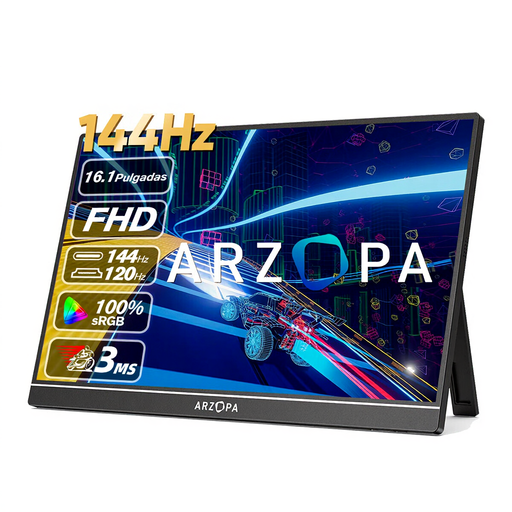
ARZOPA Z1FC 16.1-inch monitor
A good fit if you want to display notes on a 16.1-inch portable screen and set it up while you’re out and about.
Full HD IPS screen with 1920 × 1080 pixels, USB-C and mini-HDMI; stated weight of 780 g and built-in kickstand.
View at Joybuy
 No image available
ARZOPA Z1RC 16-inch 2.5K monitor
A good fit if you want to display lots of text on a 16-inch screen with a 16:10 aspect ratio.
IPS screen with 2560 × 1600 pixels, USB-C and HDMI; stated weight of 810 g and built-in stand.
View at Joybuy
Frequently asked questions
Will every USB-C port on my laptop work with a portable monitor?
No, not automatically. For video via USB-C on the Philips 16B1P3302D/00, Philips requires DP Alt Mode on the source device. Check your laptop and monitor specifications. USB power is a separate requirement.
How should I set up the screen for a group looking at notes?
Place the screen on a stable surface and adjust the viewing angle for the group. Philips lists a stand that tilts from 0 to 90 degrees for the 16B1P3302D/00; ASUS lists a kickstand for the MB16AHV. Try out the text size and setup in advance.
What should I do if there’s no picture when I connect the monitor via HDMI?
As well as checking the HDMI video cable, make sure the monitor is receiving power separately. C’t notes that using HDMI or DisplayPort may require a separate USB connection for power; also check the manual for the exact model.
Do I still have rights in the Netherlands after the manufacturer’s warranty ends?
You may do. According to ACM ConsuWijzer, statutory guarantees in the Netherlands have no fixed time limit. What matters is how long you could reasonably expect the product to last with normal use. If a fault is covered by the guarantee, contact the seller.
Which product safety mark should I check when buying?
According to the Dutch government, electronic devices placed on the market in the EU must carry a CE mark. Check the product information and who the seller is; a brand or model name on its own doesn’t prove that the item being offered carries the mark.


