What should you look for when choosing one?
Colour-focused display
Choose this option if: you mainly want to discuss the colour and details of a digital design. For the ProArt PA169CDV, ASUS lists features including 4K, 100% sRGB and factory calibration; ViewSonic lists OLED and 100% DCI-P3 for the VP16-OLED.
Bear in mind: stated colour gamut and calibration don’t guarantee a screen-to-print match, particularly under changing café lighting.
Touchscreen for collaborative reviews
Choose this option if: you want to point out details together or work with a stylus. ASUS lists ten-point touch and a stylus for the PA169CDV; Lenovo specifies touch functionality for the ThinkVision M14t Gen 2.
Bear in mind: compatibility with your computer, the screen angle on the table and the power requirements. Touch functionality alone doesn’t make a screen suitable for final colour approval.
Simpler second screen
Choose this option if: you mainly want to show a digital mock-up and match the resolution, screen size and positioning to your table. The Lenovo L16 and ARZOPA Z1RC are examples of portable 16-inch displays.
Bear in mind: Lenovo lists 45% NTSC for the L16; this specification doesn’t support a claim of colour-critical accuracy. ARZOPA’s stated colour gamut is not an independent measurement of colour accuracy either.
When choosing a portable monitor for a design review in a café, the main considerations are colour, a reliable connection, readability and ease of carrying. Also consider whether the screen is suitable for an initial review or the approval stage you have in mind.
| What to consider |
What to look for when buying |
Who should give this more weight? |
| Colour and what ‘proof’ means |
Check the colour mode and calibration details for the exact model; decide whether you need an initial review or formal approval of printed materials. |
When discussing a digital design, I want to assess the colour without treating it as final approval of printed materials. Around 33% of consumers put colour first. |
| Connectivity and power |
Check for video via DisplayPort Alt Mode or Thunderbolt, the right cable and the power setup; Dell Support recommends checking the laptop connection. |
To start a presentation without connection problems, I test my laptop, cable, monitor and power supply together beforehand. Around 27% of consumers put a reliable connection first. |
| Readability for two people |
Compare the resolution, aspect ratio, screen size, finish and stand; view a sample file from both seats. |
When we’re looking at text and design details together, I want to position the screen so we can both see it clearly. Around 20% of consumers put readability first. |
| Portability and setup |
Check the weight, case, stand, cable and accessories you’ll actually take with you. |
When travelling to a short meeting, I want to set up the monitor quickly without bringing unnecessary extras. Around 20% of consumers put portability and setup first. |
Brands to consider
These models illustrate different approaches; their features apply to the product lines mentioned and aren’t a general assessment of each brand.
ASUS
The ProArt PA169CDV is designed for colour-focused or interactive design sessions, while the ZenScreen MB16AHV is a portable IPS alternative.
- ASUS lists 4K, 100% sRGB, factory calibration, touch and stylus support for the PA169CDV.
- These model specifications don’t prove that colours will match printed materials or that the screen will work with every laptop.
ViewSonic
ViewSonic describes the ColorPro VP16-OLED as a display for creative work and review on the go.
- For this model, ViewSonic lists an OLED panel, 100% DCI-P3, a foldable stand and a screen hood.
- The colour and accuracy information comes from the manufacturer; a screen hood isn’t a substitute for assessing printed materials under controlled conditions.
Lenovo
The ThinkVision M14t Gen 2 combines a 14-inch screen with touch functionality, while the L16 is a 16-inch display for straightforward presentations.
- Lenovo specifies 2240 × 1400 resolution and 100% sRGB for the M14t Gen 2.
- For the separate L16 model, Lenovo lists 1920 × 1200 resolution, 300 nits and 45% NTSC. The M14t’s colour specifications don’t apply to the L16.
ARZOPA
The Z1RC is a 16-inch portable display with 2560 × 1600 resolution, designed for showing detailed designs.
- ARZOPA lists 123% sRGB for the Z1RC.
- A stated colour gamut isn’t an independent measurement of colour accuracy.
Dell
The P1424H is an example of a compact 14-inch IPS display with USB-C video and a tilting stand.
- Dell lists USB-C DisplayPort Alt Mode and an anti-glare finish for this model.
- Check the connection and model details for your own laptop and planned setup.
Portable monitors at Joybuy
These portable displays are designed for showing digital designs, from a simple mock-up to a more detailed or interactive review. Before your meeting, check that the connections and power requirements are compatible with your laptop.
 No image available
TECLAST V16Q 16-inch 2.5K monitor
Well suited to showing a detailed digital mock-up; the built-in kickstand helps position the screen on a table.
IPS, 2560 × 1600, 16:10, 144Hz, 100% sRGB and 10-bit. Listed connections: two USB-C ports and mini-HDMI.
A stated colour gamut doesn’t guarantee colour accuracy or a match with printed materials.
View at Joybuy
 No image available
MSI PRO MP165 E6 15.6-inch Full HD monitor
A portable second screen for showing a digital mock-up during a review.
The product name specifies a 15.6-inch Full HD screen with speakers. Check the connection and power requirements for your laptop.
View at Joybuy
 No image available
ARZOPA Z1RC 16-inch 2.5K monitor
An option for showing a detailed design; the built-in stand can help you position it on a table.
IPS, 2560 × 1600, 16:10 and 350 cd/m². Listed connections are USB-C and HDMI.
ARZOPA lists 123% sRGB as the colour gamut; this doesn’t demonstrate colour accuracy.
View at Joybuy
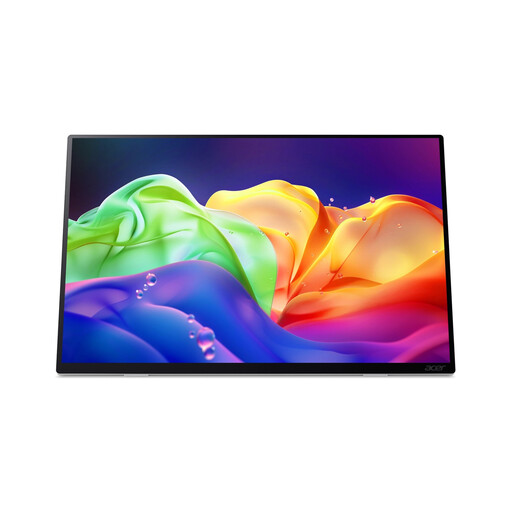 No image available
Acer ProDesigner PE160WUT 16-inch OLED touchscreen monitor
The touchscreen can be useful when you want to point out details together during a review.
OLED, 2880 × 1800 and 120Hz. When planning your setup, bear in mind that it has no internal battery and supports USB-C Power Delivery charging.
View at Joybuy
 No image available
Lenovo L16 16-inch WUXGA monitor
A portable display for a digital mock-up when colour-critical approval isn’t the priority.
IPS, 1920 × 1200, 16:10 and 300 nits; Lenovo lists 45% NTSC for the L16. The product name mentions USB-C and 65W Power Delivery.
The stated colour gamut doesn’t support a claim of colour-critical accuracy.
View at Joybuy
Frequently asked questions
Will every USB-C port on my laptop work with a portable monitor?
No. The USB-C port must support video via DisplayPort Alt Mode or Thunderbolt. Also check the cable, monitor connection and power supply; a USB-C connector alone doesn’t confirm video compatibility.
Can I get final approval for the colour of a printed proof in a café?
Don’t treat a café session as a reliable screen-to-print comparison unless the lighting and colour management are controlled. EIZO says ambient light affects the perceived colour of a print, while a screen emits its own light; it’s better to use the meeting for initial visual feedback.
How can I show my client the same image that’s on my laptop?
Choose Duplicate in your display settings if you both need to see the same image, or Extend if you want to keep different windows on your laptop. Test in advance which windows will appear on the client-facing screen.
What’s the difference between statutory rights and a manufacturer’s warranty in the Netherlands?
Your statutory rights apply alongside any manufacturer’s or retailer’s warranty. According to ACM ConsuWijzer, the retailer must put things right free of charge if a product breaks sooner than you could reasonably expect with normal use. A stated manufacturer’s warranty period doesn’t automatically determine how long your statutory rights last.
Can I return a monitor bought online?
For online consumer purchases in the Netherlands, you generally have a statutory cooling-off period of up to 14 days after delivery, according to ACM ConsuWijzer. Check the terms and any exceptions that apply to your specific purchase.


