For a one-to-one presentation of text and layout, a portable monitor is a good choice if it works with your laptop and sits securely on the library table. If you’ll also be discussing colour nuances or fine details, check the stated resolution and colour coverage too, and assess your proof under the lighting and from the viewing position you’ll use. These specifications alone can’t guarantee a reliable colour assessment.
Who is this choice for?
Designer discussing colour
You want to assess colour nuances and details during a discussion, not just show where elements are positioned. Check the stated colour coverage and consider the effect of ambient light. Lenovo, HP and ViewSonic publish colour reproduction specifications for their models.
Designer presenting a layout
You want to show a compact proof to someone sitting beside you. Readability, viewing position and a stable stand all matter; TechFi discusses reflections on the Lenovo ThinkVision M14t Gen 2.
Presenter using different laptops
You don’t always know which video output will be available, so you want to check in advance that USB-C, HDMI and the power supply are compatible with your laptop and monitor. ASUS and MSI list different connection options for their portable models.
What should you look for?
When presenting a design proof in the library, your choice mainly comes down to colour and detail, viewing together, or a connection that works with your laptop. Start with the need that matters most for your presentation, then check your complete set-up.
| What to consider |
What should you check? |
Who is this important for? |
| Colour and fine detail |
Check the resolution and stated colour coverage of the exact model; assess your proof under the lighting in which you plan to discuss it. |
If I’m discussing colour nuances and fine details, I also want to assess the proof in the library’s lighting. Around 43% of consumers rank colour and detail as their top buying priority. |
| Viewing together on one screen |
Consider screen size, stand, surface and viewing position. TechFi reports noticeable reflections on the Lenovo ThinkVision M14t Gen 2. |
When discussing a proof side by side, I want it to remain easy to read and the screen to sit securely on the table. Around 29% of consumers give viewing together their highest priority. |
| Connection and power |
Check whether your laptop port supports video and which cable and power supply the monitor you’ve chosen needs. |
When presenting with different laptops, I want to know in advance whether the chosen connection will transmit video and power the set-up. Around 28% of consumers put connection reliability first. |
Common buying mistakes
-
Assuming every USB-C port supports video
MSI’s specifications list DisplayPort Alt Mode for video over USB-C. The relevant port on your laptop must support this feature too.
Check your laptop port, cable and power supply as one complete set-up, and test everything before your presentation.
Depending on the connection you choose, you may need a different cable or power solution. HDMI may be an alternative if both your laptop and monitor have this connection.
-
Taking a stated colour gamut as a guarantee of reliable colour assessment
HP and ViewSonic publish colour specifications for their models, but these don’t automatically account for your laptop settings, design file and working environment lighting.
Use the specifications to narrow down your options, then check the actual proof in the set-up you’ll use to discuss it.
-
Judging by panel type or viewing angle alone
A screen can still reflect light in a library. TechFi notes noticeable reflections on the Lenovo ThinkVision M14t Gen 2.
Consider the screen surface, incoming light and the position of both viewers.
Brands to consider
Lenovo
The ThinkVision M14t Gen 2 is a compact option for presentations where you also want to point things out or use touch.
- Lenovo lists a 14-inch screen, 2240 × 1400 pixels, 100% sRGB and touch functionality. TechFi praises its sRGB reproduction in its Dutch review.
- TechFi reports reflections and no HDMI; check that the lighting and connection suit your set-up.
HP
The Series 5 Pro 514pn is a portable monitor for anyone who considers resolution and documented colour coverage when narrowing down their options.
- For this model, HP lists 2560 × 1600 pixels, 400 nits, 100% Adobe RGB and Display P3.
- These are manufacturer specifications, not independent measurements or a guarantee of colour reproduction throughout your workflow.
ViewSonic
The ColorPro VP16-OLED is worth considering if you also want to account for ambient light when presenting a design proof.
- ViewSonic lists 100% DCI-P3 and an attachable hood for this model.
- Colour coverage is a manufacturer specification. Also consider whether the hood and set-up work well for someone viewing the screen beside you.
ASUS
The ZenScreen MB16AHV is a connection-focused option with USB-C and mini-HDMI.
- ASUS lists a 15.6-inch anti-glare IPS screen, two USB-C ports, mini-HDMI and a kickstand.
- These specifications alone don’t show that the screen is suitable for colour-critical assessment.
MSI
The PRO MP165 E6 is a portable Full HD screen to consider if HDMI as well as USB-C is important to you.
- MSI lists a 15.6-inch screen, 1920 × 1080 pixels, HDMI and USB-C with DisplayPort Alt Mode.
- MSI warns that specifications and availability may vary by country, so check the version on offer and your laptop’s video output.
Portable monitors at Joybuy
This selection includes portable monitors for use with a laptop, from simple presentation set-ups to models with higher stated resolution or colour specifications. Check the connection, power and viewing conditions for your own set-up.
 No image available
Blackview DCM6 PRO, 14-inch Full HD
A compact option for showing a proof alongside a laptop; check in advance that the connections work with yours.
The product information lists a 14-inch Full HD screen with 1920 × 1080 pixels and compatibility with 13–17.3-inch laptops. USB-C and HDMI cables are listed as included.
View at Joybuy
 No image available
TECLAST V16H, 16-inch FHD IPS
The built-in stand can come in handy when you’re showing a proof to someone beside you at the table.
The product information lists a 16-inch IPS screen with Full HD resolution, a 16:10 aspect ratio, two USB-C ports and mini-HDMI.
View at Joybuy
 No image available
TECLAST V16Q, 16-inch 2.5K IPS
Worth comparing if you want to focus more on fine details and stated colour coverage when presenting a design proof.
The product information lists 2560 × 1600 pixels, a 16:10 aspect ratio, a kickstand, two USB-C ports and mini-HDMI. Stated sRGB coverage is 100%.
View at Joybuy
 No image available
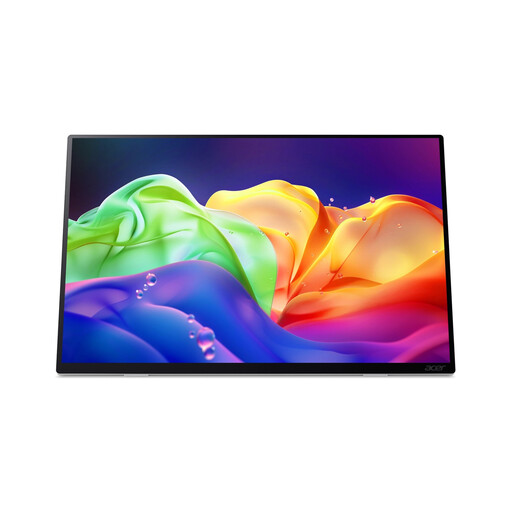
Acer ProDesigner PE160WUT, 16-inch OLED Touch
An option for presentations where you want to compare stated colour and screen features as well as fine details.
The product information lists a resolution of 2880 × 1800 pixels, 100% DCI-P3 and Delta E < 2. According to this information, the screen has no internal battery and does not support USB-C Power Delivery charging. Touch and video require a compatible host and connection set-up.
View at Joybuy
 No image available
MSI PRO MP165 E6, 15.6-inch Full HD
A connection-focused option if you want to consider HDMI as well as USB-C for your presentation.
The product information lists an IPS screen with 1920 × 1080 pixels, HDMI 2.0b and two USB-C ports with DisplayPort Alt Mode. To play video over USB-C, the connected device must support DisplayPort Alt Mode.
View at Joybuy
Frequently asked questions
Can I use any USB-C port on my laptop?
No. Don’t judge by the shape of the connector alone. Check whether the specific laptop port supports video and whether the monitor gets enough power through that connection. MSI lists DisplayPort Alt Mode for video over USB-C on the PRO MP165 E6.
How can I make my design proof visible in challenging lighting?
Test the viewing position with your proof open in the place where you plan to discuss it. TechFi reports noticeable reflections on the Lenovo ThinkVision M14t Gen 2; ViewSonic lists an attachable hood for the VP16-OLED to help shield it from ambient light.
What are my rights when buying online in the Netherlands?
For a qualifying distance purchase, you generally have a 14-day cooling-off period, according to the Government of the Netherlands. You’re also legally protected if a product is faulty; in that case, the seller is your point of contact. The Government of the Netherlands states that the country does not have a fixed statutory two-year guarantee period.


