
Presenters without access to a power socket
You’re showing a design on location and don’t want to rely entirely on power from your laptop. ASUS lists a built-in battery for the ZenScreen Go MB16AHP.


If you’re away from a power socket and want to save your laptop battery, start by looking at a portable monitor with a built-in battery; ASUS lists the ZenScreen Go MB16AHP as an example. If colour assessment is your priority, compare the stated colour gamut and colour accuracy of the exact model, and arrange a separate power source. For a print proof, screen specifications alone aren’t enough: calibration and a suitable colour management workflow also matter.
You’re showing a design on location and don’t want to rely entirely on power from your laptop. ASUS lists a built-in battery for the ZenScreen Go MB16AHP.
You want to review colours and details with a client. Compare the specifications of the exact screen, and bear in mind that colour profiles and calibration are relevant to a digital proof.
You might connect a laptop or another device while you’re out and about. Check that video, power and any touch controls work with the ports and capabilities of your source device.
Choose this if: there’s no power socket and you don’t want to use your laptop as your only power source.
Bear in mind: the stated battery life won’t necessarily apply to every presentation. Charge the monitor in advance and check the connection.
Choose this if: you mainly discuss digital colours and details, and can bring a suitable power source.
Bear in mind: colour gamut and colour accuracy are model-specific figures. Calibration and colour management remain important when comparing with printed work.
Choose this if: you want a client to interact with the design on screen.
Bear in mind: touch capability alone doesn’t prove colour accuracy. Check the power supply and connection to your source device too.
When presenting a design proof without mains power, there’s usually one main buying concern. Compare the power supply, colour assessment and connections with your own set-up.
| What to consider | What to look for | Who might find this more important? |
|---|---|---|
| Power without a socket | Check whether the screen has its own battery or needs power from a laptop or another source. Look at the stated battery life for the exact model. | When I’m presenting on location, I don’t want to rely entirely on my laptop battery; around 36% of consumers put independent screen power first. |
| Colour reproduction | Compare the colour gamut and any stated colour accuracy for the exact model. For a print proof, use suitable colour profiles and settings too. | When I’m discussing colours with a client, I want to know what the screen specifications do and don’t tell me; around 29% of consumers make colour assessment their top priority. |
| Video and power | Check that USB-C video via DisplayPort Alternate Mode works with both the monitor and source device. HDMI may require a separate power supply. | When I’m connecting different devices, I want to know in advance whether the video connection and power supply will work together; around 21% of consumers choose connection compatibility as their first consideration. |
| Readability and operation | Choose a size and resolution suited to the discussion. For a touchscreen, check that the source device and application support touch. | When I want to view or interact with the design alongside a client, I consider positioning and interaction; around 14% of consumers prioritise ease of presenting. |
A USB-C or HDMI video connection doesn’t tell you how long the screen can run without a power socket.
Before you buy, check the video connection, screen power and battery capacity of the complete set-up separately.
Specifications for different colour gamuts aren’t necessarily directly comparable. Adobe also describes the use of colour profiles for digital proofs.
Decide whether you’ll be discussing colours digitally or assessing a printed result. For the latter, set up a suitable colour management workflow and calibrate the screen.
To use USB-C video with the ASUS ZenScreen Go MB16AHP, the source device must support DisplayPort Alternate Mode.
Check the specifications for the exact laptop port and test the complete presentation set-up in advance.
ZenScreen models offer different options for independent power or colour assessment.
The ThinkVision M14d is a compact option for discussing digital details and sRGB content.
The LIGHT Series #32402 is an option for an interactive demonstration on a portable touchscreen.
The E14 G4 is worth considering if an anti-glare screen and brightness are important selection criteria.
The PM161Q B specifications provide a reference point for an anti-glare IPS screen for general presentations.
These portable monitors are designed for showing and discussing a design on location. For each model, check that the power supply and connections suit your source device and how you plan to use it.
 No image available
The stated resolution and sRGB specification are relevant if you want to discuss digital design details.
2560 × 1600 pixels; 16:10; 100% sRGB; 10-bit (8-bit+FRC); two USB-C ports and mini-HDMI; built-in stand.
 No image available
The touchscreen is useful if you want to navigate a design together during a demonstration.
15.6 inches; 1920 × 1080 pixels; USB-C and mini-HDMI; smart cover doubles as an adjustable stand; VESA mount.
 No image available
The resolution and screen size are useful when you want to show details on location.
2560 × 1600 pixels; 16:10; 1200:1 contrast ratio; 450 nits; QLED; mini-HDMI and Type-C.
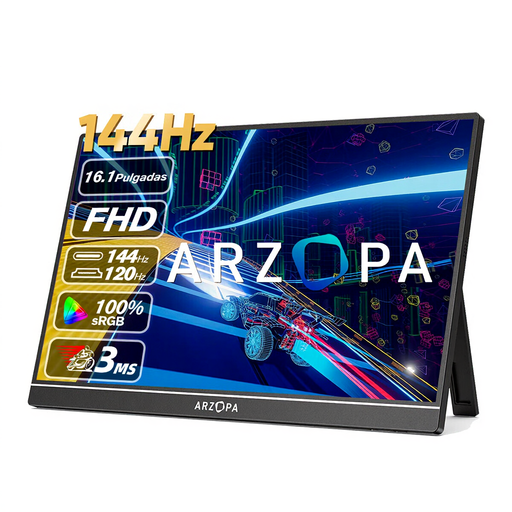 No image available
The portable design and built-in stand are useful for presentations in different locations.
1920 × 1080 pixels; 144 Hz; 106% sRGB; 300 cd/m²; two USB-C ports and mini-HDMI; weight 780 g.
 No image available
The resolution and stated sRGB specification may be worth considering when discussing digital details.
2560 × 1600 pixels; 16:10; IPS; 123% sRGB; 350 cd/m²; 10-bit (8-bit+FRC); USB-C and HDMI; built-in stand.
No, you can’t tell from the shape of the connector. ASUS states that the source device must support DisplayPort Alternate Mode for USB-C video with the MB16AHP. Also check how your chosen screen will be powered in your set-up.
Use a calibrated, profiled screen as part of a suitable colour management workflow. Adobe describes digital proofs using colour profiles; a stated colour gamut alone doesn’t guarantee a match with the final print.
In the Netherlands, you’re entitled to a product that works as it should, and you can contact the seller to discuss a solution. The Dutch government doesn’t specify a fixed statutory guarantee period for all products; what you can expect depends, among other things, on the product and the sales information.
According to the European Commission, CE marking is mandatory for products covered by applicable harmonised EU rules. The mark is a declaration by the manufacturer, not a centrally issued quality certificate or proof of colour accuracy. Check the product information for the specific model.