What should you look for when choosing?
USB-C screen for a laptop
Choose this if: your laptop outputs video using the required USB-C mode and you want to put your OBS views on a second screen.
Bear in mind: a USB-C connector alone doesn’t guarantee video compatibility; check the power requirements of both your laptop and monitor, too.
Screen with an HDMI input
Choose this if: your video source outputs HDMI, or you need HDMI alongside USB-C. ASUS lists mini-HDMI and two USB-C ports with DP Alt Mode for the ZenScreen MB16AHV.
Bear in mind: make sure the cable, signal and power supply suit your equipment. ASUS’s stated brightness of 250 cd/m² doesn’t guarantee good visibility in bright light.
Monitor with its own battery
Choose this if: you don’t want to rely on a mains socket. ASUS says the ZenScreen Go MB16AHP has a 7800 mAh battery and a micro-HDMI connection.
Bear in mind: ASUS quotes up to four hours under test conditions using DP Alt Mode at 100% brightness; this isn’t a guarantee of how long it will last during your session.
Before buying, first check that the monitor has the right input for your source. Then consider power, readability and how much space the complete setup will take up.
| Factor to consider |
What should you check? |
Who is this more important to? |
| Connection and video |
Check your source’s video output, the monitor’s input and the cable or adapter you’ll need. A local OBS preview isn’t the same as checking what viewers receive. |
If I want to be sure the desired source appears on the second screen, I check both connections first; consumers who prioritise video compatibility account for around 33% of this consideration. |
| Power during the session |
Check the power supply for both the monitor and source. If the monitor has a battery, read the stated usage conditions, too. |
When I can’t rely on a mains socket, I want to know how long the complete setup will keep working; consumers whose main concern is reliable power account for around 27%. |
| Readability |
Compare the screen size, resolution, anti-glare finish and stated brightness. Also consider how you’ll view your OBS windows from where you’re sitting. |
If I want to distinguish the preview from the controls where I’m sitting, I weigh up the screen features against my viewing distance; consumers who prioritise readability account for around 20%. |
| Portability and placement |
Check the dimensions and weight of the exact version, and measure the space available on the table for the stand and cables. |
At a small café table, I want the screen to fit securely and fit in my bag; consumers who prioritise carrying and placing a compact screen account for around 20%. |
Portable monitors on Joybuy
This selection includes portable screens for laptop use via USB-C, as well as models with mini-HDMI or HDMI. Check that the input and power supply of each model suit your source and café session.
 Image unavailable
Blackview DCM6 PRO 14-inch Full HD laptop monitor
A laptop extension for anyone who wants a second screen; check that your laptop falls within the stated compatibility range.
The product information lists USB-C, Full HD and compatibility with 13–17.3-inch laptops.
Joybuy
 Image unavailable
TECLAST V16H 16-inch portable monitor
An option to compare if you’re looking for a larger portable screen and an HDMI input; check in advance which cable suits your source.
The product title lists a 16-inch FHD IPS screen, 144 Hz, 16:10, two USB-C ports, mini-HDMI and a built-in stand.
Joybuy
 Image unavailable
TECLAST V16Q portable monitor
Compare this model if you need a portable screen with mini-HDMI and USB-C; check your source’s video output.
The product title lists 2.5K resolution, 144 Hz, an IPS screen, two USB-C ports, mini-HDMI and a kickstand.
Joybuy
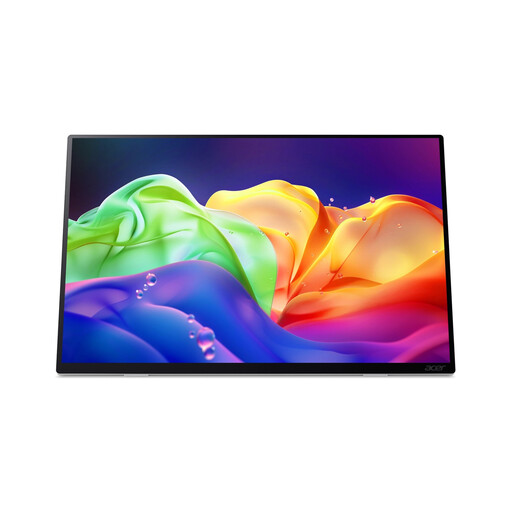 Image unavailable
Acer ProDesigner PE160WUT 16-inch OLED touchscreen monitor
A screen to compare if you need HDMI and USB-C inputs; bear in mind this model’s power limitations.
The product specifications list OLED, anti-glare, 2880 × 1800 pixels, 120 Hz and HDMI 2.1. According to the product description, the model has no built-in battery and doesn’t support USB-C Power Delivery charging.
Joybuy
 Image unavailable
MSI PRO MP165 E6 15.6-inch portable monitor
An option to compare if you want to connect via both USB-C video and HDMI; check that your source supports the relevant input.
The product description lists an anti-glare Full HD IPS screen, USB-C with DisplayPort Alt Mode, HDMI 2.0b, an integrated stand and a weight of 0.78 kg.
Joybuy
Frequently asked questions
Can I put OBS Multiview on a portable monitor?
Yes, as long as the monitor works as an additional display for your computer. OBS Studio explains how to project the programme, preview and Multiview, among other views. This shows the local OBS view and doesn’t, by itself, confirm what viewers receive.
Will every USB-C port on my laptop send video to the monitor?
No. Don’t assume it will based on the shape of the connector alone. ASUS says the source must support DisplayPort Alternate Mode for USB-C video on the ZenScreen MB16AHP; check the specifications of your laptop and monitor.
How can I use a portable monitor without reliable access to a mains socket?
Check the power supply for both the monitor and source. A model with its own battery, such as the ASUS ZenScreen MB16AHP, can power the monitor independently, but ASUS quotes up to four hours under specific test conditions. Test the complete setup in advance for the intended session length.
What are the rules in the Netherlands for online purchases and faulty products?
According to ACM ConsuWijzer, online purchases generally come with a statutory cooling-off period of up to 14 days after delivery. You’re also covered by a legal guarantee if a product, when used normally, doesn’t do what you could reasonably expect; the seller must put this right under the applicable terms. A manufacturer’s guarantee doesn’t replace this legal right.


