What should you look for when choosing?
Choose the connection, viewing distance, power supply and table footprint to suit where you plan to display the event notes.
| What to consider |
What should you check? |
Who is this important for? |
| Working video connection |
Check whether the source device’s USB-C port supports video and which video inputs the monitor has. ASUS Support Netherlands explains that the USB-C connections at both ends must support video; if you’re using mini-HDMI, check which cable or adapter you’ll need. |
When I connect my laptop, I want to know the notes will actually appear on the screen. Around 31% of consumers put connectivity at the top of their list. |
| Legibility for viewers |
Test text size, viewing distance and screen angle in similar lighting. ASUS Netherlands lists an anti-glare 15,6-inch screen for the MB16AHV; Dell Netherlands lists an anti-glare 14-inch screen for the P1425. These specifications alone don’t determine whether visitors will be able to read the text clearly. |
If visitors need to view the screen from somewhere else, I want the notes to be readable from their actual viewing distance. Around 25% of consumers say legibility is their main buying concern. |
| Power during the event |
Check the power requirements of your chosen monitor and source device. ASUS lists a built-in 7800 mAh battery for the ZenScreen Go MB16AHP; this capacity alone doesn’t tell you how long it will last with your settings. |
If I don’t want to rely on a power socket, the screen needs to stay on throughout the event. Around 25% of consumers prioritise reliable power. |
| Portability and stability |
Compare the external dimensions and weight with your bag and the available table space. ASUS Netherlands lists a tripod socket for the MB16AHV; Lenovo Netherlands describes the ThinkVision M14t Gen 2 as having an adjustable stand. |
If I’m taking the screen to a café, I want to set it up without it being awkward to position. Around 19% of consumers say portability and a stable setup are their main buying concerns. |
Joybuy products
This selection features portable monitors for event notes, with a focus on setups where HDMI may be needed as the video input. The Netherlands Food and Consumer Product Safety Authority states that CE marking is mandatory for electrical products; check the mark and applicable conformity of the specific version before buying.
 No image available
TECLAST V16H portable monitor, 16-inch FHD IPS, 144Hz
One option to compare if you’re looking for a portable second screen for event notes; check your source device’s connections first.
The product name lists a 16-inch FHD IPS screen and 144Hz. If you’re using USB-C, the source port must support video.
Joybuy
 No image available
TECLAST V16Q portable monitor, 2.5K 144Hz IPS
An option to compare if you’re looking for a portable screen for notes and its connections are compatible with your source device.
The product name lists a 2.5K IPS screen and 144Hz. If you’re using USB-C, check that your source device supports video through that port.
Joybuy
 No image available
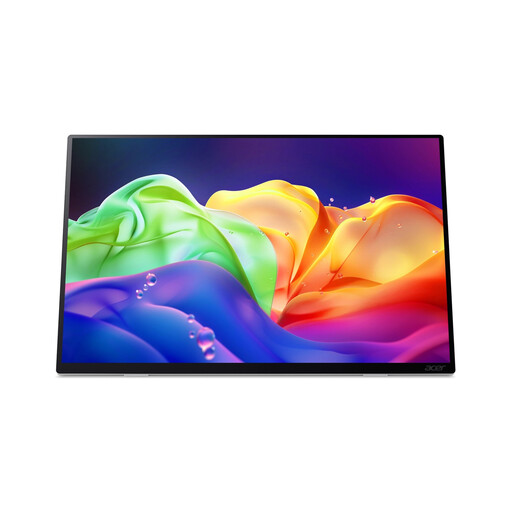
Acer ProDesigner PE160WUT 16-inch OLED touchscreen monitor
An option to compare if you’re considering a portable touchscreen; check that your source device supports touch controls.
The product name lists a 16-inch OLED touchscreen with a resolution of 2880 × 1800 and a refresh rate of 120Hz.
Joybuy
 No image available
MSI PRO MP165 E6 portable USB-C monitor, Full HD, 15.6-inch
An option to compare for a portable notes setup; check the video connection you need and your source device’s ports.
The product name lists a 15.6-inch Full HD screen. USB-C also requires video support on the source device.
Joybuy
 No image available
ARZOPA Z1RC portable monitor, 16-inch 2.5K IPS
An option to compare if you’re looking for a portable screen for notes and it suits the way you plan to position it on the table.
The product name lists a 16-inch 2.5K QHD IPS screen with a resolution of 2560 × 1600. If you’re using USB-C, check that the source supports video through that connection.
Joybuy
Frequently asked questions
Will every USB-C connection work with a portable monitor?
No, not every USB-C port supports video. Check the specifications of both the source device and the monitor; ASUS lists USB-C with DP Alt Mode for the ZenScreen MB16AHV.
How should I set up a screen for event notes in a café?
Test the text from the actual viewing distance and choose a stable spot that fits the available table space. ASUS lists a tilting setup and tripod socket for the MB16AHV; Dell lists a tilting stand for the P1425.
Does an HDMI connection also power the monitor?
Don’t assume that HDMI video also powers the monitor. Check the power supply and cables required for the exact version; ASUS lists mini-HDMI for the MB16AHV and notes that the accessories included may vary by region.
Which product marking should I check for a portable monitor in the Netherlands?
Check the CE mark and that the specific version meets the applicable conformity requirements. The Netherlands Food and Consumer Product Safety Authority states that CE marking is mandatory for electrical products; a brand name or product specification doesn’t confirm that the item on offer carries the mark.
Can I include attendees’ names in the notes on screen?
If you process personal data, the Dutch Data Protection Authority says you need an applicable legal basis under the GDPR; which basis is appropriate depends on the situation. Also consider who can see the screen, and avoid displaying unnecessary personal data on a screen facing visitors.


