
Vandaag of morgen in huis

Kwaliteit gegarandeerd

Welkomstaanbiedingen ontgrendelen: GRATIS bezorging | Tot 80% korting | Gratis 30 dagen JoyPlus-proefperiode
Download de app
A portable monitor can turn your laptop into a mobile dual-screen workstation. It is useful for working from home, studying, travelling, presentations and gaming. However, not every model is equally easy to connect or convenient to carry. A low price also says little about connectivity, power consumption or picture quality.
The Joybuy Product Recommendation Officer filters the most important product specifications and highlights the most common purchasing pitfalls. This helps you compare a portable monitor, mobile monitor or external monitor for laptop based on the features that make a real difference in everyday use.
A USB-C port does not automatically support DisplayPort Alt Mode. Some laptops use USB-C only for data or charging. Therefore, check whether your laptop’s USB-C connection actually supports a video signal. If you are unsure, a model with Mini HDMI or HDMI is a practical alternative.
Also pay attention to the power supply. A portable laptop monitor can draw power via USB-C, but certain laptops or smartphones may require an additional USB cable or adapter. A cable that only supplies power will not produce a picture.
A 144 Hz display sounds appealing for gaming, but your laptop, cable and connection must all support that speed. For office work and studying, 60 Hz is often sufficient. For a portable gaming monitor, response time is also relevant alongside the refresh rate.
So check:
A 16-inch screen offers more workspace than a 14-inch Full HD monitor, but it also takes up more room in your bag. A QHD monitor displays more detail, but may require more power and graphics capacity. For word processing on the go, a 14-inch or 15.6-inch Full HD monitor often offers a good balance of readability and weight.
Most mobile monitors have a 16:9 or 16:10 aspect ratio. A 16:10 screen, as found on some 16-inch models, provides slightly more vertical space for documents and web pages. Check beforehand that the size fits alongside your laptop and that the built-in stand is stable on a café table, desk or hotel room surface.
Full HD means 1920 × 1080 pixels. This is suitable for office software, lessons, video and general use. QHD or 2.5K, for example 2560 × 1600 pixels, delivers a sharper picture and more workspace. On the other hand, text and interface elements may sometimes appear smaller.
An IPS panel is known for its wide viewing angles. When comparing models, also look at brightness, contrast and colour coverage. A stated value such as 350 cd/m² can be checked, but outdoor visibility also depends on direct sunlight and reflections.
For mobile use, two USB-C ports, HDMI or Mini HDMI and an integrated stand are practical features. Pay attention to the overall weight: the models in this selection range from approximately 600 to 810 grams. A protective case helps prevent scratches during transport, while an adjustable stand makes it easier to change the viewing angle.
A portable monitor does not work in the same way as a monitor arm. If you have a permanent workstation, for example, you can take a look at the Neomounts FPMA-D960NOTEBOOK monitor arm. This arm supports screens up to 27 inches and notebooks up to 22 inches, with VESA 75 × 75 or 100 × 100 mm. It is a space-saving solution for a desk, not for use on the go.
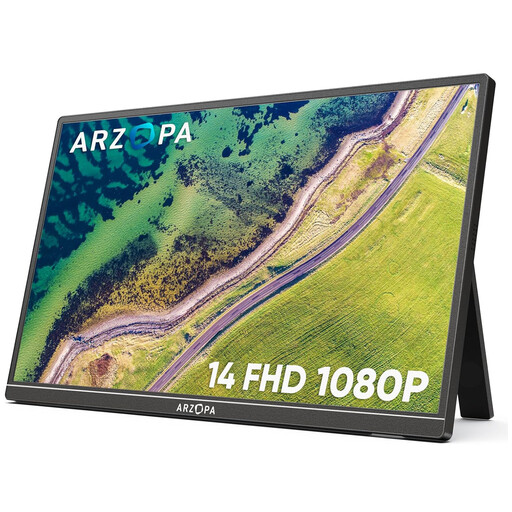
Why it suits this profile: According to the product specifications, the 14-inch Full HD IPS screen weighs 600 grams and has two USB-C ports and Mini HDMI. This makes it suitable for students and users looking for a compact second screen for their laptop.
The combination of USB-C and Mini HDMI provides an alternative if your laptop’s USB-C port does not support a video signal. Make sure to check compatibility beforehand.
1920 × 1080 resolution, built-in stand, 60 Hz and support for laptops, consoles and smartphones according to the product information.
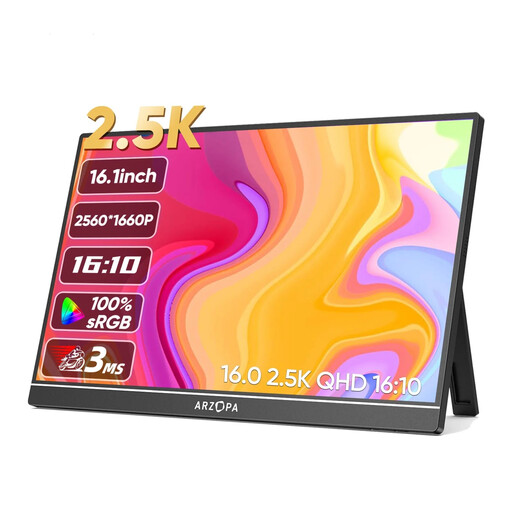
Why it suits this profile: The 2560 × 1600 resolution, 16:10 aspect ratio and IPS panel are suitable for users who value extra workspace and detail.
The specifications list both two USB-C ports and HDMI, so you are not solely dependent on one type of connection.
350 cd/m² brightness, 60 Hz, built-in stand, speakers and a stated weight of 810 grams.
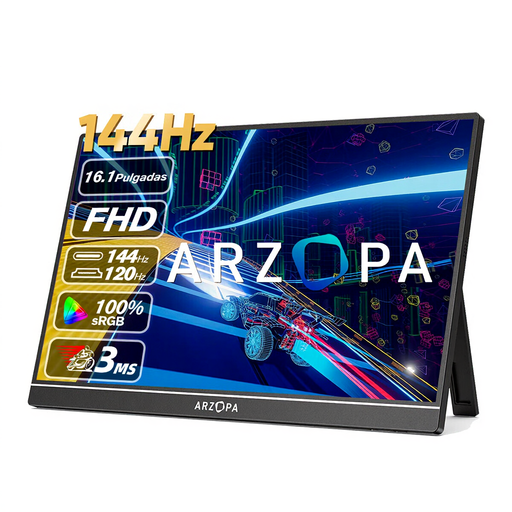
Why it suits this profile: This model is designed for gaming, with 144 Hz, a stated response time of 13 ms, Full HD resolution and support for laptops, PCs and consoles.
The high refresh rate is clearly stated, but check that your laptop, console and cable can deliver 144 Hz before buying.
16.1-inch IPS, 144 Hz, two USB-C ports, HDMI, built-in stand and a stated weight of 780 grams.
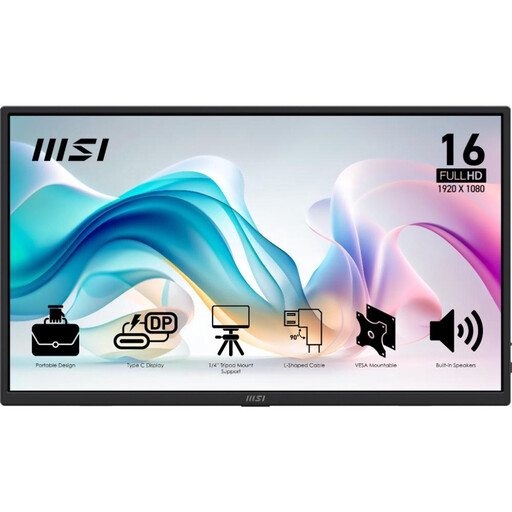
Why it suits this profile: According to the product specifications, this 15.6-inch Full HD model weighs 0.78 kilograms and has an integrated stand, protective case and HDMI cables.
The connections are clearly specified: two USB-C ports with DP Alt Mode and 15 W Power Delivery, plus HDMI 2.0b.
Full HD IPS, 60 Hz, 4 ms GtG, built-in speakers, VESA 75 × 75 mm and a stand that tilts up to 90 degrees.
We have compiled a complete, up-to-date list of products that fully meet these strict selection criteria and the applicable European safety regulations.
A smartphone or Nintendo Switch may require an additional power source. For consoles, HDMI is usually the recommended connection. Also check whether the device supports the desired resolution and refresh rate.
No. The monitor must be compatible with the available connection. USB-C only supports video when the port supports DisplayPort Alt Mode. A model with HDMI or Mini HDMI may provide an alternative. Also check whether a separate power cable is required.
Its lifespan depends on transport, usage time, heat and the quality of the cables and connections. Use a protective case, avoid putting pressure on the panel and keep the screen dry. Manufacturer warranties vary by product; check the current terms and conditions on the product page.
A mobile monitor generally draws power via USB-C or an adapter. Consumption depends on brightness, resolution, speakers and the model selected. When used with a laptop, it may drain the battery more quickly. An additional power adapter is therefore useful when you are working in one location for an extended period.
