
Vandaag of morgen in huis

Kwaliteit gegarandeerd
Download de app
Categorieën

Working or gaming on a single, small laptop screen can limit productivity and make the experience less enjoyable. A portable monitor offers an immediate solution by expanding your workspace, wherever you are. However, the options are vast, and the specifications can be confusing. This article will help you make an informed choice based on factual product parameters, ensuring you find a model that meets your specific needs.
It's easy to make the wrong purchase if you don't know which specifications matter. Below are the most important criteria for selecting a suitable external display.
The resolution determines the sharpness of the image. The most common options are:
The screen size, typically between 14 and 16 inches, is a trade-off between workspace and portability. A larger screen offers more comfort but is heavier and takes up more space.
Connectivity is a crucial factor. Most modern portable screens use:
Always check the specifications of your own devices to ensure compatibility.
The panel type affects the image quality. IPS (In-Plane Switching) panels are the standard for portable monitors due to their wide viewing angles and excellent colour reproduction.
For colour-critical work, the colour space (colour gamut) is important. A value of around 100% sRGB or higher indicates that the monitor can display colours vividly and accurately.
The purpose of a mobile display is mobility. Pay attention to the weight (usually between 600 and 900 grams) and thickness. A lighter and thinner model is easier to carry in a laptop bag. Built-in stands or magnetic covers that double as a stand enhance usability.
Based on the criteria above, we have selected two models from Arzopa monitor that serve different purposes.
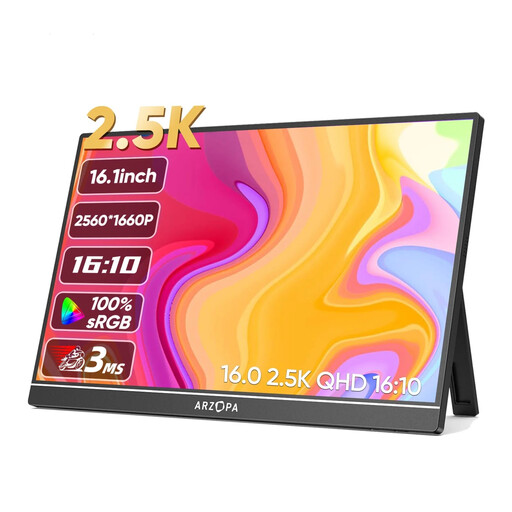
Why This Product This 16-inch model combines a high 2.5K (2560x1600) resolution with excellent colour reproduction. It is a screen for users who need more visual detail and workspace than a standard Full HD monitor can provide.
Pros
Who Is This For? This model is ideal for creative professionals, developers, and data analysts who value high pixel density and accurate colours. It is also an interesting option for gamers looking for a sharper image for their portable screen for gaming.
View the ARZOPA Z1RC 16" 2.5K Monitor
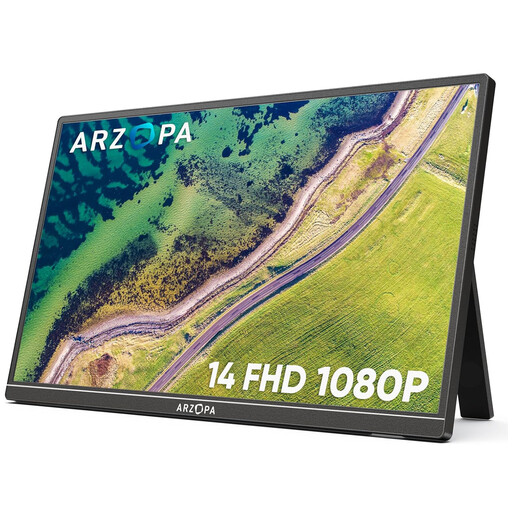
Why This Product The Arzopa A1S focuses entirely on maximum portability. Weighing just 600 grams and featuring a compact 14-inch size, this screen is designed for people who are frequently on the go.
Pros
Who Is This For? This screen is an excellent choice for students, digital nomads, and business travellers who need a lightweight and straightforward second screen for their laptop. It provides essential functionality without the extra weight.
View the Arzopa A1S 14.0" Monitor
The right choice depends on your personal balance between screen size, resolution, and portability. If the models mentioned above do not fully meet your requirements, or if you are looking for different sizes or specific features, you can browse our broader selection.
Discover more options in our Display Phones category.
1. Can I connect any portable monitor to my laptop? Generally, yes, but it's important to check the ports. Most modern laptops with a USB-C port that supports DisplayPort Alternate Mode can deliver video and power through a single cable. For older laptops or devices without this feature, the HDMI port is the solution, but the monitor will often require a separate power source via a second USB cable.
2. Do I need a separate power source for a portable monitor? That depends on the monitor and your laptop. A portable monitor usb c can often receive power and data via a single cable. If you use HDMI, or if your laptop's USB port doesn't supply enough power, you will need to power the monitor via a separate USB port or a wall outlet. The necessary cables are usually included.
3. Is a portable monitor suitable for gaming? Yes, a portable screen for gaming is a popular application. You can use it as a compact main screen for consoles like the Nintendo Switch, PS5, or Xbox, especially when you're on the go. Pay attention to the refresh rate, although 60Hz is sufficient for most portable scenarios.