What should you look for when choosing?
Start by checking how easy your own plan is to read. Then check the video connection and power supply, and choose a screen size that suits your bag and study space. Treat conversations around you as a separate question about your study environment.
More screen space
Choose this if: you want to view plans alongside notes and have room on your desk and in your bag.
Bear in mind: a larger screen takes up more space, and doesn’t automatically mean small labels will be readable without zooming in.
A more compact second screen
Choose this if: keeping your bag light and working in a small space are your priorities.
Bear in mind: check that you can read details comfortably on the smaller screen.
Flexible connections
Choose this if: you move between study spaces and the connections suit your laptop.
Bear in mind: a USB-C connection alone doesn’t confirm that your laptop and cable support video and power.
| What to consider |
What should you check? |
Who is this important for? |
| Reading details and legends |
Compare screen diagonal, resolution and aspect ratio, and view a representative plan at your preferred scale and viewing distance. |
If I want to read small labels and a legend on my own plans, I check what remains visible at my preferred scale. Around 38% of consumers say that making plans easy to read is their top priority. |
| Video connection and power |
Check the video output of the laptop port, the cable and how the monitor gets its power. |
If I switch between laptops or study spaces, I want the whole laptop, cable and monitor setup to work. Around 31% of consumers prioritise connections and power. |
| Carrying and setting up |
Compare the weight and dimensions, and check the stand, viewing angle and available desk space. |
If I often take my second screen with me or have limited desk space, a suitable, stable setup matters a lot. Around 23% of consumers prioritise portability and setup. |
| Conversations you can hear |
Consider separately whether you need a quieter place or a suitable audio solution; don’t expect the screen to reduce noise. |
If conversations could distract me while I’m reading, I don’t want to mistake that for a screen problem. Around 8% of consumers cite distracting conversations as their main concern. |
Joybuy products for studying plans
These Joybuy products are portable screens of around 15.6 or 16 inches for anyone who wants to view plans on a larger second screen. Check the resolution, connections and power requirements of each model against your own equipment.
 No image available
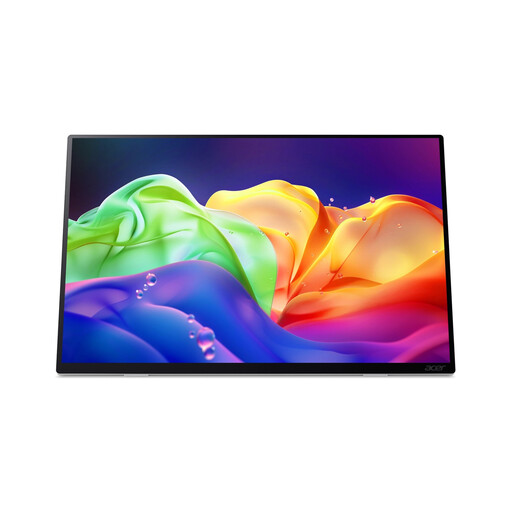
Acer ProDesigner PE160WUT 16-inch OLED touchscreen monitor
Worth comparing if you’re looking for a portable screen with a high stated resolution for viewing plans.
The product listing specifies 2880 × 1800 pixels, a 16:10 aspect ratio, OLED, touch control, anti-glare and 120 Hz.
The product description doesn’t list a built-in battery or USB-C Power Delivery charging. Also check whether your laptop and cable support the video connection you need.
Joybuy
 No image available
UPERFECT 16-inch QLED portable monitor, 2560 × 1600
Compare this model if you’re looking for a portable 16-inch screen with a stated 16:10 resolution for detailed plans.
The product listing specifies 2560 × 1600 pixels, QLED, anti-glare, 144 Hz, Mini HDMI and Type-C. Check that your laptop and cable have the video and power capabilities you need.
Joybuy
 No image available
ARZOPA Z1RC 16-inch IPS monitor, 2560 × 1600
Worth comparing if you want to use a portable screen with a built-in stand in different study spaces.
The product listing specifies 2560 × 1600 pixels, a 16:10 aspect ratio, an IPS panel, and USB-C and HDMI connections. The product description states a weight of 810 g.
Joybuy
 No image available
TECLAST V16H 16-inch FHD IPS portable monitor
Compare this model if you’re looking for a 16-inch second screen with Full HD resolution and a built-in stand.
The product listing specifies 1920 × 1080 pixels, an IPS panel, two USB-C ports and Mini HDMI. Check the video capabilities and power requirements of your laptop and cable.
Joybuy
 No image available
MSI PRO MP165 E6 15.6-inch Full HD portable monitor
Worth comparing if you’re looking for a 15.6-inch screen with anti-glare for study spaces with changing light.
The product listing specifies Full HD resolution of 1920 × 1080 pixels. The product description states a weight of 0.78 kg, a built-in stand, a protective case and anti-glare. Check the video connections and power requirements for your own equipment.
Joybuy
Frequently asked questions
Is USB-C on my laptop enough to display an image on a portable monitor?
Not always. Check whether the laptop port supports video in the required mode, whether the cable is suitable and how the monitor gets its power. Dell lists DisplayPort Alt Mode for the P1424H, and ASUS lists it for the MB16AHV, for USB-C video connections.
Can a monitor help with background conversations?
No, a screen doesn’t reduce background speech. Research into reading with background speech found effects on reading under the conditions studied, but didn’t test these monitors. Choose your screen for readability, and consider your study space or a separate audio solution separately.
How should I set up a second screen for longer study sessions?
Place the screen securely and adjust your workspace to suit you. Arboportaal recommends a well-adjusted workspace. For laptop use, it lists a separate keyboard and mouse as part of the setup. This is workspace advice, not a requirement for every student buying a monitor.
What should I know about buying online and disposing of old equipment?
When you buy from a business at a distance, you generally have a 14-day cooling-off period, although the Dutch government explains that exceptions may apply. The Dutch government also states that electronic devices offered for sale in the EU must carry the required CE marking; check this for the specific product. You can hand in an old, similar device at the shop or online service where you buy a replacement, or at a local council recycling centre.
What if the screen turns out to be faulty after purchase?
Your statutory rights with the seller are separate from any manufacturer’s warranty. The Dutch government states that if a product is faulty during the first year, the seller must prove that the consumer caused the fault. If they can’t, the consumer is entitled to a free repair or replacement; a refund may be available under further conditions.


