
Vandaag of morgen in huis

Kwaliteit gegarandeerd

Welkomstaanbiedingen ontgrendelen: GRATIS bezorging | Tot 80% korting | Gratis 30 dagen JoyPlus-proefperiode
Download de app
Categorieën

Working or gaming on a single laptop screen can feel restrictive. Whether you're on the go, working in a coffee shop, or preparing a presentation at a client's office, extra screen real estate is not a luxury but a necessity for efficiency. A portable monitor offers the solution: a full-fledged second screen for your laptop that fits right in your bag.
However, the market offers a dizzying array of choices. Specifications like resolution, refresh rate, and connectivity can be overwhelming, increasing the risk of making the wrong purchase. This guide will help you choose the right portable monitor based on factual parameters, ensuring you make an informed decision.
The right choice depends on your specific use case. A gamer has different needs than a professional who primarily works with documents. Below are the most important criteria to consider.
The size, measured in inches, determines the monitor's portability. A 14-inch model is more compact and lighter, while a 16-inch screen offers more workspace.
Resolution determines the sharpness of the image.
The refresh rate, measured in Hertz (Hz), indicates how many times the image is updated per second.
144hz monitor is therefore a popular choice as a portable gaming monitor.The color gamut indicates the range of colors a screen can display. This is often expressed as a percentage of a standard, such as sRGB or NTSC.
Most modern portable monitors use USB-C. A USB-C monitor can receive video, data, and power from a compatible laptop with a single cable. Check if your laptop supports a USB-C port with DisplayPort Alternate Mode.
For devices without a suitable USB-C port, such as older laptops, a second screen for PS5, or a monitor for Switch, a Mini HDMI port is a necessary connection. Most models come with the required cables.
The purpose of an on-the-go monitor is to be easily transportable. Pay attention to the weight (usually between 600 and 900 grams) and thickness. Models with a built-in kickstand or a magnetic cover that doubles as a stand offer added convenience.
Based on the criteria above, we have selected models that cater to various user needs.
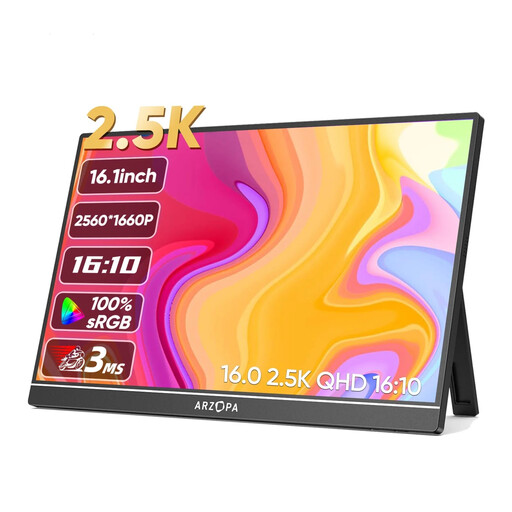
Why this product: This model is aimed at professionals and content creators who prioritize image sharpness and color precision. The 2.5K resolution on a 16-inch screen delivers a high pixel density for detailed work.
Advantages:
Who is this for: Graphic designers, photographers, video editors, and professionals who work with complex spreadsheets or multiple windows simultaneously and value a pin-sharp, color-accurate display.
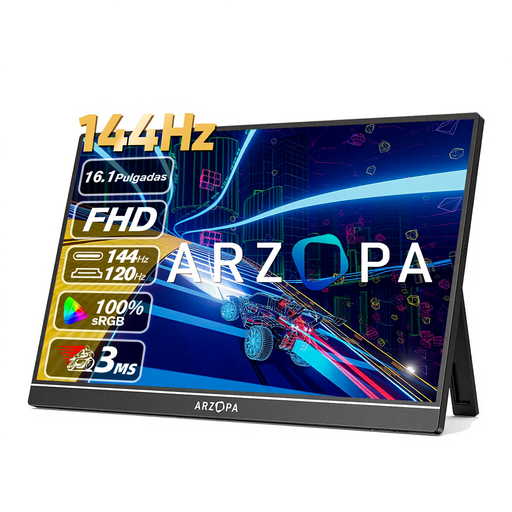
Why this product: This Arzopa monitor is specifically designed for gamers. The combination of a 144Hz refresh rate and a Full HD resolution ensures an extremely smooth gaming experience in a portable format.
Advantages:
Who is this for: Gamers who want to use their laptop, PS5, Xbox, or Nintendo Switch on the go without compromising on performance. This is an excellent choice for a portable gaming monitor.
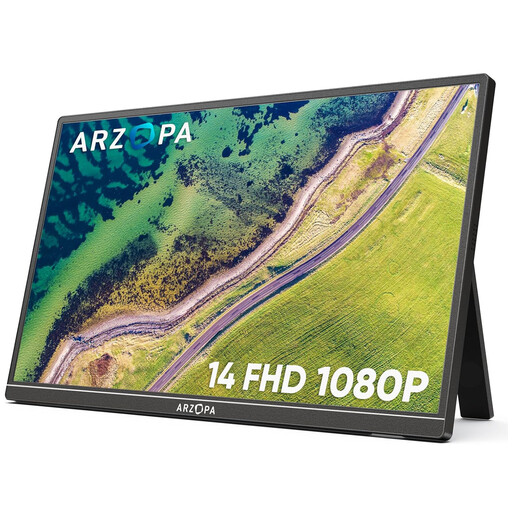
Why this product: Maximum portability is the focus of this model. With a 14-inch size and a weight of just 600 grams, this is the ideal companion for those who travel frequently and where every gram counts.
Advantages:
Who is this for: Frequent travelers, students, and remote workers looking for a lightweight and compact solution to boost their productivity as an on-the-go monitor.
The selection above covers the most common use cases. If your ideal specification or size isn't listed, a wider range of options is available. Explore other models and sizes in our main category.
Explore the full range of portable laptop monitors here
1. How do I connect a portable monitor? Most modern models use a single USB-C cable for both power and video, provided your laptop has a compatible port (USB-C with DisplayPort Alt Mode). Alternatively, you can use the HDMI port for video and a separate USB cable for power, connected to your laptop or a wall outlet.
2. Does a portable monitor need its own power source? Not always. Many USB-C monitor models can draw power directly from the laptop via the same cable that transmits the video signal. However, this can reduce your laptop's battery life. When using HDMI, a separate power source is almost always required, such as a USB port on your device or an external power bank.
3. Can I use a portable monitor with my PS5 or Nintendo Switch? Yes, you can. You connect the console via the monitor's HDMI port. The monitor itself will then need power via its USB-C port, which you can connect to the Switch's dock, a USB port on the PS5, or an external power adapter. This makes it a flexible solution for gaming in locations where a TV is not available.
Recommendations and specifications are based on product information available as of 2026-06-06.
Joybuy Product Recommendation Officer An objective, practical shopping assistant focused on facts and product parameters.