
Vandaag of morgen in huis

Kwaliteit gegarandeerd

Welkomstaanbiedingen ontgrendelen: GRATIS bezorging | Tot 80% korting | Gratis 30 dagen JoyPlus-proefperiode
Download de app
A portable monitor might seem like a simple purchase: an extra screen for your laptop, convenient for on the go. Yet, common pitfalls lead many to buy a model that fails to meet their expectations. From screens that are too dim in practice to the promise of a single-cable setup that doesn't always work. As a Joybuy Product Recommendation Officer, I'll help you see through the marketing hype and choose a model that truly fits your needs.
Before you make a choice, it's wise to know what often goes wrong. Many disappointments can be avoided by paying attention to the following points.
To avoid a bad purchase, it's best to focus on a few verifiable specifications. These will determine if an external second screen for a laptop is truly functional for you.
The screen size and resolution determine the sharpness and the amount of workspace.
The connections determine which devices you can use the monitor with.
These two specifications are crucial for the visual experience.
Below is a selection of portable monitors that suit different user profiles, based on their specifications.
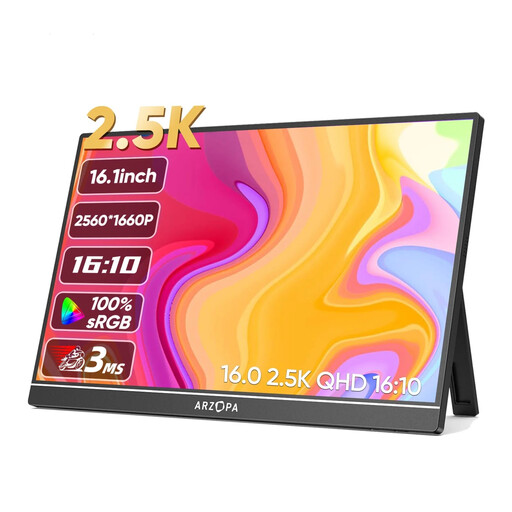
Why This Fits Their Persona: Ideal for those who are frequently on the move and need a sharp, bright screen for productivity. The 16-inch size with 2.5K resolution offers ample workspace without sacrificing portability.
With a brightness of 350 nits and a colour gamut of 123% sRGB, this model avoids the pitfall of a dim, washed-out screen. The built-in stand is more stable than a separate cover.
The combination of a 2.5K resolution on a 16-inch screen provides excellent pixel density. It features both USB-C and Mini-HDMI for broad compatibility.
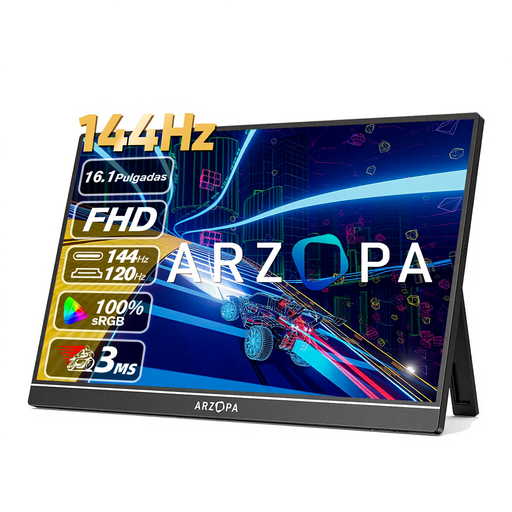
Why This Fits Their Persona: For gamers who want to take their setup anywhere. Suitable as a compact main display for a gaming laptop or as an external screen for consoles like the PS5 or Switch.
This model focuses on what matters to gamers: a high refresh rate. It doesn't promise 4K resolution, but instead delivers a smooth 144Hz at a practical 1080p resolution, which is realistic and functional.
The 144Hz refresh rate ensures extremely smooth gameplay. The inclusion of a Mini-HDMI port guarantees easy connection to consoles.
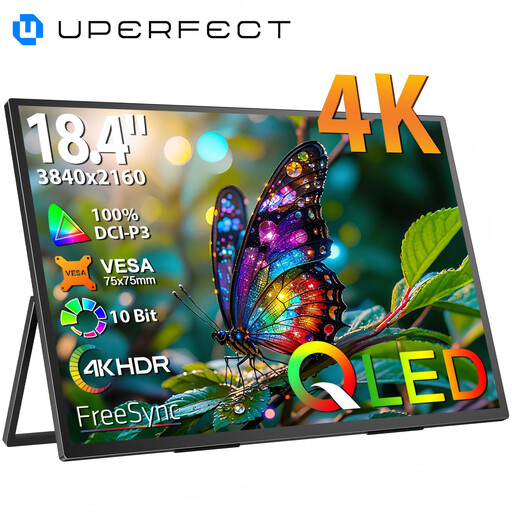
Why This Fits Their Persona: For content creators, photographers, and video editors who demand the highest image quality in a portable format. The large 18.4-inch screen provides a canvas for detailed work.
This model avoids the pitfall of fragile build quality with a metal chassis and VESA mounting capability for a stable setup. The QLED technology and 4K resolution are concrete, high-end specifications.
The combination of an 18.4-inch screen and 4K UHD resolution delivers unparalleled sharpness and workspace. The QLED panel technology ensures superior colours and contrast.
We have compiled a complete, up-to-date list of products that fully meet these strict selection criteria and local regulations.
Here are answers to some common questions about portable monitors.
That depends on your laptop and the monitor. If your laptop has a USB-C port that supports DisplayPort Alternate Mode and sufficient Power Delivery (usually 15W or more), a single cable will suffice. In other cases, or when using HDMI, you will need a separate power source. Most monitors come with a power adapter or can be powered via a power bank.
Not every monitor is suitable. To connect a console, the monitor needs an HDMI port (usually Mini-HDMI). Additionally, the monitor must be powered externally, as the console cannot supply power via HDMI. For a smooth gaming experience, a model with a high refresh rate (120Hz or 144Hz) is recommended, provided the game supports it.
IPS (In-Plane Switching) is the most common technology. IPS screens are known for their excellent viewing angles and consistent, accurate colours. They are a reliable choice for both general use and professional work. OLED (Organic Light Emitting Diode) screens are rarer and more expensive in this segment. They offer superior contrast (perfect blacks) and more vibrant colours, but can be more susceptible to burn-in with prolonged static images. For most users, a good IPS screen offers the best value for money.
