If you mainly type alongside other people, look for compact models that the manufacturer describes as quiet. If you often carry your keyboard around, a version with a protective cover may be more practical. If you work at a screen for long periods, consider how you position the keyboard and screen together: a compact keyboard does not automatically make a workstation ergonomic. Before buying, check the keyboard layout, connection and compatibility. Descriptions such as ‘quiet’ are not directly comparable sound measurements.
Who is this for?
If you want to type quietly at a shared table
If you review feedback alongside other people, a compact keyboard with keys the manufacturer describes as quiet may be worth considering. Logitech and Trust describe these features on specific models, but this is not a comparative sound measurement.
If you often move between workspaces
If you take your keyboard with you and sometimes work on a tablet, consider its size, protection in transit and compatibility with your devices. Logitech describes the Keys-To-Go 2 as having an integrated cover.
If you work with longer texts
For more extensive feedback, the keyboard is not the only thing to consider: also assess the position of your screen and mouse, and build variety into your working routine. Arboportaal recommends adjusting your workstation when you sit somewhere new.
What should you look for?
Compact model for shared use
Ideal for: typing feedback alongside other people and occasionally switching between devices. Logitech and Trust describe specific models as quiet and suitable for multiple devices.
Bear in mind: these descriptions of sound are not based on directly comparable measurements. Also check that the keyboard layout suits your work.
Lightweight model with a protective cover
Ideal for: frequently carrying your keyboard between workspaces, especially if you use a tablet or another supported device. Logitech lists an integrated cover for the universal Keys-To-Go 2.
Bear in mind: a cover is no substitute for a tablet stand or a properly set-up workstation. Check which version is compatible with your device.
Compact model with a focus on posture
Ideal for: longer sessions when you want to position your keyboard and mouse close together. According to R-Go Tools, the R-Go Compact Break has a break indicator that works with R-Go software.
Bear in mind: a break indicator is no substitute for varying your activities or positioning your screen appropriately. Also check that you choose the right wired or wireless version.
Model with a choice of connection options
Ideal for: using different devices that do not all support the same connection. Trust describes the Lyra as having a USB receiver and two Bluetooth connections; Rapoo lists Bluetooth and 2.4 GHz for the E9050L.
Bear in mind: you need a compatible port for a USB receiver. Also check the keyboard layout for the exact version.
| What to consider |
What to look for |
Who is most likely to value this |
| Quiet typing |
Check the type of keys and the layout; try the key action yourself if possible. Treat ‘quiet’ as a product description, not a comparable measurement. |
If I type feedback alongside other people, I want to be considerate of the shared space without treating a claim about noise as a measured result. Around 33% of consumers put quiet typing first. |
| Switching between devices |
Check how many devices you can pair, whether your operating system is supported, and whether you have a suitable USB port for a receiver. |
If I switch between a laptop and tablet, I want to know whether the connections work with both. Around 27% of consumers make switching between devices their top priority. |
| Portability |
Check the dimensions, weight and protection in transit; see whether you also need a stand for your tablet. |
If my workspace changes regularly, it matters how easily the keyboard fits in my bag and how well the keys are protected. Portability is the top priority for around 20% of consumers. |
| Longer sessions |
Consider whether the keyboard and mouse can be positioned comfortably and whether you can position the screen separately. |
During longer feedback sessions, I want to consider not just the keyboard, but also the screen position and ways to vary my activities. Around 20% of consumers put posture first. |
Common pitfalls
-
Treating ‘quiet’ as a proven noise level
Product descriptions for the Pebble Keys 2 K380s and Trust Nado II mention quiet keys, but do not provide directly comparable sound measurements.
Choose based on the key action you prefer and, if possible, try it in a shared space. Do not assume there is a measurable difference based on the product description alone.
-
Not checking the keyboard layout
The physical layout and your device’s keyboard settings together determine which characters appear. A mismatch can be inconvenient if you type a lot.
Check the layout of the exact version and set up your device accordingly.
-
Assuming a cover or break light makes your workspace complete
A cover protects the keys in transit, and a break indicator reminds you about a feature, but neither will position your screen correctly for you.
Before buying, consider how you can position your screen and keyboard separately on the shared table. Arboportaal recommends adjusting your workstation when you move to a new location.
Brands to consider
Logitech
Worth considering for compact Bluetooth models and a keyboard with an integrated cover, depending on the version.
- For the Pebble Keys 2 K380s, Logitech lists flat, quiet keys and the ability to switch between three devices.
- The manufacturer’s description does not prove that all Logitech models are equally quiet. Also check that your chosen version is compatible with your device.
Trust
The Nado II is a compact Bluetooth model; according to Trust, the Lyra also includes a USB receiver.
- Trust describes the Nado II as quiet and rechargeable, and the Lyra as supporting a receiver plus two Bluetooth connections.
- Check the exact version, keyboard layout and connection. No comparable measurement is provided for the descriptions of sound.
R-Go Tools
The Compact Break is worth considering if a compact workstation set-up and a break indicator matter to you.
- R-Go Tools describes a break indicator that works with R-Go software, and offers wired and wireless versions.
- Check which version you choose and set up your entire workstation; the indicator is no substitute for varying your activities.
Rapoo
The E9050L is a compact alternative to consider if you are looking at Bluetooth and a 2.4GHz connection.
- Rapoo specifies scissor keys, a receiver and a rechargeable battery for this model.
- Check the keyboard layout and exact version; the model specifications do not necessarily confirm a Dutch version.
Keyboards at Joybuy
This Joybuy selection ranges from compact keyboards for a shared workspace to foldable and device-specific options. Check the layout, connection and compatibility for each version.
 No image available
Ajazz AK820 Pro 75% mechanical keyboard, US QWERTY, grey
This compact layout may suit you if you want to save space on a shared table and need several connection options.
75% layout; US QWERTY; wired, Bluetooth and 2.4 GHz.
View at Joybuy
 No image available
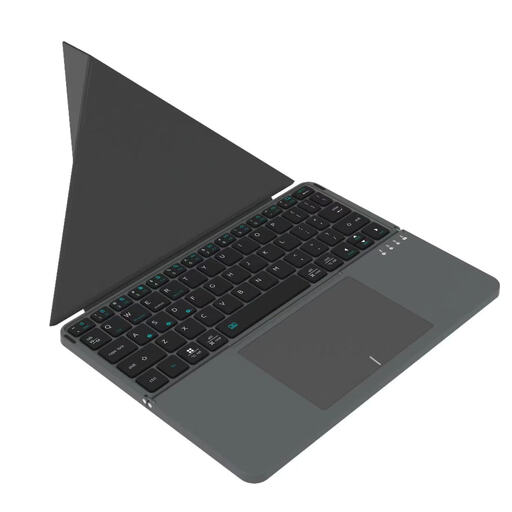
Voxis HL-BOX1 foldable keyboard with touchpad
A foldable version with a touchpad may suit you if you want to combine typing and pointing on the go.
Foldable design; leather case; touchpad.
View at Joybuy
 No image available
Trust Vaiya wireless keyboard, full-size, US QWERTY
This model may suit you if you prefer a full-size keyboard and are less concerned about keeping your set-up compact for carrying.
Full-size with numeric keypad; scissor keys; US QWERTY layout.
View at Joybuy
 No image available
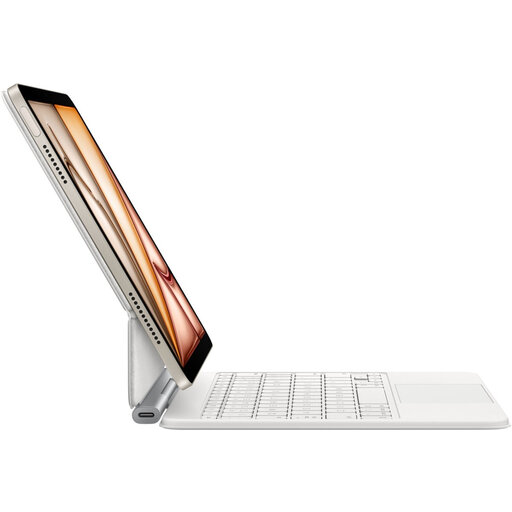
Apple Magic Keyboard for iPad Air 11-inch M3, Dutch layout, white
This keyboard case is an option if you use a compatible iPad Air 11-inch M3 and want to carry your keyboard with your tablet.
Version for iPad Air 11-inch M3; Dutch layout; case.
View at Joybuy
 No image available
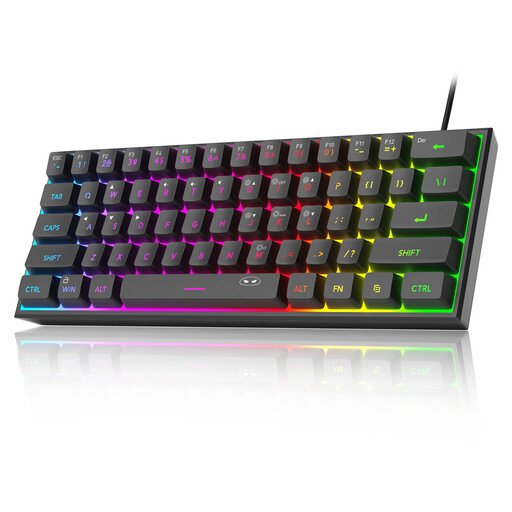
MageGee TS91 60% wired keyboard, US QWERTY
This compact layout may suit a small table if you use the keyboard in one place and are happy with a wired connection.
60% layout; wired; US QWERTY; RGB lighting.
View at Joybuy
Frequently asked questions
Which keyboard layout should I check?
Check both the physical layout of the exact version and your device’s keyboard settings. A mismatch can produce different characters; changing only the screen language may not solve the problem.
What do I need to use a Bluetooth keyboard?
Your device must support Bluetooth for the model you choose, and you need to follow that model’s pairing instructions. For a keyboard with a USB receiver, you will also need a compatible USB port. Check which accessories come with the exact version too.
Am I legally required to use a separate keyboard when working on a laptop?
Arboportaal describes a requirement for employees who work at a screen for more than 2 hours a day: the screen and keyboard must not be attached to each other. Whether this applies to your working arrangements depends on the circumstances. A separate keyboard alone does not make a workstation suitable in every respect.
Does a quiet keyboard make reviewing course feedback safe for privacy?
No. If feedback contains identifiable information, the privacy rules governing how the educational institution processes it apply. Quieter keys do not stop other people from looking at your screen; follow your organisation’s policies and safeguards.
What are my rights if a keyboard I bought online is unsuitable or breaks quickly?
For a standard online consumer purchase, you will generally have a statutory 14-day cooling-off period from delivery, with some exceptions. This is separate from your statutory rights if a product does not meet what you could reasonably expect under normal use. ACM ConsuWijzer states that there is no fixed general two-year period for this in the Netherlands.


