For editing longer interview notes, a separate keyboard with a comfortable layout and feel is a good place to start. Choose a compact, non-folding model if you mainly type at a table, or a foldable one if a smaller packed size matters more. Then check that it connects to your devices, and that the keyboard layout and power source suit the way you use it. Manufacturer specifications describe features, not how comfortable you’ll find typing.
Who is this type of keyboard for?
Editor of long notes
For anyone who edits interview transcripts at the kitchen table for extended periods and wants to consider the key feel, layout and working setup. The Consumentenbond notes that a separate keyboard can be an alternative to a tablet’s virtual keyboard for longer typing sessions.
Switching between devices
For anyone who, for example, keeps notes on a tablet but also works on a computer, and wants a keyboard that can connect to their devices. Logitech, Trust and CHERRY describe models with options for switching between connections or devices.
Taking it with you when space is limited
For anyone who clears the kitchen table after work or often carries their keyboard around, and wants to weigh up its size in a bag against the space it takes up when unfolded. ProtoArc describes the XK01 as foldable; a compact, non-folding model does not fold away.
What should you look for when choosing?
| What to consider |
What to look for when buying |
Who should pay particular attention? |
| Comfort when editing longer texts |
Compare the keyboard layout, key spacing and available table space. The Consumentenbond lists a separate keyboard as an option for longer typing sessions. |
If I’m editing longer passages from an interview, I want to assess the key feel and my working setup rather than simply choose the smallest model. Around 33% of consumers prioritise comfortable typing over long periods. |
| Carrying and storing it |
Compare both the packed and ready-to-use sizes with your bag and the space beside your screen. ProtoArc lists the XK01 as being approximately 386 mm wide when unfolded. |
If I clear the kitchen table after work, what matters most is how much space the keyboard takes up in my bag or cupboard. Around 27% of consumers give carrying and storage top priority. |
| Switching between devices |
Check Bluetooth support and the available ports. Logitech says the Pebble Keys 2 K380s can switch between three devices; Trust describes the Lyra as having two Bluetooth channels and one channel via a USB receiver. |
When I switch between a tablet and a computer, I want to check which connections work with my devices. Around 20% of consumers prioritise switching between devices. |
| Keyboard layout and power |
Check the exact keyboard variant and whether batteries or a charging cable are needed and included. Logitech Support says the K380s uses two AAA batteries; Trust describes the Lyra as rechargeable. |
If I’m typing Dutch text with lots of punctuation, I want the right keyboard layout and a power source that suits the way I use it. Around 20% of consumers base their choice mainly on layout and power. |
Common buying mistakes
-
Looking only at the folded size
When unfolded, a foldable keyboard takes up more table space than its packed size might suggest. ProtoArc lists the XK01 as approximately 386 mm wide when unfolded.
Before choosing a foldable model, compare its unfolded dimensions with the free space beside your screen.
-
Assuming Bluetooth, a USB receiver and a cable are interchangeable
A receiver or cable needs a suitable port; Bluetooth requires support on the device. The Trust Lyra and CHERRY KW 9200 MINI offer different connection options.
Check the ports and Bluetooth support on the device you use to edit your notes.
-
Assuming another variant has the same layout or power source
A product range may include different versions. According to Logitech Support, the Pebble Keys 2 K380s uses two AAA batteries, while Trust describes the Lyra as rechargeable.
Check the full model name or item number, the keyboard layout shown and the contents of the box for the version you’re considering.
Brands worth considering
Logitech
The Pebble Keys 2 K380s is a compact, non-folding Bluetooth model for anyone who switches between supported devices.
- Logitech says it has Easy-Switch buttons for three devices. The brand describes the keys as flat and quiet.
- Logitech Support lists dimensions of 279,5 × 124,2 × 16,4 mm and two AAA batteries. Descriptions of how quiet it is and how it feels to type are not based on independent testing.
Trust
The Lyra is a compact keyboard for anyone weighing up Bluetooth against a USB receiver.
- Trust lists two Bluetooth channels, one channel via a USB receiver and a rechargeable battery.
- Trust describes the low-profile scissor keys as laptop-like. Check that the keyboard layout is right for the version you choose.
CHERRY
The KW 9200 MINI is a compact model for anyone weighing up Bluetooth, a receiver and a cable.
- CHERRY lists two Bluetooth channels, 2.4GHz wireless and a wired connection. The brand also says that a cable and carry case are included.
- CHERRY’s claim that the model is as easy to type on as a full-size keyboard is a manufacturer claim, not an independent comparison. Check the keyboard layout of the version you choose.
ProtoArc
The XK01 is the foldable option for anyone who values a compact packed size and can fully unfold the keyboard at the table.
- ProtoArc lists 105 keys, three Bluetooth channels and an unfolded width of approximately 386 mm.
- Check the keyboard layout and the terms of the specific offer before choosing a version.
Joybuy keyboards for taking notes at a table
This selection includes portable keyboards for editing notes at a table, including foldable models and compact options for different working setups.
 No image available
NAXSIR foldable Bluetooth keyboard with magnetic stand, grey
A foldable option for anyone who wants to pack their keyboard away after editing.
The product name lists Bluetooth, rechargeable power, a magnetic stand and an aluminium case.
View product
 No image available
Trust Lyra keyboard and mouse, wireless RF and Bluetooth, US QWERTY, blue
A compact keyboard set for anyone who also wants a mouse for use at the table.
This version is listed as US QWERTY and specifies wireless RF and Bluetooth. Check that the layout suits your Dutch typing needs.
View product
 No image available
Voxis B033 foldable Bluetooth keyboard with touchpad
A foldable option for anyone editing notes on a tablet, smartphone or computer.
The product name lists Bluetooth and a touchpad. Check that the layout and compatibility suit your devices.
View product
 No image available
AULA F75 Pro 75% mechanical keyboard, US layout
A compact mechanical option for anyone who prefers to use mechanical keys at the table.
The product name lists Bluetooth, 2.4 GHz and a wired connection, as well as a US layout. The model is described as heavy, which may make it less practical to carry around.
View product
 No image available
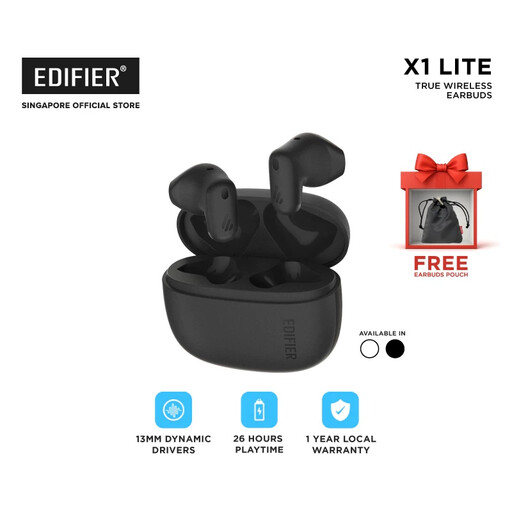
EDF-X1 Lite-black
An option to consider if you edit interview notes on an iPad Air 11-inch (M3) and are looking for a Dutch keyboard layout.
Before buying, check that this version is compatible with your tablet and has the layout you want.
View product
Frequently asked questions
Is a separate keyboard useful if I edit interview notes on a tablet?
For longer typing sessions, the Consumentenbond lists a separate keyboard or laptop as an alternative to using only the tablet’s virtual keyboard. Check that your tablet supports the connection and keyboard layout of the model you choose.
How do I connect a keyboard if my tablet doesn’t have a USB-A port?
Choose a model whose manufacturer confirms Bluetooth support for your device, and follow the pairing instructions in your device manual. A USB receiver won’t necessarily work with a tablet that doesn’t have a suitable port.
What should I check about batteries and charging?
According to Logitech Support, the Pebble Keys 2 K380s uses two AAA batteries; Trust describes the Lyra as rechargeable. Check what power source and accessories are included with each version, and follow the product manual.
What are my rights when buying online in the Netherlands?
According to the Dutch government, when buying online from a business, you will often have a 14-day cooling-off period, although exceptions apply. The government also states that there is no fixed statutory warranty period; contact the seller if there’s a problem.
Are there workplace rules if I work on a laptop for long periods as an employee?
Arboportaal states that, when working with a screen for more than two hours a day, the screen and keyboard must not be attached to each other under the conditions it outlines. When using a laptop, it must therefore be possible to use a separate screen or keyboard. This is not a general purchase requirement for everyone.


