For longer sections of a grant application, a comfortable key layout and a practical screen-and-keyboard setup matter more than simply having a compact design. For short stops, a slim or folding model may be easier to carry. A keyboard case can combine several components, but it will only fit the tablet models it specifies. Arboportaal recommends reassessing your workstation whenever you work somewhere new.
Who is this keyboard for?
Writers working on longer applications
If you draft several paragraphs between appointments, look for a key layout that suits the way you write and a setup that positions the screen and keyboard comfortably. Arboportaal recommends reassessing your workstation at a new location.
Writers with limited space in their bag
If you often pack and unpack your things, a slim or folding keyboard may suit your need for a more compact design. Also check that the layout is practical for writing when the keyboard is unfolded.
Writers who want to use their tablet
If you want to use your existing tablet as a writing station, check the full tablet model before choosing a keyboard case. Apple and Samsung list specific compatible models for their respective cases.
What should you look for when choosing?
Slim standalone Bluetooth keyboard
A good fit if: you want to use less space in your bag or use the same keyboard with different devices. Logitech says Keys-To-Go 2 can connect to up to three devices.
Bear in mind: you’ll need to position the screen separately. The manufacturer’s information doesn’t tell you whether the typing feel will suit your longer writing sessions.
Folding Bluetooth keyboard
A good fit if: packed size matters and you want more room for the keys when working at a table. ProtoArc describes the XK01 as a three-fold design with 105 keys and a number pad.
Bear in mind: check the exact layout and unfolded size. You’ll also need a separate way to position the screen.
Tablet-specific keyboard case
A good fit if: you already have a specifically supported tablet and want to carry the keyboard and screen stand together. Apple lists the Magic Keyboard Folio for iPad (A16) and iPad (10th generation); Samsung lists EF-DX620UBEGWW for Galaxy Tab S10 FE+.
Bear in mind: the fit depends on the model. Also check the physical key layout and whether the version includes a trackpad.
| What to consider |
What to look for when buying |
Who is this most relevant to? |
| Writing long texts |
Check the physical QWERTY layout, the keys you need and whether the screen and keyboard can be positioned comfortably together in your available workspace. |
If I write longer pieces between customer visits, I want a layout that suits my writing and a practical setup. Around 33% of consumers rank typing long texts as their top priority. |
| Packed size |
Compare the size both folded and unfolded; consider whether you usually write at a table or without a stable work surface. |
If I often carry my things with me, I want the keyboard to fit in my bag without the unfolded layout becoming impractical. Around 27% of consumers prioritise portability. |
| Device and connection |
Note your device’s brand and full model name, then check the supported connection, operating system and physical keyboard layout. |
If I want to use my own tablet, phone or laptop, I want to be sure the combination is compatible beforehand. Around 20% of consumers rank compatibility as their top priority. |
| Navigation and editing |
Check specifically whether the version you’ve chosen has a trackpad and whether its key layout suits the way you use it. |
If I want to edit an application without carrying a separate mouse, I look for built-in navigation and the right version. Around 20% of consumers prioritise navigating while editing. |
Common buying mistakes
-
Choosing a case based only on ‘iPad’ or ‘Galaxy Tab’
The Apple and Samsung cases mentioned are designed for specific tablet models; a general product name doesn’t confirm that a case will fit your tablet.
Compare your tablet’s full model number with the compatibility information for the exact case.
A poor fit may mean you need a different case.
-
Treating the ProtoArc XK01 and XK01 TP as the same version
ProtoArc says the XK01 has 105 keys and a number pad, while the XK01 TP has a trackpad and an 88-key layout.
Choose by the full model name and check that the key layout and trackpad match your needs.
-
Choosing only the smallest keyboard
A compact keyboard won’t automatically position your screen or take care of the rest of your workstation. Arboportaal recommends reassessing your setup at a new workplace.
Think about where you’ll actually be writing and how the screen, keyboard and any other input devices can be positioned together there.
Depending on the location, you may also need a suitable screen stand or another adjustment to your workstation.
Brands to consider
Logitech
Keys-To-Go 2 is a slim standalone keyboard with an integrated key cover; Pebble Keys 2 K380s is a compact standalone model for switching between devices.
- Logitech says both models can connect to up to three devices.
- According to the product description, Keys-To-Go 2 doesn’t have a built-in tablet stand, so check how you’ll position the screen. The manufacturer’s information doesn’t establish whether the typing feel will suit your longer writing sessions.
ProtoArc
The XK01 is a three-fold keyboard with a number pad; the separate XK01 TP has a trackpad and an 88-key layout.
- ProtoArc says both models pair with up to three devices via Bluetooth and charge via USB-C.
- Don’t confuse the versions when comparing the layout and trackpad. Also check the physical keyboard layout of the version you’re considering.
Apple
The Magic Keyboard Folio is a keyboard case with a trackpad for the iPad (A16) and iPad (10th generation) models listed by Apple.
- Apple lists a detachable keyboard, protective back panel and adjustable stand.
- The case isn’t universal for tablets. Check the compatible models and the physical layout of the version on sale.
Samsung
Samsung lists the Book Cover Keyboard Slim EF-DX620UBEGWW for the Galaxy Tab S10 FE+.
- The manufacturer describes a magnetic cover and specifies compatibility with the particular tablet model.
- Don’t assume it will fit other Galaxy Tab models; also check separately whether the version has a trackpad.
Portable keyboards at Joybuy
This selection includes folding and compact wireless keyboards, as well as models for tablet use. Check the key layout and compatibility with your device for each version.
 No image available
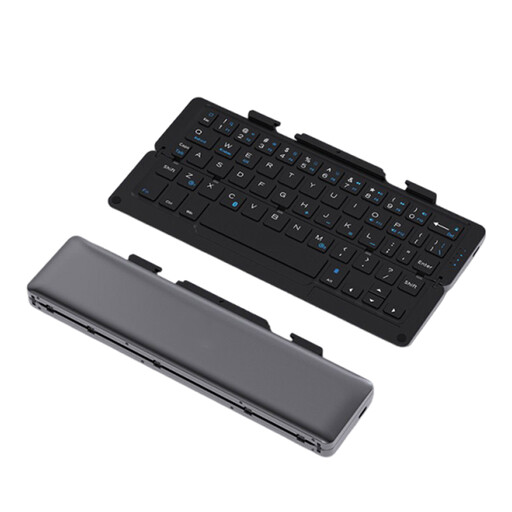
NAXSIR folding Bluetooth keyboard with magnetic stand
Could suit you if you’re looking for a folding keyboard with a stand for a phone or tablet to use on the go.
The product name lists Bluetooth, rechargeable power, an aluminium case and quiet keys.
View at Joybuy
 No image available
Ajazz AK820 Pro 75%, US QWERTY
Could suit you if you’re looking for a compact keyboard and the listed US QWERTY layout matches your preference.
The product name describes a mechanical keyboard with Bluetooth, 2.4G and wired USB-C connections. The layout is US QWERTY.
View at Joybuy
 No image available
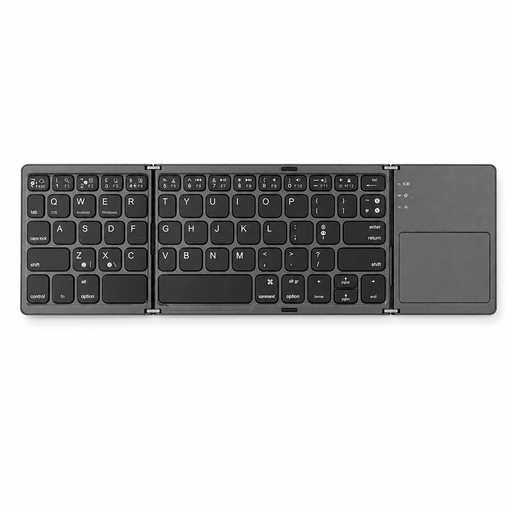
Voxis B033 folding keyboard with touchpad
Could suit you if you’re looking for a folding model with a built-in touchpad so you can navigate without a separate mouse.
The product name describes a wireless Bluetooth keyboard for tablets, smartphones and computers. The listed layout has 63 keys.
View at Joybuy
 No image available
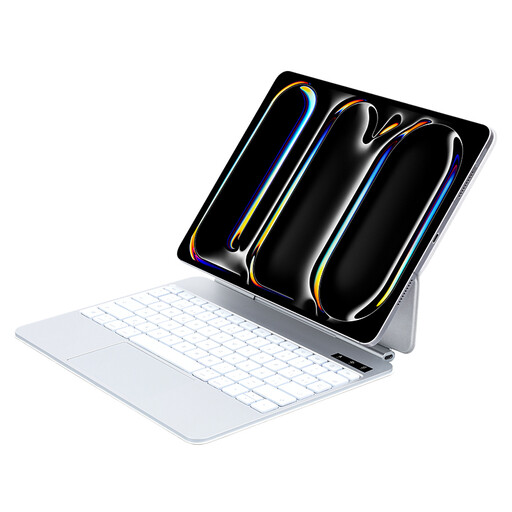
VoxorAI keyboard for 11-inch iPad Pro (M4/M5)
Could suit you if you use an 11-inch iPad Pro with an M4 or M5 chip; check the exact tablet model before ordering.
The product information lists a wireless Bluetooth keyboard with 78 keys and an aluminium case.
View at Joybuy
 No image available
Trust Vaiya full-size wireless keyboard, US QWERTY
Could suit you if you’re looking for a full-size layout with a number pad and don’t need to pack your keyboard away compactly very often.
The product name lists scissor keys and a US QWERTY layout.
View at Joybuy
Frequently asked questions
Can you write on a tablet or laptop for long stretches with a separate keyboard?
A separate keyboard isn’t the whole workstation. Arboportaal recommends assessing your setup at a new workplace and varying your posture and tasks. For a laptop, Arboportaal mentions using an extra keyboard and mouse as a way to position the screen and keyboard separately; this doesn’t prove that any one keyboard will prevent discomfort.
How do you get started with a separate Bluetooth keyboard?
First check that your device supports Bluetooth, then follow the pairing instructions for the exact keyboard model. Logitech says Keys-To-Go 2 can connect to up to three devices. If you’re choosing a keyboard case, first check that it’s designed for your full tablet model.
What are your rights when you buy a keyboard online?
For many online purchases made by consumers at a distance, there is a 14-day cooling-off period. The Dutch government also sets out consumers’ statutory guarantee rights and says you should contact the seller if a product is faulty. These consumer rules don’t necessarily apply in the same way when you buy on behalf of your organisation.


