
Writer working on longer drafts
You work on substantial sections of your application between appointments and are mainly looking for a compact keyboard layout that feels comfortable to type on.


If you write longer pieces, start with a compact keyboard with a layout that feels comfortable to type on. If it needs to fit in a small bag, compare a foldable model too. Before buying, check the connection and layout work with your laptop or tablet, and only choose an iPad keyboard case if it’s compatible with your iPad model.
You work on substantial sections of your application between appointments and are mainly looking for a compact keyboard layout that feels comfortable to type on.
You write and edit on a tablet. Whether a separate keyboard or a suitable case is a better fit depends partly on your device and whether you need a stand or trackpad.
You have limited space and want to put your keyboard away easily after a visit. So compare a foldable model with a compact one-piece keyboard.
When writing between client visits, your choice comes down to what matters most to you: comfortable typing, compatibility with your device, compact storage or power.
A good fit if: you write longer pieces and want to use the same keyboard with, for example, a laptop and a tablet.
Bear in mind: the keyboard doesn’t double as a tablet case; check that the connection and layout work with your device.
A good fit if: saving space between visits is a priority; iClever describes the BK03 as tri-folding.
Bear in mind: check the layout and stability when unfolded, wherever you plan to type.
A good fit if: you use a compatible iPad and want a built-in stand and trackpad.
Bear in mind: this case isn’t designed as a universal keyboard for other tablets or laptops; check the exact iPad model.
| What to consider | What to look for when buying | Who is this important to? |
|---|---|---|
| Typing longer pieces | Compare the key shape and layout; if possible, try typing a paragraph. | When I write longer pieces, I want a layout that feels comfortable for drafting my text. Around 36% of consumers put typing comfort first. |
| Compatibility with your device | Check the exact device, Bluetooth connection and, for a case, compatibility with your tablet model. | I want the keyboard to work with the laptop or tablet I already carry, or a case to fit my iPad exactly. Around 29% of consumers put compatibility first. |
| Putting it away between visits | Compare its size both folded away and unfolded. | With limited space in my bag, I want to put the keyboard away quickly without overlooking how much room I’ll have to work. Around 21% of consumers say compact storage matters most. |
| Power | Check whether the model uses batteries or a rechargeable battery, what’s included and whether you can use it while it’s charging. | I want to keep working between appointments without being caught out by a flat battery or batteries that need replacing. Around 14% of consumers prioritise power. |
Apple says the Magic Keyboard Folio is designed for specific iPad models, not every iPad with a similar screen size. A case that doesn’t fit your tablet may not be usable.
Check your tablet’s full model name against the compatibility information for the case you’ve chosen.
A one-piece keyboard and a foldable model differ in how you store and set them up.
Compare the space it takes up in your bag with the layout when unfolded and the room you’ll have to type.
The stated battery life of the Trust Nado II is a manufacturer’s claim. The listed weights for the iClever BK03 vary on its product page.
Check the information for the exact model; if weight is a deciding factor, ask for a clear specification.
The Pebble Keys 2 K380s is a compact standalone keyboard for multiple devices. The MX Keys Mini is an alternative to consider if you’re looking for sculpted keys and backlighting.
The Nado II is a compact Bluetooth keyboard for switching between devices.
The BK03 is a foldable Bluetooth option if compact storage matters to you.
The Magic Keyboard Folio is a keyboard case for certain iPads, with a stand and trackpad.
This selection includes foldable and compact keyboards, as well as keyboard cases for specific iPad models. Check the connection and key layout for your device on each product page.
 No image available
The product title says it’s for 11-inch iPad Pro models with M5/M4 chips; check that your iPad is compatible.
The product information lists Bluetooth, 78 keys, backlighting and an aluminium casing. The stated weight is 0,85 kg.
 No image available
This foldable model is designed for use on the go; the product title mentions a magnetic stand for a mobile phone or tablet.
The product title lists Bluetooth, a rechargeable design and an aluminium casing.
 No image available
This is a wireless mechanical option; note that the listed keyboard layout is US.
The product title lists tri-mode connectivity, hot-swappable keys, RGB lighting and an 8000 mAh battery.
 No image available
The product title lists an 80% layout; note that the keyboard layout is US.
The product information lists Bluetooth, wireless receiver mode and wired use, as well as a rechargeable 4000 mAh battery.
 No image available
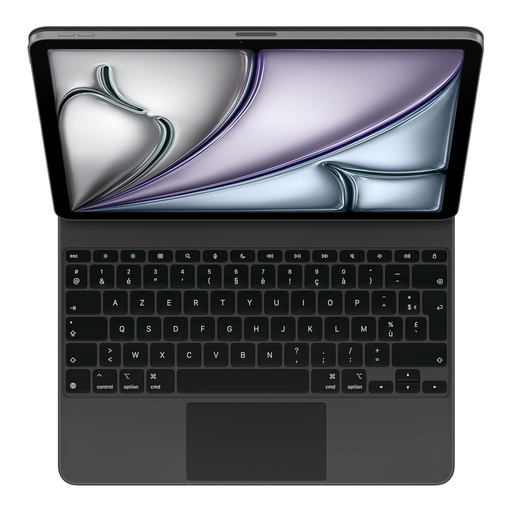
The product information lists compatibility with iPad Air 13-inch (M3), a built-in trackpad and adjustable viewing angles; check your iPad model.
This model has a French AZERTY layout. The product information also lists backlighting, 14 function keys and USB-C pass-through charging.
Start with the device you’ll use to write your application. Logitech says the standalone K380s supports multiple operating systems; Apple says the Magic Keyboard Folio is designed for specific iPad models. Also consider whether you need a built-in stand and trackpad.
Pair the keyboard with your own device beforehand, try the selected keyboard layout and check the power supply. Trust says you can use the Nado II while it’s charging with the supplied cable.
For online purchases made as a consumer, ACM ConsuWijzer says you generally have a 14-day cooling-off period after delivery, with some exceptions. You may also be entitled to a legal guarantee if a product doesn’t do what you could reasonably expect under normal use; the retailer is your point of contact. For a business purchase, check which terms and conditions apply.
This doesn’t depend on the keyboard, but on the information and the circumstances in which it’s processed. The Dutch Data Protection Authority says that processing personal data includes, among other things, recording and editing it. When handling client information, follow your organisation’s security policy; the Dutch Data Protection Authority advises using a secure environment and protecting sensitive documents when working outside your usual workplace.