Joybuy products for typing on the go
This selection includes a compact wireless keyboard and keyboard cases for specific iPad models. Check the connection, layout and compatibility with your device for each product.
 No image available
AULA F75 PRO mechanical wireless keyboard, 75%, US QWERTY, Gradient Purple / Star Vector Switch
A good fit if you want a compact keyboard layout and plan to use the keyboard with several devices.
75% layout and US QWERTY. The product information lists wired, Bluetooth and 2.4G connections, and support for up to five devices.
Joybuy
 No image available
Apple Magic Keyboard for iPad Pro 13-inch (M4), Dutch layout
A good fit if you want to type and move the cursor on a compatible iPad Pro. Check your exact iPad model before buying.
Dutch QWERTY layout and built-in trackpad. The product information lists 2024 iPad Pro 11- and 13-inch models, a detachable keyboard and adjustable viewing angles.
Joybuy
 No image available
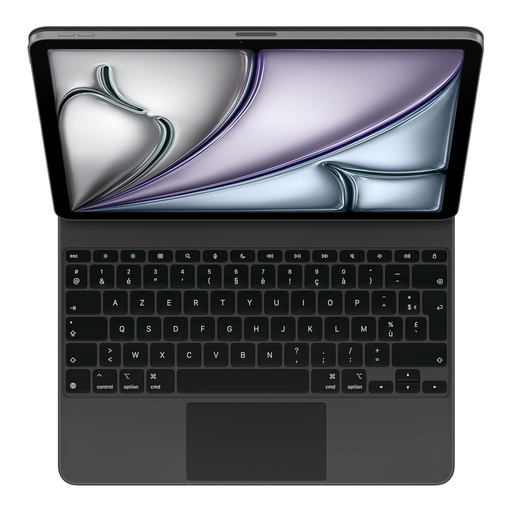
Apple Magic Keyboard for iPad Air 13-inch (M3), French, black
A good fit if you want to type and move the cursor on a compatible iPad Air. Check that the tablet size and layout match.
French layout, built-in trackpad and Smart Connector. The product information lists compatibility with 13-inch iPad Air models.
Joybuy
 No image available
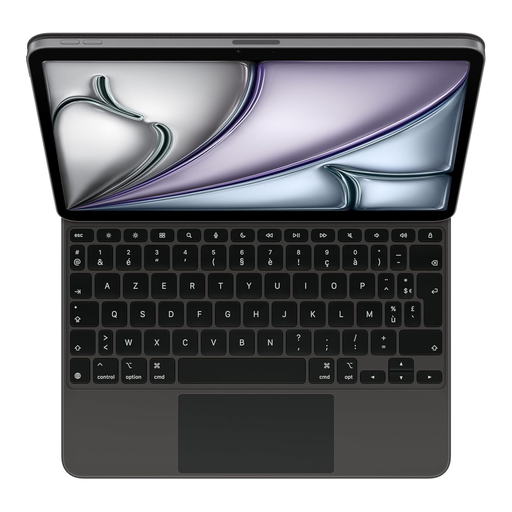
Apple Magic Keyboard for iPad Air 11-inch (M3), French, black
A good fit if you want to type and move the cursor on a compatible iPad Air. Check the tablet size and French layout.
Built-in trackpad and Smart Connector. The product information lists 14 function keys and compatibility with 11-inch iPad Air models.
Joybuy
 No image available
Apple Magic Keyboard for iPad Air 11-inch (M3), Dutch, white
A good fit if you want a Dutch layout and cursor control on a compatible iPad Air. Check the exact model.
Dutch layout, detachable keyboard and touchpad. The product information lists adjustable viewing angles.
Joybuy
Frequently asked questions
Does a separate keyboard need to connect via Bluetooth?
Bluetooth is one of the connection options for the separate tablet keyboards discussed here. A keyboard case is another option; if you choose one, check that it fits your exact tablet model.
How should I get my keyboard ready for a train journey?
Pair the keyboard with your device in advance, and check the input language and the keys you use to edit feedback. If you have a rechargeable model, check its charge and connection too; the iClever IC-BK08 manual consulted lists Micro-USB.
What should I do if my keyboard doesn’t work properly after I buy it?
For a consumer purchase in the Netherlands, the product must conform to the agreement. Contact the seller if there’s a fault. According to the Dutch government, many eligible online purchases also come with a 14-day cooling-off period. A manufacturer’s warranty does not replace your statutory rights.
Can I type feedback in an NS quiet zone?
NS describes its quiet zone as a place without disruptive noise, but the information consulted doesn’t give a definitive, separate ban or permission on typing on a keyboard. Keep noise to a minimum and be considerate of other passengers.
What should I bear in mind if course feedback contains personal data?
Handle it confidentially and make sure other people can’t read sensitive information on your screen. Kennisnet describes integrity and confidentiality as GDPR principles and advises schools to have rules for using devices and personal data securely. Check your institution’s policy.


