
Traveller making quick edits
You want to make quick changes to your notes while travelling, without carrying much extra weight or spending time setting everything up. Compare the packed size, screen setup and power source.


For quick edits and minimal luggage, choose a slim or foldable standalone Bluetooth keyboard. For longer editing sessions, a layout that makes it comfortable to correct text matters more than simply having a compact folded size. A keyboard case combines the keys and screen stand, but only fits certain devices. With a standalone keyboard, you’ll need to find somewhere to position the screen.
You want to make quick changes to your notes while travelling, without carrying much extra weight or spending time setting everything up. Compare the packed size, screen setup and power source.
You regularly edit longer passages and benefit from a layout and workspace that suit the way you type. A smaller packed size doesn’t automatically make a keyboard more comfortable for longer sessions.
You often switch between text and on-screen controls. A touchpad or keyboard case could suit you, provided the features and exact tablet model are compatible.
Choose this if: you mainly edit short passages and want to carry as little extra as possible. Logitech gives the weight of the Keys-To-Go 2 keyboard alone as 222 g.
Bear in mind: you’ll need somewhere to position or support the screen.
Choose this if: compact storage and extra controls are important to you. ProtoArc describes the XK01 TP as having a foldable design, 88 keys and an integrated touchpad.
Bear in mind: the unfolded keyboard and screen both need to fit on your workspace.
Choose this if: you prefer typing on a fixed keyboard. According to Logitech, the Pebble Keys 2 K380s can switch between three devices.
Bear in mind: the keyboard keeps its full width when packed away: Logitech specifies 279.5 mm and 415 g, including batteries.
Choose this if: you have a compatible tablet and want to carry the keyboard and screen stand together. Apple lists iPad (A16) and iPad (10th generation) as compatible with Magic Keyboard Folio.
Bear in mind: these keyboards aren’t universal. Microsoft limits the Surface Pro 12-inch keyboard to Surface Pro, Copilot+ PC, 12 inch.
When choosing a keyboard for the train, the main considerations are portability, longer text edits, navigation and working quietly. For each model, also check how much space it takes up when in use.
| What to consider | What to look for | Who should consider this? |
|---|---|---|
| Limited luggage and space | Compare the packed size with the size when ready to use, and think about where you’ll position the screen. | If I have little room in my bag, I also want to know whether the keyboard and screen will fit together on my workspace. Around 33% of consumers prioritise packed size. |
| Longer text edits | Check the keyboard layout and the position of the keys you use most often. | If I’m rewriting longer passages, I want a layout that suits the way I edit. Around 27% of consumers prioritise text work. |
| Compatibility and navigation | Check the exact device model, operating system version and connection type. | If I often switch between text and on-screen controls, I want to know whether the keys and any touchpad are compatible with my device. Around 20% of consumers prioritise controls and compatibility. |
| Working quietly around other passengers | If possible, try out the key noise and consider which area of the train you’ll be sitting in. | If I’m working alongside other passengers, I want to adapt my workspace and typing style accordingly. Around 20% of consumers prioritise a quiet experience. |
A foldable keyboard takes up more room when unfolded, and you’ll also need somewhere to position the screen.
Check the dimensions in both configurations and think about where you’ll put the screen while typing.
Keyboard cases are often designed for specific devices. If you choose the wrong combination, the case may not fit your tablet.
Before buying, check your tablet’s full model name and the compatibility of the keyboard version on offer.
Your statutory rights exist alongside any additional warranties. The Dutch government states that there is no fixed statutory warranty period in the Netherlands.
Check what extra cover an additional package offers, and keep your statutory rights separate from the terms of that package.
The Keys-To-Go 2 reviewed here is designed for slim, lightweight portability, while the Pebble Keys 2 K380s is compact but not foldable. According to Logitech, both models can connect to up to three devices.
The XK01 TP reviewed here combines a foldable design with an integrated touchpad for typing on the move.
Magic Keyboard Folio is a keyboard case for the iPad models specified by Apple.
The Surface Pro 12-inch keyboard reviewed here is a magnetically attached case for the specified Surface Pro model.
This selection includes standalone keyboards for mobile use and keyboard cases for specific tablets. If you’re choosing a case, always check that it’s compatible with your exact device model.
 No image available
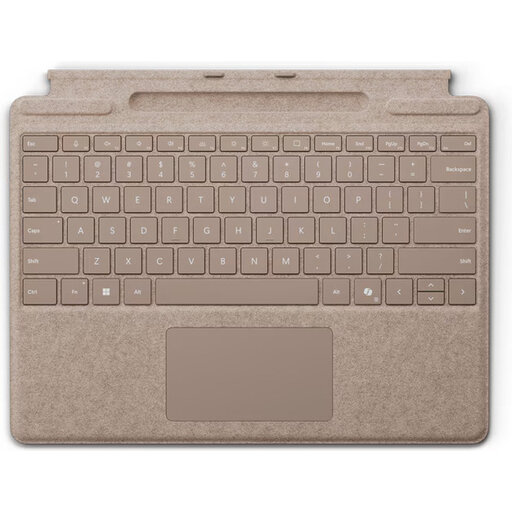
A case with a touchpad for typing and navigation on a compatible Surface Pro.
The description lists Surface Pro models from the 8th to the 11th generation, magnetic attachment, a weight of 281 g and a thickness of 4.89 mm. Check that the keyboard layout suits your needs.
 No image available
A compact wireless keyboard to consider if you want to type on a mobile device and are looking for a mechanical keyboard layout.
The product information lists an 81-key, 75% layout and tri-mode connectivity: wired, Bluetooth or 2.4G. The stated layout is US QWERTY; check that it suits your preference.
 No image available
A keyboard case with a trackpad for editing text and navigating if you use the corresponding iPad Pro.
The product information lists a Dutch QWERTY layout, 14 function keys and a protective case. Check that it’s compatible with your exact iPad Pro model.
 No image available
A foldable keyboard with a touchpad for anyone who wants to combine typing and navigation on a mobile device.
The product information lists 63 keys and a Bluetooth connection. It measures 152 × 97 × 12 mm when folded and 305 × 98 × 8 mm when unfolded. Check that it will fit on your workspace when open.
 No image available
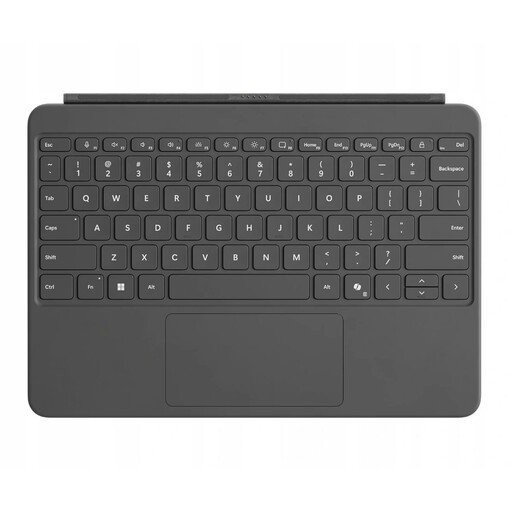
A device-specific keyboard with a touchpad for typing and navigation on a compatible Surface Pro device.
The product information lists a QWERTY layout, backlighting, magnetic connection and a dynamic hinge. Before buying, check that this keyboard fits your exact Surface Pro model.
No. Apple lists iPad (A16) and iPad (10th generation) as compatible with Magic Keyboard Folio. Microsoft limits the Surface Pro 12-inch keyboard to Surface Pro, Copilot+ PC, 12 inch. Compare the full model name of your tablet.
For a standalone keyboard, check that it supports your operating system and connect it in advance. Also make sure the keyboard and screen will fit together in the space where you plan to work. If you’re using a case, check that it’s compatible with your device first.
It depends on the model. Logitech specifies two replaceable CR2032 batteries for the Keys-To-Go 2, while ProtoArc lists a rechargeable battery for the XK01 TP, charged via USB-C. Check the power source for the exact version.
You’re entitled to a product that works as it should. According to the Dutch government, there’s no fixed statutory end date for the legal warranty period in the Netherlands. If something goes wrong, contact the seller. An additional warranty doesn’t replace your statutory rights.
Be mindful of which area of the train you’re in, and don’t let your luggage take up another passenger’s seat. If your organisation processes personal data in the notes, the Dutch Data Protection Authority recommends using appropriate security measures based on the risks. A keyboard alone won’t provide that security.