
Proofreader without a charging point
You want to keep typing while you’re out and about without having to stop and charge. So you compare how the keyboard is powered and whether you can replace its batteries.


When editing a draft report, your choice mainly depends on how the keyboard is powered and how it connects to your laptop or tablet. Replaceable batteries can be handy when you’re away from a power socket, while a rechargeable model needs to be charged sufficiently in advance. Also compare the layout with the work you do, and check the CE marking and applicable radio equipment requirements for the specific model.
You want to keep typing while you’re out and about without having to stop and charge. So you compare how the keyboard is powered and whether you can replace its batteries.
You make lots of small changes, so you prioritise key spacing, layout and easy access to editing keys over the smallest possible size.
You switch between devices or work at a small table. A suitable connection and a size that’s easy to carry are important.
Start with a power option that suits working away from a power socket. Then consider the keys you need for precise editing, how the keyboard connects to your device and how easy it is to carry.
| What to consider | What to check before buying | Who should pay particular attention? |
|---|---|---|
| Power without a socket | Check the battery type and how to replace it, or charge the battery before you leave. Logitech Support says the Keys-To-Go 2 uses two CR2032 button cells; you’ll need a T5 screwdriver to replace them. | If I can’t charge while I’m out, I want to know whether I can bring spare batteries and how to replace them. Around 33% of consumers prioritise power that doesn’t rely on a socket. |
| Comfortable, accurate typing | Compare the physical layout, key spacing and function keys you need. In a comparison of the Logitech K380s and Keys-To-Go 2, RTINGS found the K380s less cramped to type on (4 June 2026). | When I’m making lots of small text edits, I want to be able to distinguish the keys clearly and navigate my document easily. Around 27% of consumers prioritise precise editing and comfortable typing. |
| Connecting to a laptop or tablet | Check that your device supports Bluetooth and has a suitable port for a receiver or cable. CHERRY lists Bluetooth, a 2.4 GHz receiver and a cable connection for the KW 9200 MINI. | If I switch between a laptop and tablet, I want to know in advance which connection works with each device. Around 20% of consumers make compatibility with their own device their top priority. |
| Size and workspace | Compare the keyboard’s dimensions in use and in your bag. A cover or folding design doesn’t automatically mean it will be comfortable to type on. The iClever manual lists the IC-BK08 as 278 × 90 × 6 mm when unfolded and 159 × 90 × 18 mm when folded. | At a small table or while travelling, I want to carry a keyboard that fits without compromising on layout. Around 20% of consumers prioritise a compact size when packed. |
A figure measured under standard conditions won’t tell you exactly how long a keyboard will last during your work session. If you’re away from a power socket, it also matters whether you can replace the batteries or need to charge it in advance.
Check the battery type and replacement instructions for the exact model. If needed, bring spare batteries or the tools required, or charge the keyboard before you leave.
Spare batteries, a screwdriver or time to charge the keyboard in advance may mean extra preparation.
A smaller packed size can mean less space between the keys. In its comparison of the Keys-To-Go 2 and K380s, RTINGS described the Keys-To-Go 2 as smaller, but found the K380s less cramped to type on (4 June 2026).
Compare the layout and the keys you use when editing. If possible, try them out before choosing a model.
Bluetooth, a USB receiver and a cable are different connection options. CHERRY and Trust list different combinations for specific models; these features don’t automatically apply to every keyboard from those brands.
Check which connections and ports are available on your laptop or tablet, and which of them the model you’ve chosen supports.
Taking a receiver or cable with you will only help if your device has the required port.
The Pebble Keys 2 K380s and Keys-To-Go 2 differ in size and design; according to Logitech, the latter has a built-in cover.
The KW 7100 MINI BT is a compact Bluetooth model; according to CHERRY, the KW 9200 MINI offers several connection options.
Trust describes the Lyra as a compact keyboard with a rechargeable battery and several connection options.
The IC-BK08 is a folding Bluetooth keyboard with a touchpad, designed for anyone looking for a compact option to carry.
These Joybuy products are designed for portable typing, from folding Bluetooth models to a keyboard for specific Surface Pro generations. Check compatibility, power and connectivity for each model. The Dutch Authority for Digital Infrastructure says that equipment must carry the required CE marking and that applicable European requirements apply to radio equipment; check this for the specific model.
 No image available
The folding design and magnetic stand may suit typing on a phone or tablet while you’re out and about.
The product name lists a rechargeable battery, aluminium casing and a stand for a phone or tablet. Charge the battery before you leave if you won’t have access to a power socket.
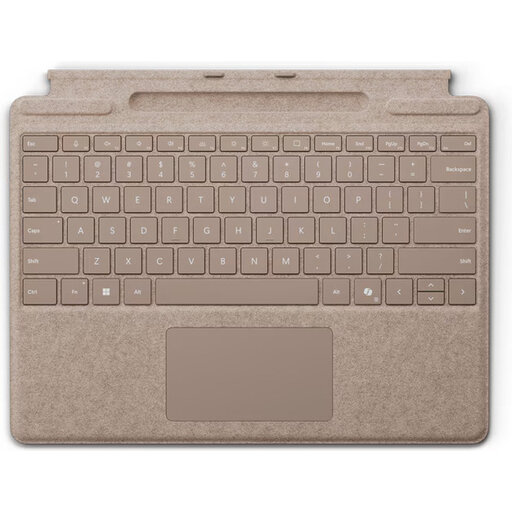 No image available
This keyboard is designed for use with a compatible Surface Pro, not as a universal keyboard for laptops and tablets.
The product information lists compatibility with Surface Pro models from the 8th to the 11th generation, a magnetic connection and a touchpad. The stated weight is 281 g and the thickness is 4,89 mm.
 No image available
The compact layout may suit you if you’re looking for a mechanical keyboard with several connection options and its size works for your workspace.
The product information lists Bluetooth, 2.4 GHz wireless and wired USB-C, plus a 4000 mAh rechargeable battery. Fully charge the keyboard before its first wireless use, following the instructions.
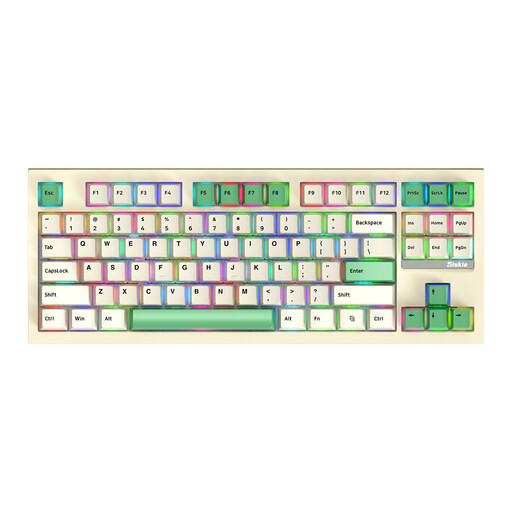 No image available
This model may suit you if you’re looking for an 87-key mechanical keyboard for editing reports and can carry its size.
The product information lists Bluetooth, 2.4 GHz wireless and wired USB-C. Check which connection is compatible with your laptop or tablet.
 No image available
The folding design and integrated touchpad may suit you if you want to type and point while travelling without carrying a separate mouse.
The product information lists Bluetooth, a 140 mAh battery and folded dimensions of 152 × 97 × 12 mm. Charge the battery before you leave and check that the touchpad works with your device.
Yes. The Dutch Authority for Digital Infrastructure says that electrical and electronic equipment must carry the required CE marking, and that European requirements apply to radio equipment. Check the marking and applicable requirements for the specific model.
According to Logitech, the Keys-To-Go 2 uses two CR2032 button cells. You’ll need a T5 screwdriver to open the battery compartment, so bring one if you want to replace the batteries while you’re out.
Don’t assume it will. The iClever IC-BK08 manual says the touchpad isn’t supported on iPhone and that how it works may vary by device. Check the manual for your device and model.
Not automatically. ACM ConsuWijzer explains that, alongside a manufacturer’s or seller’s warranty, you have a statutory guarantee if a product doesn’t do what you could reasonably expect under normal use. The seller is then responsible for providing an appropriate solution.