What should you look for?
Start with the layout and key feel you need for writing dialogue and making edits. Then consider noise, device compatibility and portability in light of where you work.
Compact model with low-profile keys
A good fit if: you want to take up less desk space and are looking for a compact layout for writing in a shared space.
Bear in mind: Logitech and Trust describe specific models as quiet, but those descriptions aren’t comparable sound measurements. Check the layout and try the key feel.
Portable model with a protective cover
A good fit if: you often take your keyboard with you and switch between, for example, a tablet and laptop. Logitech says its universal Keys-To-Go 2 has a built-in cover and can connect to up to three devices.
Bear in mind: a cover and compact design don’t tell you whether the keys will be comfortable during long writing sessions; check the layout too.
Compact scissor-switch model with a carry case
A good fit if: you’re setting up a separate typing space and a carry case is important to you. CHERRY says the KW 7100 MINI BT has three Bluetooth channels and adjustable feet.
Bear in mind: scissor switches don’t prove how quiet or comfortable a keyboard is to use; check that the layout suits your own writing.
| What to consider |
What should you check? |
Who might find this especially important? |
| Typing noise |
Check the type of keys and, if possible, try out how the keyboard sounds when you type normally. Bear in mind the rules for your library space. |
If I write in a quiet study area, I don’t want to rely on a description such as ‘quiet’ alone. Around 33% of consumers prioritise typing noise. |
| Long typing sessions |
Check the exact key layout and try typing, navigating and editing in the word processor you use. |
If I write long scenes and make lots of changes to dialogue, I want to know whether the keys and layout suit the way I work. Around 27% of consumers prioritise comfortable typing and editing. |
| Device and layout |
Check the operating system, Bluetooth or USB receiver connection, language layout and keyboard shortcuts for the exact model. |
If I edit my script on more than one device, I want to know whether the keyboard works with my devices and preferred layout. Around 20% of consumers prioritise compatibility. |
| Portability |
Check the size, how well it’s protected in transit and whether you can position your tablet or phone separately. |
If I move between workspaces, I want a keyboard that’s easy to carry and use on a small table. Around 20% of consumers prioritise portability. |
Keyboards at Joybuy
These Joybuy product picks are aimed at portable typing and use with different devices. Check that the layout and connection of each model suit your equipment and writing needs.
 Image unavailable
AJAZZ AK820 MAX 75% wireless mechanical gaming keyboard, US QWERTY
An option if you’re looking for a compact layout and several connection modes. Check that the US QWERTY layout suits your writing.
75% layout; Flying Fish switches; volume knob; RGB backlighting; 8000mAh battery; hot-swappable; US QWERTY.
View at Joybuy
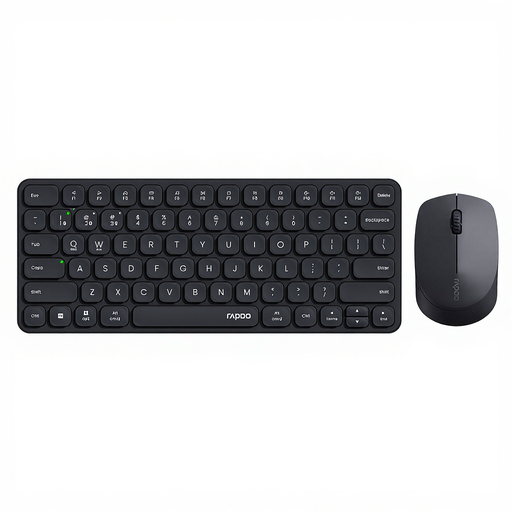 Image unavailable
Rapoo 9010M keyboard and mouse set, black
This set is suited to anyone looking for a mouse as well as a keyboard. Check whether you need both for your library workspace.
Keyboard and mouse; 2.4GHz and Bluetooth connection; supports 4 devices; low-profile design.
View at Joybuy
 Image unavailable
Voxis B033 foldable Bluetooth keyboard with touchpad
A foldable model for carrying between workspaces. Check that the layout and touchpad suit the way you type and navigate.
Foldable design; wireless Bluetooth keyboard; touchpad.
View at Joybuy
 Image unavailable
HP 725 rechargeable wireless multi-device keyboard
This model is an option if you’re looking for a rechargeable keyboard for multiple devices. Consider whether its size suits the space you have available.
Wireless; rechargeable; compatible with multiple devices.
View at Joybuy
 Image unavailable
Apple Magic Keyboard for iPad Pro 13-inch (M4)
A choice for writing with the specified iPad Pro model. Before buying, check that it’s compatible with your exact iPad model.
Designed for 2024 iPad Pro 11-inch and 13-inch models; check that this version is compatible with your device.
View at Joybuy
Frequently asked questions
Can I type on a keyboard in a quiet study area?
It depends on the library’s rules and how much disturbance you cause, so check the rules at your location. The Amsterdam Public Library asks visitors in its quiet study areas to avoid making loud noises and to be considerate of others.
How do I connect a keyboard if I switch between writing on a tablet and laptop?
First, check that the exact model and your devices support the same connection method. Logitech says the Pebble Keys 2 K380s has Easy-Switch for three devices; Trust describes the Lyra Compact as having a USB receiver and two Bluetooth connections.
What should I look for if I often take my keyboard with me?
Check how the keyboard is protected in transit and follow the instructions for use and care. Logitech says the universal Keys-To-Go 2 has a built-in cover; according to CHERRY, the KW 7100 MINI BT comes with a carry case.
What returns and warranty rules apply to an online purchase in the Netherlands?
When you buy from a business online, you’ll generally have 14 days to change your mind, with some exceptions. The Dutch government also states that you’re entitled to a product that is fit for purpose and that there’s no fixed statutory warranty period. If something is faulty, contact the seller.
What product regulations apply to a wireless keyboard sold in the Netherlands?
Equipment placed on the market in the Netherlands must carry the correct CE marking; the relevant requirements apply to radio equipment. The Dutch Authority for Digital Infrastructure explains that this marking doesn’t set a noise standard for library use. Check the marking on the exact model.


