
Practising on a tablet or phone
You want to answer questions on the go using a mobile device you already own, and mainly need a suitable connection and keyboard layout.


Start with the device you use to answer practice questions: check that the keyboard will connect to it and that the layout suits you. Then choose between a separate folding keyboard and a keyboard case designed for your tablet, depending on how much you’ll be typing and how much room you have in your bag. If there’s no power socket, you’ll also need to consider how both the keyboard and your practice device are powered. The stated battery life isn’t a guarantee of how long it will last for you.
You want to answer questions on the go using a mobile device you already own, and mainly need a suitable connection and keyboard layout.
You have longer practice sessions in places without a power socket and are weighing up replaceable batteries against a rechargeable battery and optional backlighting.
You answer longer written questions and need to balance the amount of typing space with the room available in your bag and at your workspace.
Choose this if: you can position the keyboard separately and your device supports Bluetooth.
The trade-off: you’ll need to carry a separate keyboard and have a practical way to position your screen.
Choose this if: space in your bag is at a premium, but you have room to unfold the keyboard where you’ll be practising.
The trade-off: check the layout of the specific model and how much room it takes up when unfolded.
Choose this if: you want a case designed for your exact tablet model and prefer to carry the screen and keyboard together.
The trade-off: the case is made for a specific model, and features of separate Bluetooth keyboards don’t automatically apply to a case.
| What to consider | What to check before buying | Who should consider this? |
|---|---|---|
| Connection and layout | Check the connection and device compatibility, then look at the layout of the version on sale. | If I want to practise on my own phone, tablet or laptop, the keyboard needs to connect to it and feel comfortable to type on. Around 28% of consumers give device compatibility and layout their highest priority. |
| Power | Check whether the model uses batteries or a rechargeable battery, and what its stated battery life means. | If I want a longer session without a power socket, I need to know in advance how the keyboard is powered and whether my practice device has enough charge. Around 28% of consumers prioritise power. |
| Typing comfort for written answers | Consider the keyboard layout and how much room the model takes up when in use. | For longer answers, I want enough room to type comfortably without the keyboard being too large for my workspace. Around 22% of consumers give typing comfort their highest priority. |
| Portability and positioning | Compare the dimensions when packed away with the space the model needs when unfolded. | If I take my practice materials with me, the keyboard needs to fit in my bag and be usable where I’m practising. Around 22% of consumers choose mainly based on portability and positioning. |
Standby and active typing are different conditions. For the iClever BK05, iClever also quotes different battery life figures with the backlighting on and off.
Compare the stated active-use time with the conditions you’ll be practising in, and check the charge before you leave.
A keyboard case is designed for a specific tablet model. A similar screen size alone doesn’t confirm that the case will fit.
Before buying, check the full tablet model and the compatibility information for the specific case.
The rules on permitted equipment apply to the specific official exam and exam year. Being suitable for practice at home or on the go doesn’t mean you’re allowed to use the keyboard in the exam.
Check in advance with your school or exam board for the exam you’re taking.
Logitech makes compact standalone Bluetooth models, including the Keys-To-Go 2 and Pebble Keys 2 K380s.
The ProtoArc XK01 is a folding Bluetooth keyboard for anyone who wants to carry a fuller layout.
The folding iClever BK05 is worth considering if a compact packed size and backlit keys matter to you.
Keychron says the B1 Pro offers Bluetooth, a 2.4GHz receiver and a wired connection.
This selection focuses on portable wireless keyboards, including folding Bluetooth models for practising on a mobile device.
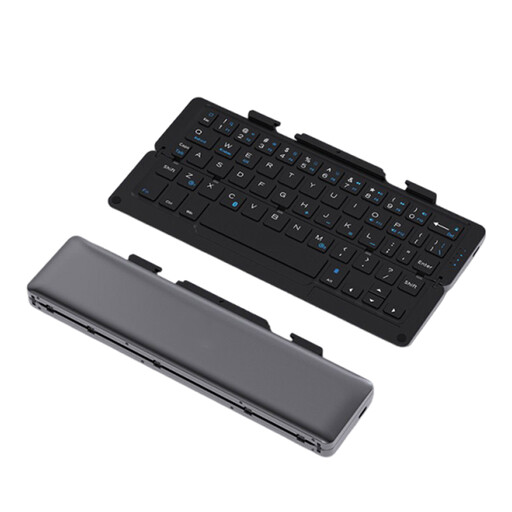 No image available
The folding design and stand for a phone or tablet make it a practical option for practising on a mobile screen while you’re out and about.
Rechargeable; Bluetooth; quiet keys; aluminium body; grey finish.
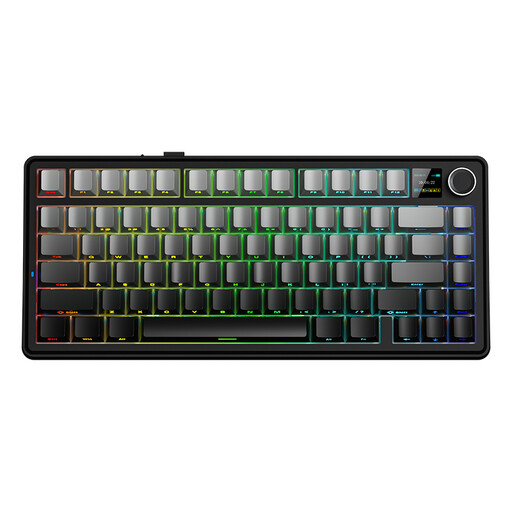 No image available
This model may suit you if your device supports Bluetooth or a 2.4GHz connection. Check the connection and US QWERTY layout are right for your practice sessions.
75% layout; wired mode, Bluetooth and 2.4 GHz; US QWERTY layout; Gradient Grey.
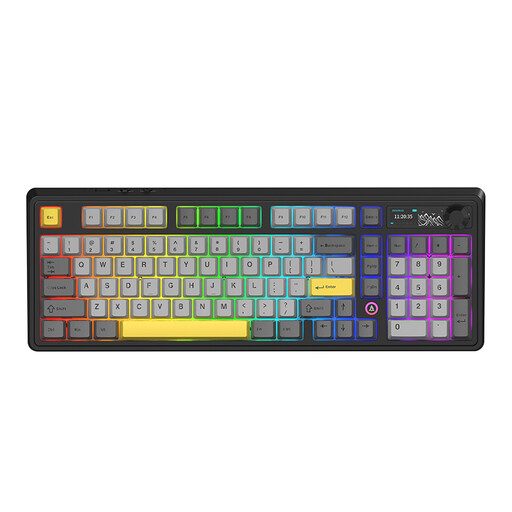 No image available
Bluetooth and the built-in battery could make this a good fit for practising without a power socket. Check in advance that the layout and connection options suit your device.
98% layout; 10000 mAh battery; wired, Bluetooth and 2.4 GHz; QWERTY layout.
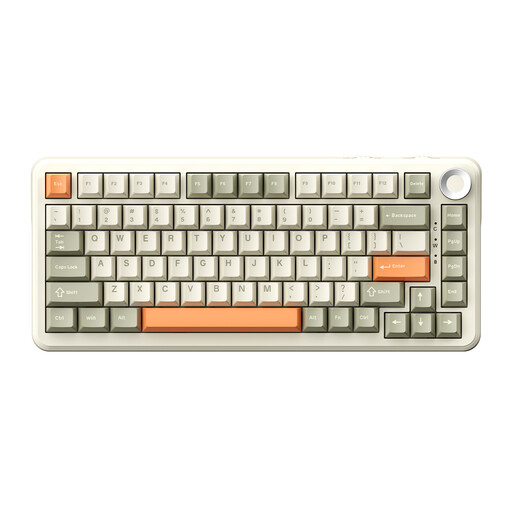 No image available
Bluetooth and the stated battery life may be useful for a practice session without a power socket. Also bear in mind that it has a US QWERTY layout.
75% layout; 8000 mAh battery; three connection modes; US QWERTY layout.
 No image available
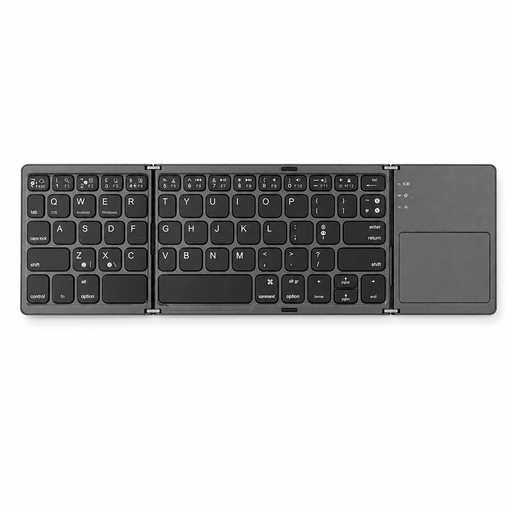
The folding design and Bluetooth connection are handy if you want to take the keyboard with a tablet or smartphone. Check it’s compatible with your device.
63 keys; wireless Bluetooth; with touchpad; product name states it’s suitable for tablets, smartphones and computers.
You can’t assume it’s allowed just because the keyboard is suitable for practising at home. For national exams, the College voor Toetsen en Examens publishes rules for each exam year via Examenblad.nl. Check whether you’re allowed to use your own Bluetooth keyboard in your exam. The regulations for the 2027 exam year came into force on 1 August 2026 and expire on 31 December 2027.
Check that your device supports the connection you need, pair the keyboard in advance and type a few answers using your chosen layout. Logitech’s instructions for Bluetooth setup say to select the keyboard in your device settings and enter the pairing code shown on screen. The exact steps may vary by model.
Follow the instructions for your specific model: the Logitech Pebble Keys 2 K380s uses two replaceable AAA batteries, while the iClever BK05 has a built-in battery that needs charging. In the Netherlands, take used loose batteries to a collection point rather than putting them in household waste.
According to ACM ConsuWijzer, the retailer is responsible for your statutory guarantee. If a product breaks during normal use sooner than you could reasonably expect, the retailer must offer an appropriate solution free of charge, such as a repair or replacement. A commercial warranty period doesn’t replace this right.