Start by considering the distance to the wall and the lighting during your film nights. Then decide whether the projector will mainly stay in one place or move between rooms. A fixed set-up could work if you mostly watch in the shared living room, while a battery-powered projector gives you more freedom to move around. Don’t compare brightness figures with different measurement units directly, and check that your chosen film source and audio set-up will work.
Who is this choice relevant to?
Housemates with limited projection space
You want to watch together, but first need to work out where the projector can go and how large the image will be there. BenQ Netherlands recommends factoring in the room and available projection distance when deciding on your set-up.
Viewers in a bright shared room
You can’t always darken the room during a film, so you’ll need to weigh the amount of light against your preferred image size and portability. Coolblue explains how daylight and artificial light affect how clearly you can see a projection.
Housemates sharing a projector
You move the device between rooms and want to watch films without a complicated reinstallation. XGIMI’s product information and the Netflix Help Centre’s guidance on connecting via a supported device are useful when comparing these types of set-up.
What should you consider when choosing?
Fixed position with ambient light
A good fit when: the projector usually stays in the shared living room and it’s difficult to darken the room.
Trade-off: check that your preferred image width will fit the available projection distance. The stated brightness won’t tell you exactly how the image will look in your room.
Taking it between rooms
A good fit when: housemates want to use the projector in different places, especially in a darkened room.
Trade-off: check the battery life and bear in mind that brightness figures may use different measurement units.
Fixed home cinema set-up
A good fit when: lens shift and multiple HDMI inputs matter more than being able to move the device.
Trade-off: a model with a lamp and air filter needs its light source and filter to be considered during long-term use.
The right image size depends on the room, while viewing light, shared running costs and how you play films also shape your choice.
| What to consider |
What should you check? |
Who is this most important for? |
| Will the projection fit the room? |
Measure the distance from the lens to the wall and the usable image width, then check the projection distance or throw ratio for the exact model. |
If the wall is narrow or the projector can only go in one place, I want to know in advance what image width is achievable. Around 33% of consumers put room fit first. |
| Will the image be visible in a lit room? |
Work out when you’ll be watching and whether you can darken the room. Consider the stated brightness in light of its measurement unit and your preferred image size. |
When we watch in daylight or with the lights on, I want to be able to judge whether the image will remain visible at the size we’ve chosen. For around 27% of consumers, visibility in ambient light is the top priority. |
| What does sharing it involve? |
Agree who will arrange any replacements, and check the type of light source, the stated lifespan for each operating mode and which accessories are included. |
If we share the cost, I want us to agree in advance who will arrange a replacement lamp or other essentials. Shared purchase and running costs are the main concern for around 20% of consumers. |
| Will your film source and audio work? |
Check that the projector supports your chosen streaming service, and look at the available HDMI connections and connection options for your audio set-up. |
When we use different film sources or audio devices, I want to know whether they’ll work with the projector. Playback and sound are the main concern for around 20% of consumers. |
Common buying mistakes
-
Choosing an image size without measuring the room
Your preferred image width depends on the distance between the lens and the wall, as well as the available projection space.
Measure the distance and available width, then check both against the specifications for the exact model before choosing an image size.
-
Treating lumen figures as directly comparable real-world tests
Product specifications may use different measurement units. The amount of light in the room and the image size also affect how the projection looks.
Note the measurement unit for each figure and consider the stated brightness in relation to when you’ll be watching and your preferred image size.
-
Assuming smart features support every film app
An app built into the projector doesn’t automatically mean that your chosen streaming service will work on that device.
Check that the exact model supports your chosen service. Netflix also explains how to use a supported playback device connected via HDMI.
Brands and models to consider
BenQ
The BenQ TH575i is an example of a projector for a fixed film-watching spot where ambient light is a factor.
- BenQ lists Full HD, 3.800 ANSI lumens, a lamp and a Google TV dongle included in the box.
- These are manufacturer specifications, not an independent test in a student house. Check that the projection distance suits your room.
Epson
The Epson EH-TW6150 is an example of a home cinema model for a more permanent set-up.
- Epson lists optical lens shift, two HDMI inputs and 2.800 lumens according to ISO 21118:2020.
- Epson lists a weight of 4,1 kg, a lamp and an air filter. The stated lamp life is 4.500 hours in the specified standard mode or 7.500 hours in Eco mode; actual lifespan depends on use.
XGIMI
The European MoGo 4 is an example for housemates who want to move a projector between rooms.
- XGIMI lists a built-in battery, rotating stand, Google TV and built-in speakers. The stated figures are up to 2,5 hours of video in Eco mode and 450 ISO lumens.
- These are manufacturer figures. Before buying, check which version is available in the Netherlands and what’s included. Don’t compare ISO lumens directly with ANSI lumens.
Joybuy products for film nights
These Joybuy products are portable or flexible-placement projectors for shared film nights. For each model, check that the projection distance, viewing light, chosen film source and audio set-up are right for you.
 No image available
XGIMI Vibe One, Full HD projector with screen and stand
A good fit for housemates who want to use the projector in different places and play films directly via Google TV.
The title lists Full HD 1080p, 250 ISO lumens, a built-in battery and a projection screen with stand. The description mentions Google TV, HDMI and two JBL speakers. The stated battery life is up to 1,2 hours of video in Eco mode.
View at Joybuy
 No image available
Yaber L2, native 1080P projector with Google TV
A good fit when a short projection distance and playing films via Google TV are important.
The description lists 520 ISO lumens, native 1080P, a 1,17:1 throw ratio and a 360° adjustable gimbal. It also mentions Google TV, HDMI, USB and two 5 W speakers.
View at Joybuy
 No image available
Yoton Y6 5.2 Bluetooth 4K LCD, native 1080P projector
A good fit if you want to connect an external playback device or use Bluetooth audio.
The product name lists native 1080P. The description mentions HDMI, USB and AV connections, plus Bluetooth for wireless audio; it also states that brightness varies by model.
View at Joybuy
 No image available
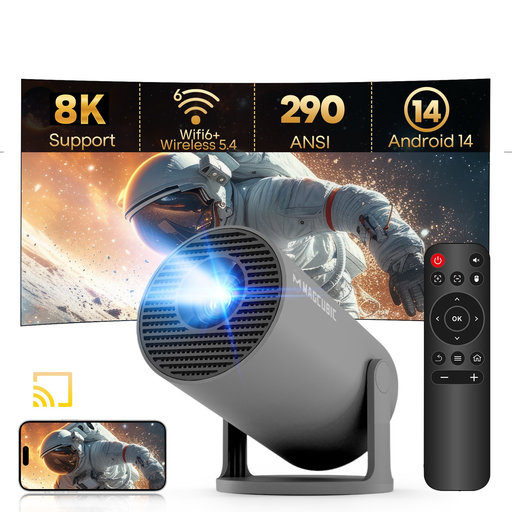
MAGCUBIC HY300Pro, Grey, portable mini projector
A good fit if you want a portable projector that rotates and can connect to a film source via HDMI or USB.
The description lists native 720P, 290 ANSI lumens, WiFi 6, BT 5.4, Android 14, automatic keystone correction and a 5 W speaker. The title mentions 180° rotation.
View at Joybuy
 No image available
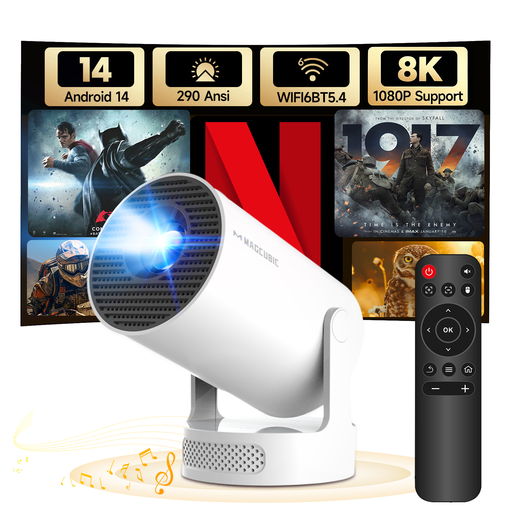
MAGCUBIC HY300Pro+, rotating mini projector
A good fit if you want to watch films in different places and might want to use Bluetooth audio.
The title lists native 720P and 290 ANSI lumens. The description mentions Android 14, HDMI, USB, Bluetooth audio, automatic vertical correction and a built-in speaker. The title mentions 180° rotation.
View at Joybuy
Frequently asked questions
How can you tell whether a projector will fit your room?
Measure the available wall width and the space for the lens, then use those measurements to check the projection distance or throw ratio for the exact model before choosing an image size.
Can you use any streaming service directly on the projector?
No, support varies by device. If a projector isn’t supported, the Netflix Help Centre explains how to use a supported playback device via HDMI or a suitable video adapter. Check that your chosen service is supported on the exact model.
What if the projector breaks too soon during normal use?
This is separate from the cancellation period for an online purchase. ACM ConsuWijzer explains that if a product doesn’t meet what you could reasonably expect, the seller is responsible for providing an appropriate solution. ACM ConsuWijzer also states that online purchases generally come with a 14-day cancellation period after delivery; terms and exceptions may apply.
Can you host a film night using a projector?
Distinguish between watching at home with family and friends and a screening open to the public. The Dutch Government warns that copyrighted work cannot be made publicly available without permission. FilmService states in its 2026 rate card that permission from the rights holder is needed for screenings outside the home. Check the details of your planned event before organising a film night open to the public.


