
Performer at a lectern
You’ll be reading from more or less the same spot and want your face to stay visible without losing the dimly lit atmosphere. Logitech describes adjustable lighting, while Elgato specifies a fixed focus range.


Start by considering the light on your face and your distance from the camera: image enhancement won’t automatically make up for poor lighting. If you’ll be reading from one spot, a fixed webcam may be suitable; if you’ll be moving around as you perform, compare models with physical tracking. Test the audio separately, and check the connection and framing you need beforehand.
You’ll be reading from more or less the same spot and want your face to stay visible without losing the dimly lit atmosphere. Logitech describes adjustable lighting, while Elgato specifies a fixed focus range.
You’ll move around as you perform and want to stay within the chosen frame. Insta360 distinguishes between physical tracking on the Link 2 and automatic framing on the Link 2C.
You’ll need to assess the picture, clear speech and computer connection together. If you film identifiable visitors at an event, the Dutch Data Protection Authority points out that you need a lawful basis to do so.
First, take a test shot from where you plan to read. Then assess the audio, framing and connection with your full setup in place.
Best for: a reading from a chair or lectern, when you want to adjust the picture yourself.
Keep in mind: you’ll need time to set up and test it; the Facecam MK.2 also requires a separate microphone.
Best for: a fixed setup where you can test the camera audio in your own space first.
Keep in mind: built-in microphones and automatic lighting don’t guarantee clear speech or a sharp picture at every distance or in all lighting conditions.
Best for: a performance where you move around the room; the Insta360 Link 2 can pan and tilt physically.
Keep in mind: test whether its movement stays within the stage boundaries; the Link 2C’s automatic framing isn’t the same as a gimbal.
Best for: a setup close to the camera where you want to have a small light source to hand.
Keep in mind: the original Razer Kiyo has a ring light; don’t confuse it with the Kiyo Pro, which Razer describes as having an adaptive light sensor.
| What to consider | What to look for when buying | Who is this important for? |
|---|---|---|
| Keeping your face visible in low light | Take a test shot from where you plan to sit or stand, and compare the result with a modest light source on your face. | I want to stay visible without losing the atmosphere of the dark room; around 31% of consumers give visibility top priority. |
| Clear speech | Listen back to a test recording from your reading spot and check which microphone your recording or streaming software is using. | If my voice is the most important part, I want to hear how it sounds from the planned distance; around 25% of consumers prioritise voice quality. |
| Framing the speaker and stage | Decide where you’ll stand or walk, then test your full range of movement in the preview. | If I move around while performing, I want to stay in frame; around 19% of consumers give freedom of movement top priority. |
| Connection and settings | Check the computer port and cable you’ll need, along with your preferred video mode; make a complete test recording before the performance. | I want to know in advance whether the webcam works with my computer and preferred settings; around 13% of consumers start by checking the connection. |
| Overall setup and aftercare | Allow for the possibility of needing separate audio or lighting, and check what additional cover offers beyond your statutory rights. | If I’m assessing the whole setup, I want to consider the camera, audio and lighting together; around 12% of consumers prioritise the total cost. |
A sensor, HDR or image processing won’t automatically show you how visible your face will be in your own venue.
Take a test shot from your reading spot and assess both your face and the atmosphere you want to preserve in the room.
The MX Brio is an option for a fixed performance setup, with adjustable lighting and built-in microphones.
The Link 2 and Link 2C offer different ways to keep a moving performer in frame.
The Facecam MK.2 is suited to a fixed, adjustable picture setup where you manage the audio separately.
The Kiyo models take different approaches to lighting in a webcam setup.
The PowerConf C200 is worth comparing if you’re looking for an adjustable field of view and built-in microphones.
These Joybuy webcams are options for a performance or livestream. Compare their built-in audio, field of view and connection with your reading spot and computer.
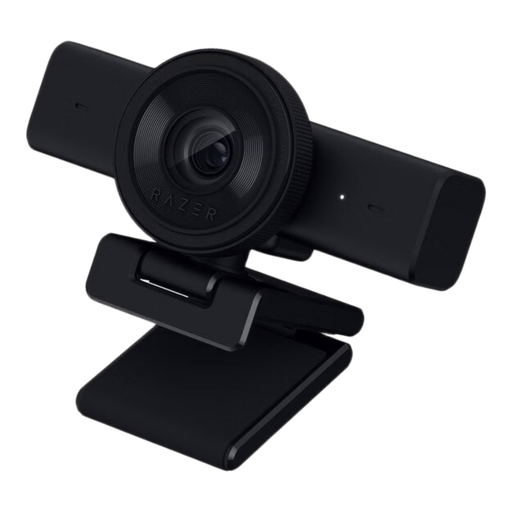 No image available
An option for a fixed performance setup where you want to use the camera audio.
The product name lists 1440p, 1080p at 60 fps and USB.
 No image available
An option for a simple performance setup where you want to use the camera audio.
The product name lists 1080p, a microphone and USB plug-and-play for PC and laptop.
 No image available
An option to compare if you’re looking for dual microphones for a performance.
The product title lists PDAF autofocus, a lens cover and a 75° field of view; the product information lists USB-A/USB-C.
 No image available
An option for a performance where you want to compare a wide field of view and built-in audio.
The product title lists a 99° field of view; the product information lists HDR, a USB connection and a built-in microphone.
 No image available
An option to compare if you’re looking for autofocus and built-in microphones in your performance setup.
The product name lists 8 MP, dual microphones and a privacy cover; the product information lists a universal mounting clip.
No. Resolution alone doesn’t determine whether your face will be clearly visible. Use a test shot in the room where you’ll be performing to compare the lighting, focus and framing too.
Set the camera at the planned distance and make a test recording while speaking at your normal performance volume. Select the intended microphone in your software; OBS offers gain and limiter settings for a selected audio source, among other options.
Yes, if you want the Facecam MK.2 to record your voice: Elgato states that this camera has no microphone. A microphone you already own may be suitable, provided it works with your setup and software.
No, not automatically. The Dutch government says there is no fixed statutory warranty period in the Netherlands, and you should be able to contact the seller about a faulty product. Check what additional cover offers.
Not without further consideration. According to the Dutch Data Protection Authority, an organisation that films identifiable visitors at an event needs a lawful basis. What applies depends in part on who is filming, who is identifiable in the footage and how the stream is shared.
Don’t assume that you can. The Dutch government states that you may need the creator’s permission to use copyright-protected text. Check the rights or permissions for the poems you choose and the way you plan to broadcast them.