Joybuy products for archiving and editing
This selection includes portable and desktop HDDs for archive folders, and SSDs for moving or editing active projects. For each model, check that the capacity, connection and any power adapter suit your workspace.
 No image available
WD Elements Portable 5TB USB-C, Graphite Black
A portable HDD option for storing finished episodes and project folders.
5 TB storage; USB-C and USB 3.2 Gen 1. The product description lists a 2.5-inch enclosure weighing 240 g.
View at Joybuy
 No image available
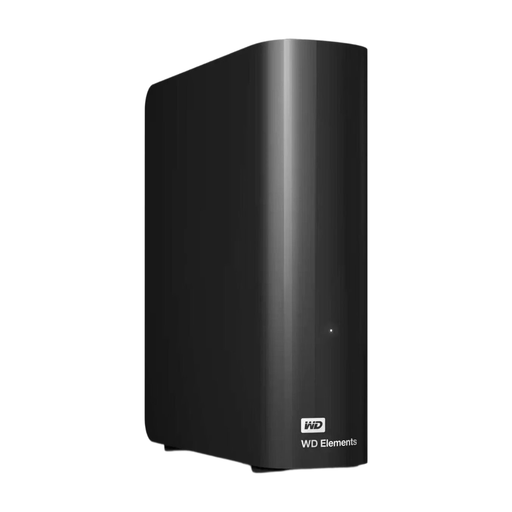
WD Elements Desktop 16TB USB 3.0
A desktop HDD for a large archive at a fixed workstation.
16 TB storage and USB 3.0; the description lists a USB cable and power adapter in the box. Reformatting may be required for Mac use.
View at Joybuy
 No image available
Western Digital My Passport 2TB Black
A portable HDD option if you want to store an archive with access protection.
2 TB storage, USB bus-powered and, according to the product description, AES-256 hardware encryption with password protection. The description states that the enclosure is not waterproof and is not designed to withstand heavy impact from a fall.
View at Joybuy
 No image available
Samsung Portable SSD T7 2TB USB Type-C, Blue
A portable SSD for moving or continuing to edit larger project folders.
2 TB storage and USB 3.2 Gen 2. The product description quotes maximum read and write speeds of 1.050 and 1.000 MB/s and AES-256 hardware encryption; achievable transfer speeds depend on the computer and connection. USB-C to USB-C and USB-C to USB-A cables are listed.
View at Joybuy
 No image available
Samsung MU-PE2T0R 2TB USB Type-C, Blue
A portable SSD option if you want to take active project folders between workstations.
2 TB storage and USB 3.2 Gen 2. The product description lists compatibility with PCs, Macs and Android devices, among others, read speeds of up to 1.050 MB/s, write speeds of up to 1.000 MB/s and IP65 protection. It also states that the drive is not designed for prolonged immersion in water.
View at Joybuy
Frequently asked questions
Is one external drive enough to store your podcast?
Not if it becomes your only copy. The National Cyber Security Centre advises keeping multiple versions on different media and in different locations; also test that you can open files from a backup.
How do you work out how much storage space you need?
Check the size of your folders containing source recordings, editing projects and exports, and allow for new projects. Don’t base your estimate on the published episode alone: the Audacity Manual explains that, for uncompressed audio, factors such as sample rate, bit depth, number of channels and duration affect file size.
Can you use the same drive with Mac, Windows and Time Machine?
exFAT may be an option for sharing files normally, but Seagate Support states that it is not suitable for Time Machine. Choose the file system before adding your archive: formatting can erase existing files.
What should you do after copying an episode?
Check that the copy completed successfully and open a few files as a recovery test. Safely eject the drive before disconnecting it, especially when using exFAT.
Can you store or publish interviews from a neighbourhood podcast without further consideration?
There isn’t a simple yes-or-no answer that applies to every podcast. According to the Dutch Data Protection Authority, an organisation processing personal data may need a lawful basis and appropriate security measures; an exception may apply in certain circumstances to personal or household use only. The Dutch Data Protection Authority states that public publication is not covered by this household exemption. Consider separately how you manage raw recordings and whether, and on what basis, you publish information that could identify people.


