What should you look for when choosing?
Nintendo Switch or Switch – OLED Model
Choose this option: if you want to play existing Switch platform games, such as Super Mario Bros. Wonder, on your TV.
The trade-off: the OLED screen matters for handheld play, not for the picture on your TV; Switch Lite does not support TV mode.
Nintendo Switch 2
Choose this option: if you want to play Donkey Kong Bananza or use the extra features in a Switch 2 Edition.
The trade-off: Nintendo specifies maximum TV output of 3840 × 2160 at 60 fps, but the game and screen also affect which display options you can actually use. Check compatibility with older games and any upgrade requirements.
PlayStation 5
Choose this option: if ASTRO BOT or Sackboy: A Big Adventure is on your games list; Sony lists these titles for PS5.
The trade-off: the 825 GB PS5 Digital Edition has no disc drive. Sony lists ASTRO BOT as a single-player game, so don’t assume every title supports local multiplayer.
Xbox Series X or Series S
Choose this option: if you want to play games such as Psychonauts 2 and choose between a model with a disc drive and a digital edition.
The trade-off: Microsoft distinguishes between the 1 TB Series X reviewed, which has a disc drive, and the 512 GB Series S, which does not. The quoted resolutions are specifications, not measured picture quality for every game.
Decide which matters most to you: access to specific games, playing together, TV display or how you buy your games.
| What to consider |
What should you check? |
Who is this important to? |
| Games you want |
Check that the title is available for the console and in the edition you want. |
If I want to play a specific platform game, I check the title and edition first. Around 36% of consumers say access to a game they want is their top priority. |
| Local multiplayer |
Check the number of local players supported by each game and which controllers are needed. |
If I want to play with other people on the same screen, I check the support available in the game itself. Around 29% of consumers prioritise local multiplayer. |
| TV and display options |
Check for TV mode or a TV connection, and the display options supported by both the game and screen. |
For my TV set-up, I want to know whether the console, game and screen support the display I want. Around 21% of consumers make big-screen viewing their top priority. |
| Physical or digital |
Check whether the exact model can use discs or game cards and what’s included in the bundle. |
If I want to use physical games, I check the edition before choosing a console. Around 14% of consumers prioritise how they buy games and future purchases. |
Joybuy products for platform games on TV
These Joybuy models are aimed at TV gaming with Nintendo Switch, Nintendo Switch 2 and PlayStation 5. Check that the title, game mode and display options you want are compatible with each game and console edition.
 No image available
Nintendo Switch console bundle 32GB with Mario Kart 8 Deluxe game card
Suitable if you want to play Switch platform games on your TV; Nintendo lists Super Mario Bros. Wonder for Switch.
The product name specifies 32GB and a physical Mario Kart 8 Deluxe game card. The product description mentions a dock, HDMI connection and TV mode.
View at Joybuy
 No image available
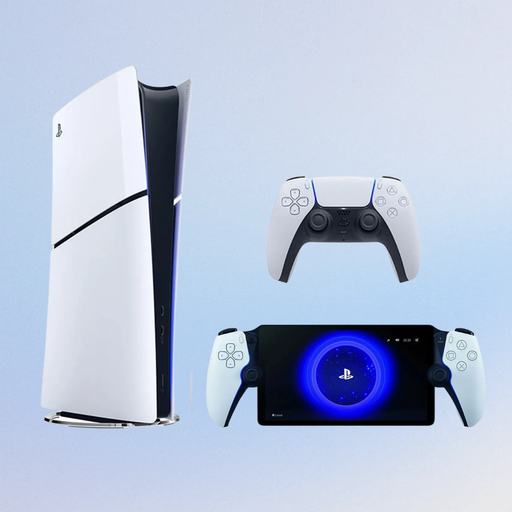
Sony PlayStation 5 Slim 825GB Digital Edition with PlayStation Portal Remote Player, white
Suitable if you want to play ASTRO BOT; PlayStation lists the game for PS5.
The product name specifies a digital PS5 Slim edition with 825GB and a PlayStation Portal Remote Player. This Digital Edition has no disc drive.
View at Joybuy
 No image available
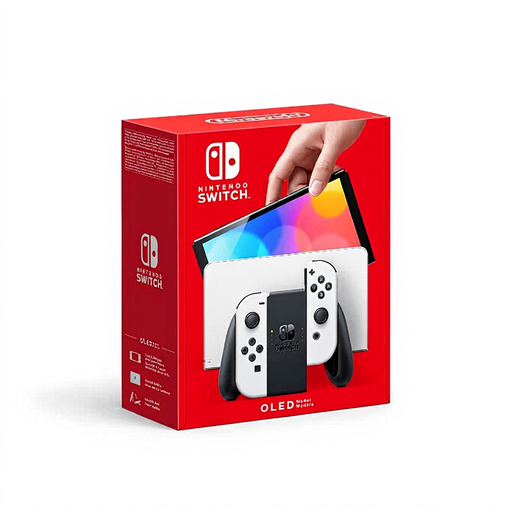
Nintendo Switch OLED, white
Suitable if you want to play Switch platform games on your TV and also use handheld mode.
The product name specifies an OLED Model. Nintendo lists TV use for the Switch – OLED Model; the OLED screen matters for handheld play, not for the picture on your TV.
View at Joybuy
 No image available
Nintendo Switch 2 console, EU
Suitable if you want to play Donkey Kong Bananza; Nintendo lists the game as exclusive to Switch 2.
Nintendo specifies maximum TV output of 3840 × 2160 at 60 fps. Actual display options also depend on the game and screen.
View at Joybuy
Frequently asked questions
Can I connect any Nintendo Switch to my TV?
No. Nintendo lists TV mode for the standard Switch and OLED Model, but not for Switch Lite. For TV use, Nintendo describes connecting via the dock and HDMI.
Does 4K support mean every platform game runs in 4K?
No. Nintendo specifies a maximum of 3840 × 2160 at 60 fps via HDMI in TV mode for Switch 2, but says support varies by game. Check your screen’s capabilities and the edition of the game you choose, too.
Can I always play together on one screen with an extra controller?
No, it depends on the game. Check the number of local players and the controllers required for every title you want to play. For example, PlayStation lists ASTRO BOT as a single-player game.
Can I use physical games on a digital console?
Not if the edition doesn’t have a compatible disc drive or reader. Sony states that the 825 GB PS5 Digital Edition has no disc drive, so check the exact model if you want to use physical games.
Who can help if my console develops a fault during normal use?
According to the Dutch government, if there’s a problem with a product, the retailer must provide a solution. Any manufacturer’s warranty does not replace this legal right.


