
Players choosing between systems
If you play on a PC or console, check that the controller works with both your device and your game. Nintendo, Microsoft, Sony, 8BitDo and HORI specify which systems each model is designed for.


Start by checking your console or PC and making sure the platform game you play supports controller input. Then choose based on where you play: a wired controller can be practical if you don't mind a cable, while wireless gives you more freedom but means you’ll need to think about power. Pay attention to the D-pad and button layout too; extra features are only useful if your game supports them.
If you play on a PC or console, check that the controller works with both your device and your game. Nintendo, Microsoft, Sony, 8BitDo and HORI specify which systems each model is designed for.
When a game involves lots of left-to-right movement and jumping, the D-pad and action buttons can make a difference. The features listed help you compare models, but they won't tell you whether the layout feels comfortable in your hands.
Consider whether a cable will work at your desk or whether you’d rather play wirelessly. With wireless models, the power source or charging routine also matters; Microsoft, for example, specifies AA batteries for the Xbox controller.
When choosing a controller for platform games in a student room, the main things to consider are compatibility, controls, power and freedom of movement.
| What to consider | What should you look for? | Who is this most relevant for? |
|---|---|---|
| System and game | Check your exact console or PC, and make sure the game supports controller input. | I want to be sure my controller works with my device and platform game, so I don't end up with the wrong combination. Around 36% of consumers say compatibility is their main concern when buying. |
| D-pad and layout | Compare the position of the D-pad and action buttons; try the controller for yourself if possible. | If I do a lot of jumping and changing direction, I want the buttons to be comfortable to reach. Around 29% of consumers say controls are their top priority. |
| Power | Check whether the model is wired or wireless, what it uses for power and what’s included. | I want to know in advance whether I'll be using a cable while playing or need to think about batteries or charging. Around 21% of consumers are most concerned about the purchase and power options. |
| Playing distance | Check whether a cable will reach your preferred seat; if you play wirelessly, check the connection to your device. | If my chair isn't right next to the console, I want to play without running a cable across the room. Around 14% of consumers put freedom of movement first. |
Nintendo says the Switch 2 Pro Controller is only for Switch 2. According to Nintendo, the older Switch Pro Controller can be synced wirelessly with Switch 2.
Before buying, check the full product name and compare it with your console.
A wired HORIPAD Turbo needs a cable that works with your playing space. An official wireless Switch 2 Pro Controller needs to be charged.
Consider where you sit and how you prefer to power your controller, as well as how the exact model connects.
Sony says features vary from game to game. According to Sony, haptic feedback on PC requires a USB connection.
Check whether your platform game supports the features before factoring them into your decision.
Nintendo makes controllers for its own systems. Nintendo says the Switch 2 Pro Controller is only for Switch 2; the older Switch Pro Controller can be synced wirelessly with Switch 2.
Microsoft positions the Xbox Wireless Controller for compatible Xbox consoles, Windows PCs and mobile devices.
Sony supports DualSense on PS5 and in compatible games on systems including Windows PCs.
According to the manufacturer, the 8BitDo Ultimate 2C Wired is a wired controller for Windows and Android.
According to HORI, the wired HORIPAD Turbo for Switch 2 is also compatible with Switch and Switch OLED.
Below are some Joybuy controller options for different consoles and PC set-ups. Check whether your game supports each model.
 No image available
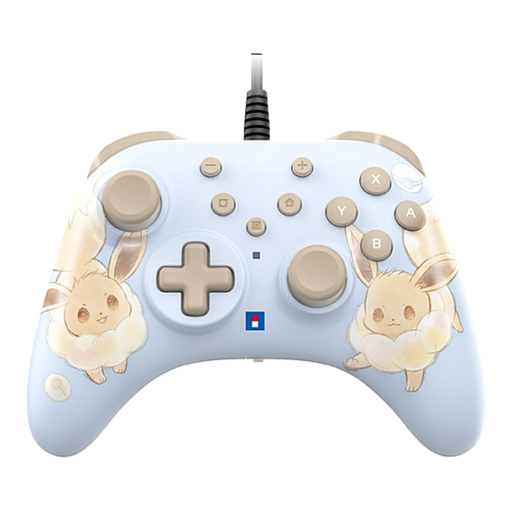
A wired option for a playing space where a cable is practical; the product description lists Switch 2, Switch and Switch OLED.
The description lists a USB connection, programmable rear buttons and Turbo. According to the product information, HD Rumble, NFC and motion controls are not included.
 No image available
A wireless option for compatible Xbox consoles and Windows PCs; also check that your game supports controller input.
The product description lists Bluetooth, a hybrid D-pad and customisable buttons, with support for Xbox Series X|S, Xbox One, Windows PCs and Android. Bear in mind that you’ll need to choose a power option.
 No image available
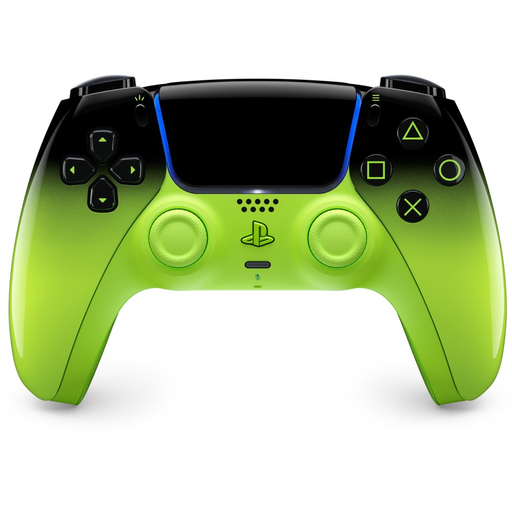
A wireless controller for PS5; Sony also supports connections to Windows PCs, but game compatibility determines which features are available.
The product description lists USB-C charging and use with PS5, PC, Mac, Android and iOS. Sony says features vary by game; according to Sony, haptic feedback on PC requires USB.
 No image available
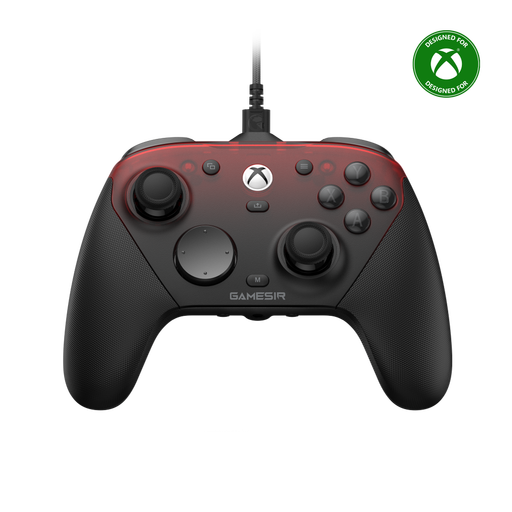
An option to consider if you want different connection types for a compatible Xbox, PC or mobile set-up; check that your game supports it.
The product description lists wired, 2.4 GHz wireless and Bluetooth connections, plus programmable rear buttons. The product name lists Xbox Series X|S, Xbox One, PC, Android and Steam.
 No image available
A wireless option for Switch 2; Nintendo says this Pro Controller is designed exclusively for that system.
The product description lists Bluetooth, motion controls and amiibo functionality.
No. Check whether the specific game supports controllers. For example, Steam has a filter for supported controller types, while Sony says some DualSense features only work when the game supports them.
According to Sony, you can connect it via USB-C or Bluetooth. For Bluetooth, hold down the Create and PS buttons until the light bar flashes, then select the controller on your PC.
Nintendo says the Switch 2 Pro Controller is only for Nintendo Switch 2. According to Nintendo, the older Nintendo Switch Pro Controller can be synced wirelessly with Switch 2.
In the Netherlands, you’re entitled to a product that meets the terms of the agreement; if there’s a valid fault, the seller must provide a solution. The Dutch government doesn't specify a fixed statutory guarantee period: what you can expect depends, among other things, on the product and the purchase information.
For many distance purchases from a business, the Dutch government says you have a 14-day cooling-off period. Check the terms of your purchase; this answer doesn't apply to purchases from a private seller.