What to look for in a laptop for plant photos
First, assess reflections in your own workspace. Then choose screen space, storage and ports to suit the way you work with photos.
| What to consider |
What to look for when buying |
Who should pay particular attention? |
| Screen beside a window |
Check the coating and stated brightness of the exact configuration. Also see whether you can adjust the screen or block out the window. |
If you want to assess plant details in photos at a bright, permanent workspace, you’ll want to minimise distracting reflections. Around 36% of consumers put screen readability first. |
| Viewing and saving photos |
Decide how many images you want to see alongside species information and how many photos you’ll store locally. Also check for a card reader and USB ports. |
If you import, compare and save photos, you’ll benefit from screen space and storage suited to those files. Around 29% of consumers put their photo workflow first. |
| Moving between locations |
Compare the size, weight and ports, as well as the test conditions behind the stated battery life for the exact configuration. |
If you process observations in different places, a laptop that’s easy to carry may matter more than extra screen space. Around 21% of consumers give mobility top priority. |
| Matching the configuration to the task |
Check which software you use and choose memory, storage and processing power to suit your files and workflow. |
If you mainly submit photos through an online service, you won’t want to pay for features your workflow doesn’t need. Around 14% of consumers focus mainly on the purchase price. |
Joybuy laptops for comparing and importing photos
These laptops are suited to viewing photos on a larger screen. One configuration also lists a built-in SD card reader for importing photos.
 No image available
ASUS Vivobook S16 S3607QA-SH109W
The 16-inch screen and 512 GB SSD are suited to viewing and storing photos locally.
The product name lists a WUXGA OLED screen, Snapdragon X processor and 16 GB LPDDR5X.
The product description mentions an anti-glare screen, but this doesn’t guarantee protection from reflections in every workspace.
View at Joybuy
 No image available
Microsoft Surface Laptop 7 15 inch Snapdragon X Elite
The 15-inch screen and stated storage are suited to a workflow involving photos and species information.
The product information lists 16 GB of memory, a 512 GB SSD and Windows 11 Pro.
The screen description lists a resolution of 2496 × 1664 and a 3:2 aspect ratio.
View at Joybuy
 No image available
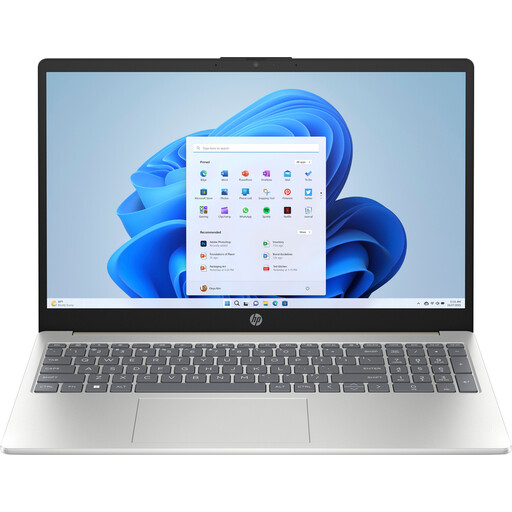
HP Laptop 15-fd1253ndx
The 15.6-inch Full HD screen and 512 GB SSD are suited to viewing and storing photos locally.
The product description lists an anti-glare screen, 250 nits brightness and 8 GB DDR5 memory.
The ports listed are USB-A, USB-C and HDMI.
View at Joybuy
 No image available
HP Laptop 15-fd1251ndx
The 15.6-inch Full HD IPS screen and 512 GB SSD are suited to viewing and storing photos locally.
The product description lists a matte anti-glare coating and 8 GB DDR5 memory.
The stated dimensions and weight are designed for portability; decide whether they suit the way you travel.
View at Joybuy
 No image available
ASUS ProArt P16 H7607BASE030X
The built-in SD card reader is handy for importing photos, while the larger screen gives you more room to view them.
The product description lists a 16-inch OLED touchscreen, 1 TB SSD and 64 GB RAM.
A resolution of 3840 × 2400 and an SD Express 7.0 card reader are also listed. A high resolution or OLED screen doesn’t guarantee good readability beside every window.
View at Joybuy
Frequently asked questions
Do I need a special AI laptop to identify plants in photos?
Not for the website-based method described here: Pl@ntNet lets you submit photos through your browser and displays identification suggestions. Check the requirements separately for any other software you want to use locally.
How should I set up a laptop beside a bright window?
Position the screen so distracting reflections from the window don’t interfere with your photos, and use blinds or curtains if needed. Check readability in your own workspace; the stated brightness alone doesn’t determine this.
How can I check a suggested plant species?
Compare clear photos of recognisable plant parts with the images and species information provided with the suggestions. Pl@ntNet offers possible identifications, not an automatically definitive identification.
What are my rights when I buy a laptop online in the Netherlands?
For a standard online purchase, consumers generally have 14 days from delivery to change their mind, according to ACM ConsuWijzer. The statutory guarantee also applies: if a product breaks during normal use sooner than you could reasonably expect, the seller must offer a solution. Check the applicable terms and exceptions.
Are there extra workplace requirements if I use the laptop for my employer?
For employees who work at a screen for more than 2 hours a day, Arboportaal describes workplace requirements, including the option to use a separate monitor or keyboard and the need to prevent screen reflections. These depend on the working situation and aren’t general product specifications for every private buyer.


