
Comparing lots of references
You want to view a plant photo while keeping identification keys, notes or other references open. Screen space and the way your apps handle windows are important factors when choosing a tablet.


Choose a tablet based on how much screen space you need to view your photo and references at the same time. Then check your own apps and sample files on the configuration you’re considering. A larger screen can give you more room for windows, but is less convenient to carry around. App functionality, screen finish and included accessories vary by model and configuration.
You want to view a plant photo while keeping identification keys, notes or other references open. Screen space and the way your apps handle windows are important factors when choosing a tablet.
You move between your workspace and outdoor locations, and want to view photos without carrying unnecessary weight. Compare the tablet’s size and weight with the space your references need.
You already use specific photo formats, annotations or Windows software. First, check that the tablet, apps and any stylus are suitable for the way you work.
Start with your app layout and photo formats. Then compare screen space and portability, and finally check which accessories are included with the exact configuration.
A good fit if: you use the photo and reference apps you need on iPadOS and are choosing between the 11- and 13-inch iPad Air with M4.
Things to consider: Apple lists the Wi-Fi models at 464 grams for the 11-inch version and 616 grams for the 13-inch version. A compatible Pencil is not included in the stated box contents.
A good fit if: you use Android apps and want to compare windows using Samsung DeX or OnePlus’s described view of up to three apps. If you want a large screen and stylus in one bundle, you could also look at the exact Lenovo configuration.
Things to consider: test your own app layout with a real photo; screen space and whether a stylus is included vary by model and bundle.
A good fit if: you need specific Windows software for your work.
Things to consider: check that your software is compatible with the exact configuration; Microsoft sells the Slim Pen and keyboard separately.
| What to consider | What should you check? | Who should pay particular attention? |
|---|---|---|
| Windows and apps | Try your photo, browser and notes apps together in the window layout you want. | If I want to view a plant photo, identification key and notes at the same time, I don’t want to keep switching between apps. Around 29% of consumers prioritise usable windows. |
| Photo detail and screen space | View a representative photo alongside a reference and check how much space is left for each window. | When assessing detail, I want to see the photo and reference side by side without either window becoming too small. Around 23% of consumers give photo detail top priority. |
| Portability and viewing in bright light | Compare the weight of the exact configuration and view your own images in similar ambient light. | When I carry my tablet between my workspace and an outdoor location, its size and how easy it is to read in the available light matter a lot. Around 18% of consumers prioritise portability and readability. |
| Files and software | Test a sample file from your camera and check that the apps or Windows programmes you need work. | If my photo formats or regular software are part of my workflow, I want to know in advance whether they’ll work. Around 18% of consumers prioritise file and software compatibility. |
| Accessories | Check the box contents for the exact model and bundle, including a stylus, keyboard and any other tools you need. | If I need a stylus or keyboard for taking notes, I want to know in advance what comes with the configuration. Around 12% of consumers prioritise having everything they need in one purchase. |
A large screen doesn’t guarantee that your photo, references and notes will all be easy to see at the same time in their respective apps.
Before you decide, test a real photo in your preferred window layout.
The bundles reviewed have different box contents; Microsoft sells the Surface accessories mentioned separately.
Compare the product code and box contents, and only factor in accessories you need for your workflow.
Manufacturer information about brightness or screen finish isn’t an independent assessment in your lighting conditions.
If possible, view representative photos in similar ambient light and check the finish of the exact variant.
The Lenovo Idea Tab Pro with model code ZAE40020SE is described as a 12.7-inch model; that doesn’t identify it as the 13-inch Idea Tab Pro Gen 2 bundle reviewed here.
Compare the generation, full model and bundle codes, screen and included items before choosing.
The iPad Air with M4 is an option if you use iPadOS apps and want to choose between a more portable size and extra screen space.
The Galaxy Tab S12+ is worth comparing if you want to use Android apps in multiple windows.
The Idea Tab Pro Gen 2 is worth considering if you’re comparing a large Android screen and a model-dependent stylus bundle.
The Pad 3 is worth a look if you want to use the multi-app view on one Android screen described by the manufacturer.
The Surface Pro 12-inch, 2nd Edition, is worth considering if your workflow requires specific Windows software.
These product picks are for anyone who wants to view photos and references on a tablet. Check the app layout and files that suit your own workflow.
 No image available
The stated 12.2-inch screen may suit you if you want to view photos and references together; test the layout with your own apps.
The product name lists a 2.4K screen with 120 Hz, 36 GB (12 + 24 GB) of memory and 256 GB of storage.
 No image available
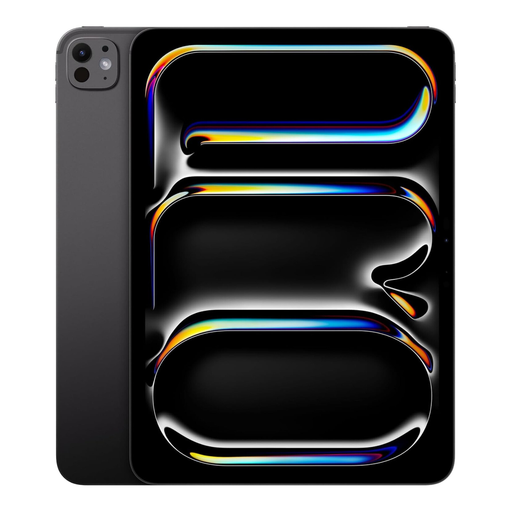
The product description lists a 13-inch screen and iPadOS windows; check that your photo and reference apps work in your preferred layout.
Apple Pencil Pro and Magic Keyboard are sold separately.
 No image available
The stated 14-inch screen may be appealing if you want to view photos and references together; try your preferred layout on the device.
The product name lists a 2.2K screen with a resolution of 2240 × 1400. The product information advises against using it for extended periods in direct sunlight or in dusty conditions.
 No image available
The product name lists a 13-inch screen; compare your preferred window layout with your own photo and reference apps.
According to the product name, this configuration has Wi-Fi + Cellular and 2 TB of storage.
 No image available
The stated 12.1-inch screen may suit you if you want to view photos alongside references; check how well it works with your own apps.
The product name lists a 2.5K screen with 120 Hz, 8 GB of RAM and 256 GB of storage.
On the configuration you’re considering, open a representative photo, your actual references and any notes you need. Apple documents window features for iPads running iPadOS 26 or later, Samsung describes multiple windows in DeX, and OnePlus supports up to three apps on the Pad 3 screen. These features don’t guarantee that your apps will have enough room to remain easy to read.
Check the connection or card reader, then import a sample file from your own camera into the app you’ve chosen. Adobe documents importing JPG, PNG and RAW files, among others, from a camera or memory card into Lightroom for Android. Separately check whether your specific RAW format and device are supported.
It depends on the model and bundle. Samsung lists an S Pen with the Galaxy Tab S12+ reviewed, and Lenovo lists a stylus and folio case with the bundle reviewed. Microsoft sells the Slim Pen and keyboard for the Surface Pro reviewed separately. Check the box contents for the exact configuration.
According to the Dutch government, when you buy from a business at a distance, you generally have 14 days to change your mind. You’re also entitled to a product that meets reasonable expectations: there is no fixed statutory guarantee period in the Netherlands, and the retailer is your point of contact if a product is faulty. Check the terms that apply to your specific purchase.
According to the European Commission, energy labelling rules have applied since 20 June 2025 to slate tablets covered by the regulation. The Commission distinguishes these from tablet computers with, for example, a desktop-style operating system. So don’t assume a product needs a label just because it’s called a tablet, and don’t automatically apply the rules to a Windows 2-in-1.