Gaming mice at Joybuy
This selection includes wired and wireless gaming mice for anyone who wants to assign building commands, use the scroll wheel or move around without a cable.
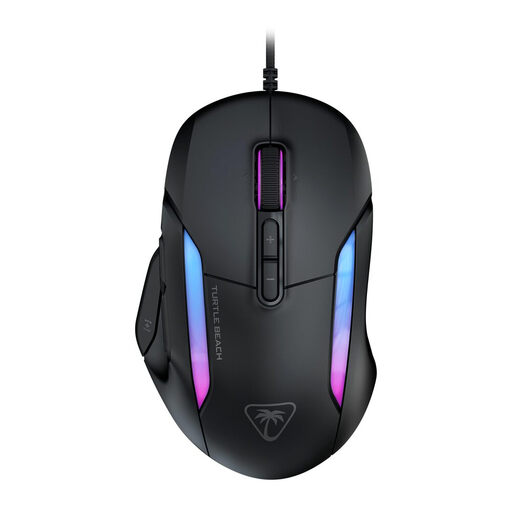 Image unavailable
Turtle Beach Kone II Wired Gaming Mouse, Black
A wired option if you want to assign building commands to buttons and control functions from your mouse.
The product name lists 26,000 DPI and 23 buttons. Swarm II software is mentioned for adjusting DPI, macros and button assignments.
View at Joybuy
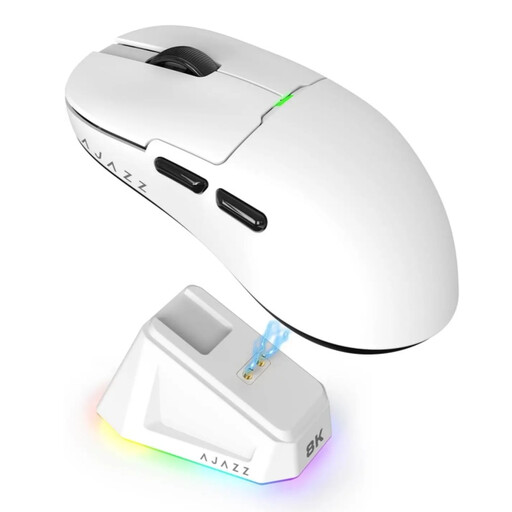 Image unavailable
AJAZZ AJ159 PRO Wireless Gaming Mouse, White
A wireless option if you want to move around without a cable and compare 2.4G and Bluetooth connections.
The product name lists a PAW3395 sensor, 26K DPI, 2.4G/USB-C/BT, a 400 mAh battery and a weight of 56 g. The description mentions five customisable buttons with macro support.
View at Joybuy
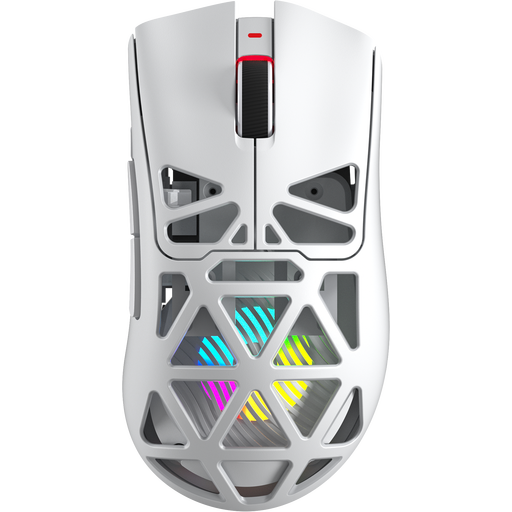 Image unavailable
AULA SC620 Wireless Gaming Mouse, White
A wireless option if you want to compare multiple connection options and programmable buttons.
The product name lists Bluetooth 5.0, 2.4G and USB-C, a PixArt PAW3311 sensor, 12,000 DPI, seven programmable buttons, a weight of 67 g and a 400 mAh battery.
View at Joybuy
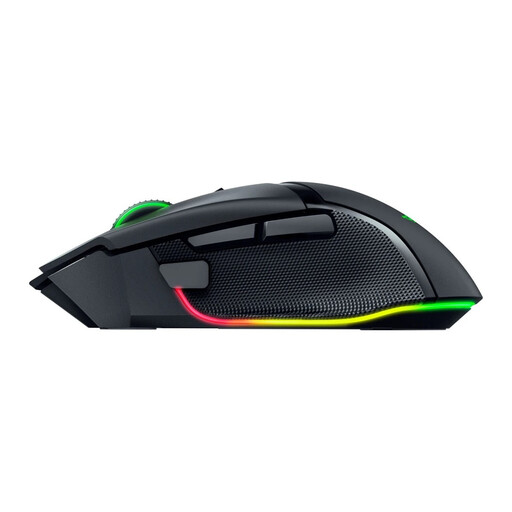 Image unavailable
Razer Basilisk V3 Pro 35K Ergonomic Wireless Gaming Mouse, Black
A wireless option if you want to compare different scroll modes and extra control buttons.
The product description lists 2.4 GHz, Bluetooth and USB connectivity, plus a scroll wheel with notched and free-spin modes.
View at Joybuy
 Image unavailable
Logitech G G502 X Wired, Right-Handed
A wired option if you want to scroll quickly or precisely and assign functions to mouse buttons.
The product name lists a USB Type-A connection and 25,600 DPI. Logitech describes the wired G502 X as having a scroll wheel with free-spin and ratchet modes; RTINGS.com says the mouse is too large for some people with small hands.
View at Joybuy
Frequently asked questions
Do I need a mouse with twelve side buttons for building in Planet Coaster 2?
No, the game’s controls don’t require one. Planet Coaster 2 supports mouse and keyboard controls, and lets you reassign mouse inputs on PC. First, work out which commands you use often and whether you want to move them to extra buttons.
What should I set up before I start building?
Check the mouse and camera controls in the game. If you want to use extra mouse buttons, set them up using the software for your model, then test that placing items, selecting and moving the camera all work as expected.
How should I assess a wireless mouse’s battery life?
Compare the estimate for the connection mode you use. SteelSeries quotes up to 180 hours via Bluetooth or High Efficiency Mode for the Aerox 5 Wireless, compared with 80+ hours in standard 2.4 GHz mode. These are manufacturer estimates, not a guarantee for your settings.
What are my rights in the Netherlands if a mouse I bought online isn’t suitable or is faulty?
For eligible online consumer purchases, you generally have a 14-day cooling-off period, according to the Dutch government. You’re also entitled to a product that works as it should. The Netherlands has no fixed statutory warranty period, and the retailer is your point of contact if there’s a fault. Check the terms and any exceptions that apply to your purchase.
Do Dutch rules on working at a screen also apply to gaming at home?
Rules on working at a screen aren’t automatically legal requirements for gaming at home. However, Arboportaal describes repetitive movements and static strain when working at a screen, so it’s worth paying attention to your posture and taking breaks. A gaming mouse doesn’t replace that care.


