
Piano listener with room for stereo
You want to position two speakers apart and mainly listen from a fixed work spot. The space available and the connections you need will determine which setup is right for you.


For recorded piano music in a home office, an active stereo pair is a good fit if you can place the two speakers separately and want to hear distinct left and right channels. A single Wi-Fi or Bluetooth speaker makes more sense if easy streaming and control around the home are more important. First, check the connections on your music source and the space available: two cabinets and their cables take up more room than one speaker.
You want to position two speakers apart and mainly listen from a fixed work spot. The space available and the connections you need will determine which setup is right for you.
You play music from your computer and need connections and a setup that fit alongside your screen. Measure the space for both speakers and allow for the connecting cable.
You’d rather control your music from a phone or app, and may be thinking about other rooms too. Check that your network, music service and any adapter are compatible with your chosen speaker.
A good fit if: you can position two speakers separately and mainly play piano music from a fixed source.
Bear in mind: you’ll need space for two cabinets and usually a cable between them; the inputs available vary by model.
A good fit if: you want two speakers but have limited desk space.
Bear in mind: according to the Consumentenbond’s general buying advice, smaller speakers tend to produce less prominent bass than larger ones.
A good fit if: streaming and app control matter more to you than having two separately positioned speakers.
Bear in mind: a single cabinet won’t give you the same physical left-right setup as a pair; Wi-Fi playback requires a suitable network.
| What to consider | What should you check? | Who is this important for? |
|---|---|---|
| Stereo separation | Check whether you’re getting two speakers, how they connect to each other and whether you can position them separately. | If I want to hear piano music separately on the left and right, I need room for two cabinets; around 36% of consumers prioritise stereo separation. |
| Connection to your source | Note the output on your computer or phone and compare it with the input on the exact model variant. | I want to connect my computer or phone without needing an unsuitable workaround; around 29% of consumers give source compatibility top priority. |
| Space and positioning | Measure the space for the cabinets and allow room for the power supply and connecting cables too. | On a crowded desk, I want to position speakers without taking up my workspace; around 21% of consumers prioritise limited desk space. |
| Streaming and control | Check support for your music service, Wi-Fi coverage and whether you want to use multi-room audio. | I want to control music over Wi-Fi or through an app, possibly in other rooms too; around 14% of consumers give standalone streaming top priority. |
On one model, USB-C may carry audio, while on another system the connection may be intended for power or for linking the speakers.
Check what the port does on each model and which connection your music source needs.
For the analogue connection on the Sonos Era 100, Sonos specifies a separate line-in adapter.
Check the output on your source and find out which adapter or cable you need for your chosen speaker.
The Consumentenbond notes that most listeners hear little or no difference in quality between Wi-Fi and Bluetooth; network requirements and ease of control may matter more when choosing.
First choose a connection that suits your source and how you want to control it, then assess the sound of the specific model.
Edifier offers, among other options, a stereo pair for a fixed workspace and a more compact pair aimed at gaming.
The Pebble Pro MF1710 is a compact two-speaker system for a computer desk.
The Era 100 is a single speaker for anyone who values app control and streaming.
The LSX II LT is an active stereo system for a fixed spot, with digital inputs and network streaming.
The A2+ Gen 3 is a compact active stereo pair, suitable for playing music from a computer, among other uses.
This selection includes compact stereo speakers and computer speakers for a desk, plus one speaker for anyone looking for Wi-Fi or Bluetooth streaming.
 No image available
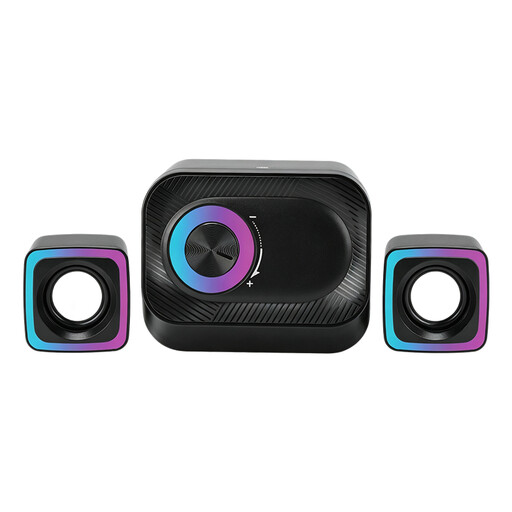
For playing music from a PC at your desk; the product description mentions two compact satellite speakers and a volume control.
 No image available
For anyone who wants to put two speakers on a desk; the product description mentions music playback and a compact desktop setup.
 No image available
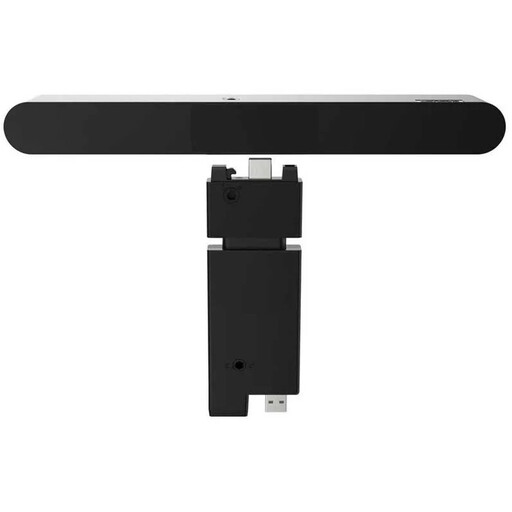
An option for listening to music from a computer or monitor when a soundbar suits your screen; the stated connection is wired.
 No image available
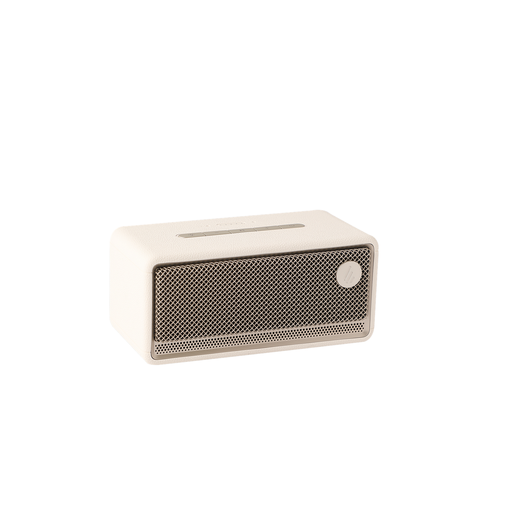
For anyone looking for a single speaker to stream over Wi-Fi or Bluetooth and control through an app. This is one speaker, not a pair of two separately positioned cabinets.
 No image available
A compact stereo pair for a computer setup. Edifier lists USB, aux and Bluetooth for the G1500; check which connection suits your music source.
That depends on the output on your piano and the input on the speaker. Check both manuals; latency may matter when playing live. Yamaha warns that adding a Bluetooth audio transmitter to its synthesisers and stage pianos causes a delay. That doesn’t necessarily apply to every digital piano.
Try a different position and place the speakers on a firm surface. The Consumentenbond points out that the distance from the wall and the speakers’ position can affect the bass; results vary by room and model.
An extra warranty isn’t automatically necessary to protect your statutory rights when buying as a consumer in the Netherlands. According to the Dutch government, there’s no fixed statutory warranty period, and you should contact the seller if something is faulty. Check the terms of any additional warranty to see whether it offers anything extra.
Radio equipment placed on the market in the EU is subject to the Radio Equipment Directive, which sets requirements including safety and electromagnetic compatibility. CE marking is the manufacturer’s declaration that the product meets the applicable requirements; it is not EU approval of sound quality or a separate safety test carried out by the EU. Requirements and conformity should be checked for the specific model.