
Listener in a fixed spot
You listen to recorded piano music from the sofa and have room for two speakers in your living room.


A compact stereo pair is a good choice if you have room for two speakers and listen to recorded piano music from a fixed spot. A single Wi-Fi speaker may suit you better if easy streaming and saving space matter more. If you also want to connect a digital piano directly, first check that your instrument’s output is compatible with the speakers’ input. The available connections alone don’t prove a difference in sound quality.
You listen to recorded piano music from the sofa and have room for two speakers in your living room.
You stream music at home from your phone or a music service and want your speakers to take up as little room as possible.
You may also want to hear your own instrument through external speakers. The connection on your piano will therefore affect your choice.
A good fit if: you have room for two speakers and usually listen from a fixed spot. KEF describes the LSX II LT as a pair with streaming and USB-C; Q Acoustics lists Bluetooth and a USB connection for a computer on the M20.
Bear in mind: you’ll need space for two cabinets and a way to connect them to each other. The LSX II LT uses a cable for this, while the M20 has a rear bass reflex port, which affects where you can place it.
A good fit if: you mainly play music from a phone or music service and have limited space. Sonos describes the Era 100 as offering Wi-Fi and Bluetooth; two units can be paired to create a wider soundstage.
Bear in mind: connecting an external analogue source to the Era 100 requires a separate Sonos Line-In Adapter and a compatible audio cable.
A good fit if: you want to play your own digital piano as well as recordings. The Edifier MR4 has TRS, RCA and AUX inputs; Yamaha recommends comparing your instrument’s output with the active speaker’s input.
Bear in mind: you may need a suitable cable, and the MR4’s connections don’t automatically mean it will work with every piano.
| What to consider | What to check before buying | Consumers with this priority |
|---|---|---|
| Spread of recorded music | Check whether you have room for two cabinets and how they connect to each other. Also compare the source input with your music source. | If I mainly listen from a fixed spot, I want to be able to position two speakers for a left-to-right stereo image. Around 36% of consumers prioritise this wider spread. |
| Easy streaming | Check that your source is compatible with the model’s Wi-Fi, Bluetooth or other connection, and that you’re happy controlling it through an app. | I want to play music at home from my phone or a music service without a complicated set-up. Around 29% of consumers prioritise easy streaming. |
| Placement and listening volume | Measure the available space and consider where the chosen model can be placed. The Dutch government recommends agreeing with neighbours on things such as what time music is played. | In my small living room, I want to make good use of the space and keep the volume manageable. Around 21% of consumers prioritise space and considerate listening. |
| Connecting a digital piano | Compare your piano’s audio output with the input on the exact speaker model and check which cable you need. Yamaha describes connecting an instrument output to an active speaker input with a cable. | If I also want to hear my own digital piano, I want to be sure the connections are compatible. Around 14% of consumers prioritise a direct piano connection. |
A set-up with two speakers takes up more space than a single cabinet. Sonos describes using two Era 100 speakers for a wider soundstage, while the KEF LSX II LT is sold as a pair.
First decide whether you want one speaker or two separate speakers. Then compare the components and connections needed for that set-up.
Connecting an external analogue source to the Sonos Era 100 requires a separate Line-In Adapter, as well as a compatible cable.
Compare your source’s output with the input listed for the speaker, and check which adapter and cable you need.
Playing music from a phone and amplifying the sound of an instrument require different connections. Yamaha recommends matching the instrument output to the active speaker input.
Check your piano model’s manual to find its audio output, then check the speakers’ input and the cable you’ll need.
KEF describes the LSX II LT as a compact active stereo pair with streaming capabilities.
According to Sonos, the Era 100 is a compact Wi-Fi and Bluetooth speaker; two units can be paired to create a wider soundstage.
According to Q Acoustics, the M20 is an active stereo pair with features including Bluetooth and a USB connection for a computer.
The MR4 is an active pair with wired inputs, which may be useful if you also want to connect a compatible digital piano.
Audioengine describes the A2+ Gen 3 as a compact active pair for a small set-up.
The Joybuy products below include Bluetooth speakers, a Wi-Fi speaker and computer speakers. Check each model to make sure its connection and set-up suit your source and the way you want to listen to piano music.
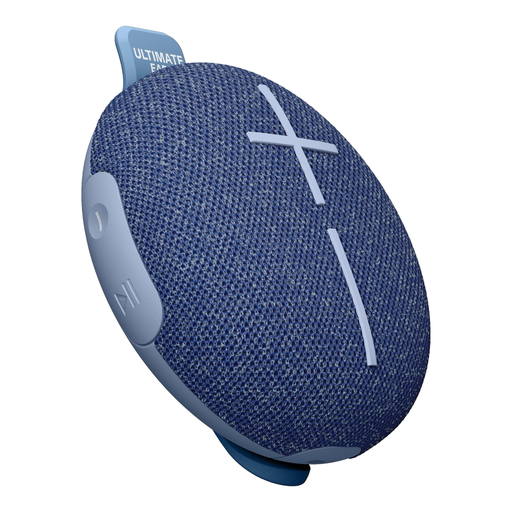 Image unavailable
A good fit if you’re looking for a single portable speaker for music from a Bluetooth source. The product description lists one speaker channel and Bluetooth.
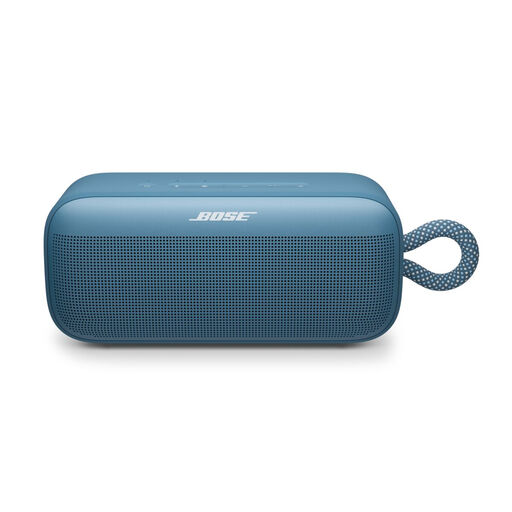 Image unavailable
The product description lists Bluetooth and the option to pair two SoundLink Plus speakers for stereo sound. Check whether you want to position two units and how they’ll work with your listening position.
 Image unavailable
The product information lists Wi-Fi and Bluetooth for wireless playback, and USB and AUX inputs for wired sources. Check which connection your music source uses.
 Image unavailable
A good fit if you want to play music from a computer or phone; the product information lists USB audio, AUX and Bluetooth. Check that your chosen source supports one of these connections.
No. A single compact Wi-Fi speaker may suit you if saving space and easy control are your priorities; two separate speakers are an option if you want a wider soundstage. Sonos describes the Era 100 as suitable for use on its own or paired with a second unit.
Compare your instrument’s audio output with the input on the active speakers and check which cable you need. Yamaha describes using an audio cable between the instrument output and speaker input; before buying, check the connections on your specific piano model.
To connect an external analogue audio source, you’ll need a separate Sonos Line-In Adapter and a compatible audio cable, as well as the Era 100. Make sure you check which components you’ll need for your set-up.
According to ACM ConsuWijzer, online purchases generally come with a statutory cooling-off period of up to 14 days after delivery, subject to exceptions. The statutory guarantee isn’t a fixed two-year period for every speaker: it means you can expect a reasonable lifespan when the product is used normally.
The Dutch government recommends agreeing with your neighbours on things such as what time music is played. If the disturbance continues, your landlord, homeowners’ association or local council may be able to help. This doesn’t mean that any volume or time is automatically permitted at your address.