
Stereo listener
You want to hear piano parts with a clear left-right soundstage and can position two speakers suitably in the lounge. Edifier describes separate speaker channels, while KEF offers the LSX II LT as a pair.


A single speaker is a space-saving choice if a distinct left-right soundstage isn’t your priority. Choose two compatible speakers if you want channel separation and have room for them. Sonos explains how two Era 100 speakers can be used as a stereo pair, while KEF offers the LSX II LT as a pair. In a shared lounge, agree on when the speakers can be used and at what volume, too: the Dutch government notes that local rules may apply.
You want to hear piano parts with a clear left-right soundstage and can position two speakers suitably in the lounge. Edifier describes separate speaker channels, while KEF offers the LSX II LT as a pair.
You share the space or live next to other people, and want to agree on volume and listening times without assuming there’s one fixed noise limit for every situation. The Dutch government recommends agreeing on music use and notes that local rules may apply.
Several people want to be able to start playing music. You’ll therefore want to check who has access to the controls, audio source and, if needed, the wi-fi network. Sonos explains the app and wi-fi set-up for the Era 100; Marshall describes the controls on the Acton IV itself.
| Consideration | What should you check? | Who is this important to? |
|---|---|---|
| Stereo soundstage | Check whether the model works as a stereo pair and whether the speakers can be positioned separately. | If I want to hear piano with a clear left-right soundstage, I’ll check whether two speakers can be positioned separately. Around 29% of consumers prioritise stereo sound. |
| Quiet listening | Agree on volume and listening times with other users, and check whether the volume can be adjusted on the spot. | I want to play music without unnecessarily disturbing other users or neighbours. Around 23% of consumers prioritise quiet listening. |
| Shared controls | Check whether music is started using an app, a connected phone or the controls on the speaker. | If several people use the lounge, I want to know how they can start and adjust the music. Around 18% of consumers give shared controls top priority. |
| Positioning and connections | Check the available space, power sockets, cable route and output on your audio source. | I want to know in advance where the speakers will go and whether I can connect my phone, laptop or another source. Positioning and source compatibility are most important to around 18% of consumers. |
| Complete set-up | Check how many speakers you need and whether an adapter or connecting cable is required. | I want to know which components I need to use my chosen set-up with my audio source. Around 12% of consumers focus mainly on having all the components they need. |
The left and right channels of two separate speakers can be positioned independently around the room. That’s different from having two drivers in one cabinet.
Check whether your chosen model works as a stereo pair, where both speakers can go and what’s included in the box.
You may need a second speaker for a stereo pair, so check whether you’re choosing a single speaker or a set.
Sonos says the Era 100 must first be set up on wi-fi using the app before you can use Bluetooth.
Check the set-up steps for the exact model and make sure you have access to the wi-fi network you’ll need.
You may need a second speaker, adapter or connecting cable, depending on the model, set-up and audio source.
Make a list in advance of the components you’ll need for your source and listening set-up.
A Sonos line-in adapter is sold separately. With the KEF LSX II LT, make sure the cable connecting the speakers will work with your chosen positioning.
These brands suit different set-ups. The features listed apply to the specific product ranges and models mentioned.
The R1280DBs is an active bookshelf speaker set for anyone looking to use two speakers with a range of audio sources.
The Era 100 is a wi-fi and Bluetooth speaker that you can later pair with a second unit for stereo sound.
The LSX II LT is a streaming stereo system sold as a pair.
The Acton IV is a standalone speaker for anyone who values on-device controls and analogue connections.
These products offer different ways to play music in a shared lounge, from a single soundbar or speaker to a speaker set. Check the controls, connections and components you’ll need for your set-up for each model.
 No image available
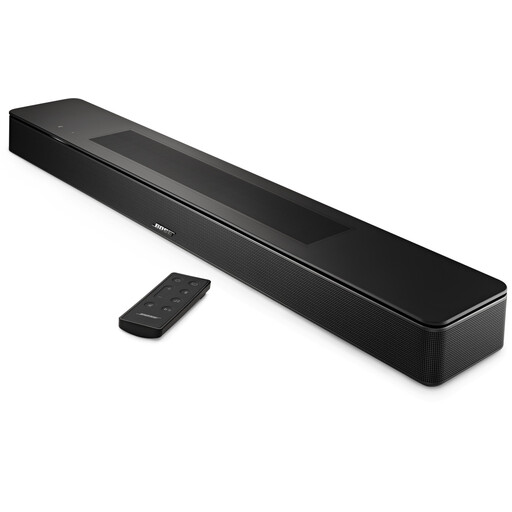
The description lists several ways to play music, for anyone looking to use a single device in the lounge.
Bluetooth, AirPlay 2, Spotify Connect and Chromecast are listed as ways to play audio.
 No image available
For anyone looking to play music from a wireless or wired source. Check in advance which connection is right for your source.
The product information lists wi-fi, Bluetooth, USB and AUX.
 No image available
This speaker set may suit anyone looking to play music through a stereo set-up and who values having controls on the speaker.
The product information lists Bluetooth 5.3, USB, 3.5mm AUX and volume controls on the speaker.
 No image available
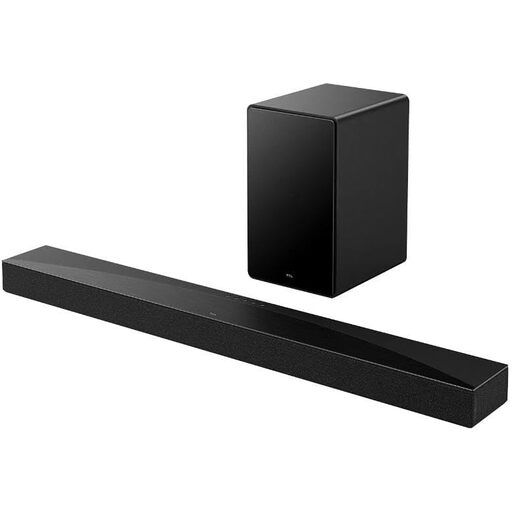
The product description lists music as one of its uses. Check that the connections are compatible with the audio source in your lounge.
The title lists Bluetooth 5.3, HDMI eARC, USB and optical. According to the product information, you’ll need the TCL Home app for initial set-up.
 No image available
This pair of bookshelf speakers may suit a permanent stereo set-up, provided you also have a compatible amplifier.
These are passive speakers, so you’ll need a separate amplifier to use them.
No, not if a separate left-right soundstage isn’t important to you. Choose two compatible speakers if you want to hear separate left and right channels and have room to position them separately. Check whether your chosen model is sold as a pair.
No. Sonos says you must first set up the Era 100 on a wi-fi network using the Sonos app. You can then use Bluetooth.
Check with the network administrator in advance to see whether set-up will work. KEF says that extra security or sign-in steps on some guest and public networks may prevent the LSX II LT from connecting. This isn’t a confirmed limitation for every speaker brand.
Compare the output on your phone, laptop or other source with the connections on the exact model. Also check whether you need a separate adapter for a wired connection and whether the cables will fit your planned set-up.
The Dutch government doesn’t specify a standard volume level for this particular situation. In many municipalities, nuisance noise from neighbours may be covered by local by-laws. Agree on volume and listening times with the other users, and check local rules and the venue manager’s guidelines if needed.