What should you look for when choosing?
Existing phone
Choose this option: if you photograph a linocut occasionally and want to improve your set-up first.
The trade-off: your choice of lens and file formats depends on the phone you already own.
Compact camera
Choose this option: if you want to take a separate camera with you without having to choose interchangeable lenses.
The trade-off: a compact camera isn’t automatically better suited to flat artwork; assess the specific model and lens.
Mirrorless camera
Choose this option: if you photograph prints regularly and want to choose your own lens and settings, and possibly edit RAW files.
The trade-off: a body with a kit lens isn’t always a complete set-up; check which accessories you’ll need too.
For linocuts, lighting, a colour reference and a level camera position all shape your workflow. National Museums Scotland’s guidance offers practical points to consider, rather than a comparison of camera models.
| What to consider |
What should you look for? |
Who is this important for? |
| Ink and paper colours |
Use the most even lighting you can, and, if needed, use a grey card or colour chart as a reference. |
If I want the colours of my print and paper to look true to life, I prefer to have control over the lighting and colour balance. Around 36% of consumers prioritise colour reproduction. |
| Fine lines and straight edges |
Check that the lens can frame the whole print and that you can position the camera steadily and level. |
When I want to show fine lines and the entire print clearly, sharpness and alignment are my main priorities. Around 29% of consumers give these priority. |
| A repeatable workflow |
Decide how many settings and editing steps you want to manage yourself; check which file formats are available for each model. |
If I photograph several pieces in similar conditions, I want to be able to repeat my shooting and editing steps. Around 21% of consumers particularly value this way of working. |
| Everything included in the kit |
Check the exact variant and which lens, memory card, battery and charger are included. |
When I mainly want to avoid unnecessary purchases or an incomplete kit, I compare what’s included in the specific bundle. Around 14% of consumers prioritise kit contents and the total purchase. |
Cameras at Joybuy
These Joybuy products include compact cameras and a mirrorless camera with a zoom lens for photography. Check which features and accessories suit the way you work for each model.
 No image available
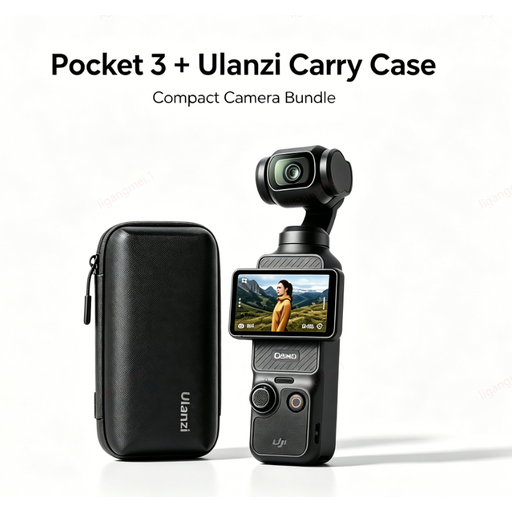
DJI Osmo Pocket 3 camera with Ulanzi storage case
The product name lists a DJI Pocket 3 camera and a Ulanzi storage case.
View at Joybuy
 No image available
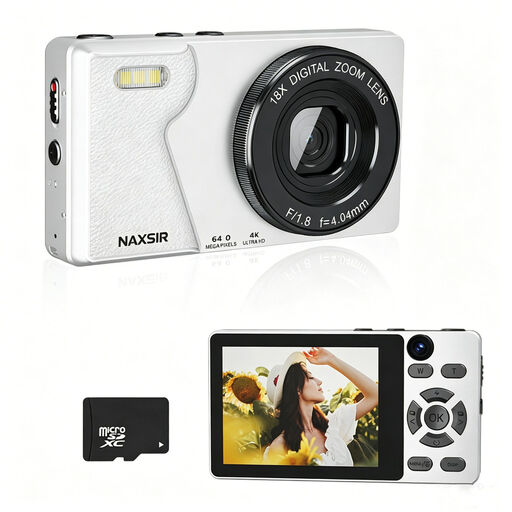
NAXSIR digital camera, 4K, 64 MP, 18x digital zoom, autofocus, 32 GB card
The product name lists 4K, a 64 MP photo resolution, 18x digital zoom, autofocus and a 32 GB memory card.
View at Joybuy
 No image available
DJI Osmo Pocket 3 Creator Combo
The product name lists a 1-inch CMOS sensor and 4K/120fps video. The product description also mentions capturing still images.
View at Joybuy
 No image available
Songdian pocket camera, pink, 4K, 44 MP, 16x zoom
The product name lists a 44 MP resolution, 4K, 16x zoom and the colour pink. The product description mentions autofocus.
View at Joybuy
 No image available
Sony ZV-E10 with 16-50mm zoom lens, black
The product name lists a 16-50mm zoom lens. The product description mentions a 24.2 MP APS-C sensor.
View at Joybuy
Frequently asked questions
Do you need to buy a new camera straight away for your first portfolio photo?
Not necessarily. First, see whether you can make the print clearly visible with your current equipment, even lighting and a stable, level set-up. National Museums Scotland’s guidance covers lighting and colour references, but doesn’t compare a specific phone with a camera.
How can you prevent a colour cast or dark areas on the paper?
Avoid mixing different light sources and, if needed, use a reflector or clean white card. National Museums Scotland also recommends using a grey card or colour chart as a reference. To bring out visible texture, try a different angle of light and make sure shadows don’t hide detail.
What should you check in a kit besides the camera body?
Check which lens, battery, charger and memory card are included with that exact version. The Canon bundle described lists a lens, card and second battery, among other items; Nikon states that a charger isn’t included with the Z50II kit described. These contents don’t necessarily apply to other versions.
What cancellation period and guarantee apply to an online purchase in the Netherlands?
For online consumer purchases, there is generally a 14-day cooling-off period after delivery, subject to statutory exceptions, according to ACM ConsuWijzer. The Netherlands Authority for Consumers and Markets says that the seller is responsible for the statutory guarantee if a product doesn’t meet what the consumer is entitled to expect; a commercial manufacturer’s guarantee is separate.
Can you include a photo of a linocut in your public portfolio?
If you’re the creator, you automatically own the copyright to your work, according to the Dutch Government. If the print includes someone else’s copyrighted work, don’t assume you have permission to share it publicly: the Dutch Government states that using someone else’s protected work requires the creator’s permission. Check the rights to other people’s work in your design separately.


