What should you look for when choosing?
Start with even lighting, then test whether your current phone gives you enough detail and colour control. Adobe recommends a controlled environment, while Canon Netherlands suggests using a tripod to keep your composition consistent.
| What to consider |
What to look for when buying |
Who is this important for? |
| Colour in artificial light |
Check whether the camera offers manual white balance and RAW capture. Take test shots under your own lights; Adobe describes RAW as a format that gives you room to adjust white balance during editing. |
If I want to keep paper and ink looking true to life under my own lights, I check the colour before buying a camera. Around 33% of consumers make colour reproduction their top priority. |
| Small details |
Check the minimum focusing distance, maximum magnification and lens mount of the exact lens. Canon and Nikon specifications show that these features vary from lens to lens. |
If I want to fill the frame with small lettering, texture or embellishments, I look at the lens, not just the camera body. Around 27% of consumers prioritise close-up detail. |
| A repeatable set-up |
Consider whether the camera is practical to use on your tripod and above your work surface; try framing and operating it in your own set-up. |
If I want to photograph several cards with a similar crop, I want to be able to position my camera and lights in the same way each time. Around 20% of consumers prioritise a repeatable workflow. |
| Whether you need to buy |
Compare a test shot with how you plan to use the camera, and check exactly which lens and accessories are included with any camera kit. |
If I don’t want to buy new equipment when my phone is already good enough, I test the results first. Around 20% of consumers put their needs and spending first. |
Cameras at Joybuy
These Joybuy products include vlog cameras, digital cameras and Sony cameras with a 16–50mm zoom lens. For card photos in artificial light, check whether each model’s controls, lens and set-up suit the crop you want.
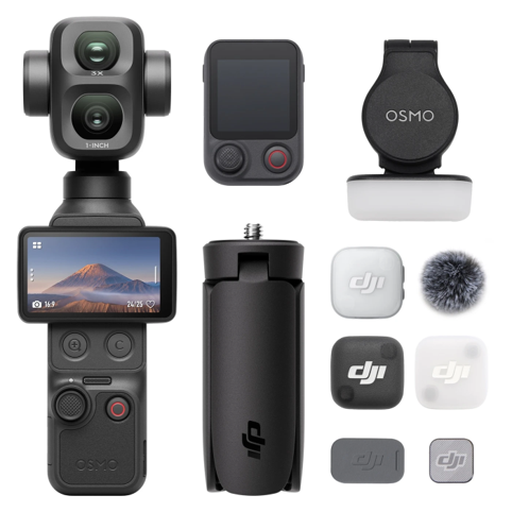 Image unavailable
Osmo Pocket 4P Vlog Combo, black
Take a test shot to check whether the camera captures the card, text and small details as you want in your set-up.
View at Joybuy
 Image unavailable
Komery W6 digital camera, 12× optical zoom, 4K, Wi-Fi, 64 MP
For card photos, check whether the camera focuses from the distance of your work surface and captures the details you want.
The product name lists 12× optical zoom, 4K, Wi-Fi and 64 MP.
View at Joybuy
 Image unavailable
DJI Osmo Pocket 3 Creator Combo
Check whether this vlog camera suits the way you photograph cards and whether your test shots show the details you want in sharp focus.
The product name lists a 1-inch CMOS sensor, 4K/120fps video, 3-axis stabilisation and an included microphone.
View at Joybuy
 Image unavailable
Sony ZV-E10 with 16–50mm zoom lens, black
With a system camera, the included lens determines the focusing distance and crop you can use; test it with your card size.
The product name lists a 16–50mm zoom lens.
View at Joybuy
 Image unavailable
Sony Alpha A6100 with 16–50mm f/3.5–5.6 OSS II lens
Check whether the kit lens can capture both the full card and the crop you want in sharp focus from your available set-up distance.
The product name lists a 16–50mm f/3.5–5.6 OSS II lens.
View at Joybuy
Frequently asked questions
How can you prevent white card paper from taking on a yellow or green colour cast?
Keep the lighting as consistent as possible and set the white balance to suit the light you’re using. RAW capture also lets you adjust the white balance later when editing your images; check the result against a neutral reference.
Do you need a macro lens for every handmade card?
No, not for every card. First check whether your current lens can capture the whole card and the crop you want in sharp focus. A close-up or macro lens is mainly useful if small embellishments don’t appear large enough with your current lens. If so, check the lens mount, focusing distance and magnification.
How can you keep the framing consistent across a series of card photos?
Use a tripod, keep the background and lighting in the same place, and check the crop for each card. Canon Netherlands describes a tripod as a way to keep framing and background consistent; it won’t automatically make every shot identical.
What guarantee are you entitled to in the Netherlands when you buy a camera?
When you buy as a consumer, you’re entitled to a product that meets the terms of the agreement. According to the Dutch government, the Netherlands has no fixed statutory guarantee period; if there’s a problem, you should contact the seller. A manufacturer’s guarantee doesn’t replace these statutory rights.
Do you have a cooling-off period when you order a camera online?
According to the Dutch government, in many cases you have a 14-day cooling-off period when you buy online from a business. This doesn’t necessarily apply if you buy from a private seller, so check who the seller is before you buy.


