What should you consider when choosing?
Start with a test shot of the whole etching and a close-up. This will help you see whether lighting, the framing you want or the equipment you have available will determine your next purchase.
Existing smartphone or basic camera
Choose this if: you mainly need simple online documentation and your test shot captures enough detail in the lines and paper.
Bear in mind: a suitable result is not guaranteed for every etching or use.
Mirrorless camera with standard lens
Choose this if: you want to control the settings and choice of lens yourself, or regularly take portfolio photographs.
Bear in mind: a camera body on its own does not automatically include a lens; also check that the lens suits the framing you want.
Mirrorless camera with a separate close-up lens
Choose this if: a test with the standard lens does not show the finest lines you want at a large enough size.
Bear in mind: an extra lens adds to the cost; check the mount, working distance and maximum magnification.
| What to consider |
What should you check? |
Who is this important for? |
| Even lighting and colour reproduction |
Take a test shot with the camera directly in front of the etching and lights on both sides. Check the paper colour, dark lines and any reflections. |
If I want a faithful overall image without distracting bright spots, I prioritise lighting and colour reproduction. Around 36% of consumers put even lighting and colour reproduction first. |
| Fine lines and framing |
Check the minimum focusing distance and maximum magnification of the exact lens. Assess both the overall image and the crop you want to publish. |
If I want to show small lines or paper texture separately, I first check that the lens can focus on them. Around 29% of consumers prioritise fine details and the framing they want. |
| Complete equipment setup |
Compare the body with the kit, the lens in the box and the equipment you already own. See what you still need for your test shot. |
If I only want to buy equipment that turns out to be essential, I look at the complete set rather than just the body. Around 21% of consumers prioritise the total cost of a usable setup. |
| A repeatable workflow |
Check that you can use manual settings and your preferred file format. Note down the lighting and camera settings when photographing several works. |
If I photograph several etchings using the same approach, I want to reuse my settings and process my own files. Around 14% of consumers prioritise a repeatable shooting and file-handling workflow. |
Cameras on Joybuy
This selection of Joybuy products includes compact cameras and mirrorless cameras with a zoom lens, to help you find a camera for portfolio photography. Take a test shot to see whether your chosen combination captures the details of your etching.
 No image available
DJI Osmo Pocket 3 Creator Combo
The product name mentions photography and vlogging; take a test shot to check whether you can achieve the framing you want for your etching.
The product name lists a 1-inch CMOS sensor, 4K/120fps video and 3-axis stabilisation.
Joybuy
 No image available
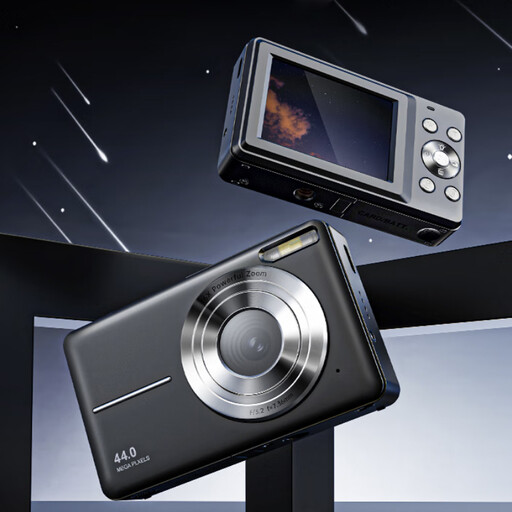
Songdian Pocket Camera 4K 44MP, black
The product name mentions photography and video; take a close-up test shot to check whether the fine lines of your etching appear sharp enough.
The product name lists 4K, 44MP and 16× zoom.
Joybuy
 No image available
Sony ZV-E10 with 16-50mm zoom lens, black
The product name lists a camera with a 16-50mm zoom lens; assess the complete combination for both overall and close-up shots.
The listed lens is 16-50mm.
Joybuy
 No image available
Sony Alpha A6100 with 16-50mm f/3.5-5.6 OSS II lens
The product name lists a camera-and-lens combination; test whether the lens can handle the overall and close-up framing you want.
The listed lens is 16-50mm f/3.5-5.6 OSS II.
Joybuy
 No image available
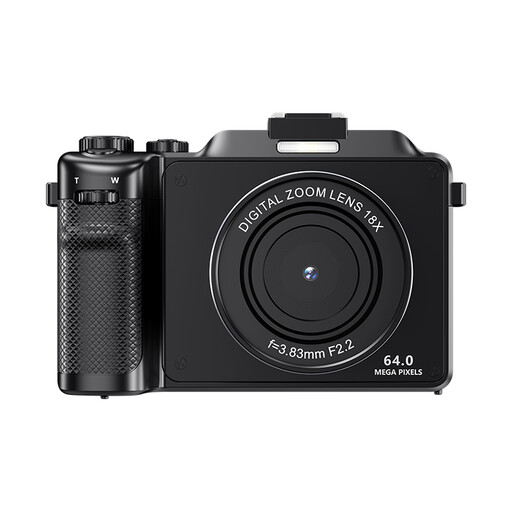
Komery X9 4K 64MP autofocus camera with 18× digital zoom, black
The product name positions this model for photography; take a test shot to check whether it is suitable for the fine lines you want to show.
The product name lists 4K, 64MP autofocus and 18× digital zoom. According to the product description, digital zoom reduces image quality, which matters when cropping to show fine details.
Joybuy
Frequently asked questions
Do you need to buy a mirrorless camera straight away for a single portfolio photograph?
No. Start by taking a test shot with your existing equipment in even lighting. The reproduction guide from Bundesverband Künstlernachlässe mentions smartphones and basic cameras for simple documentation, while distinguishing this from more demanding publication and print work.
How should you set up the lighting to photograph an etching?
Start with lights on both sides, at around 45 degrees to the work, and check your test shot for even lighting and reflections. The Canadian Conservation Institute explains that this setup lights the surface evenly and shows colours and tones. Raking light can emphasise texture, but it does not automatically replace an overall image.
How should you handle a fragile etching on paper while photographing it?
Use a clean work surface and clean hands, keep food and drink away, and limit exposure to intense light. This is conservation advice from the Library of Congress, not a Dutch statutory requirement for purchases.
Can you publish a photograph of an etching in your Dutch portfolio?
If it is your own original work and you have not transferred the rights, you generally decide what happens to it, according to Business.gov.nl. For someone else’s work, or where there is an agreement relating to a commission, you need to check who holds the rights of use; owning the etching or taking the photograph does not, by itself, answer that question.
Is a two-year manufacturer’s warranty the same as the statutory warranty?
No. According to the Dutch government, there is no fixed statutory warranty period; if a consumer product is faulty, you can ask the retailer for a solution. A manufacturer’s warranty may offer additional cover subject to its own terms.


