
Book seller
Photographs several covers for product listings and wants readable titles and consistent framing.


Start with the camera you already own if a test shot captures the smallest cover text you need clearly enough to read. A fixed setup directly above the book and controlled lighting can matter more than a new camera body. Choose a mirrorless camera with a suitable lens if you need more control over lens choice, framing or RAW shooting; assess the complete kit, not just the megapixel count.
Photographs several covers for product listings and wants readable titles and consistent framing.
Wants to capture illustrations and cover colours consistently under home lighting, and is mindful of glare from laminated covers.
Wants to check whether an existing camera will do the job with a better setup before buying a new camera kit.
First, take a test shot with your current camera at the intended final size. If it doesn’t meet your needs, compare complete kits by lens, focusing distance and the space you have at home for a stable setup.
| What to consider | What to look for | Who is this important for? |
|---|---|---|
| Readable title and details | Take a test shot of the smallest relevant format and check the lettering at the planned output size. Also check which lens comes with the camera. | I want the smallest title lettering to remain readable in the final image; around 33% of consumers asking this question give readable details top priority. |
| Colour and reflections | Assess test shots under your planned lighting. Check the white balance and, if you want to edit your images, whether the camera and lens combination supports RAW shooting. | I want to capture illustrations and colours accurately under my home lighting and assess glare on the cover; around 27% of consumers give colour and reflections top priority. |
| Consistent setup | Check that the camera and tripod can be positioned securely directly above your work surface, and that you can reach the controls in that position. | I photograph several books and want to keep the framing consistent between shots; around 20% of consumers give a repeatable workflow top priority. |
| Complete kit and available space | Compare what’s included with the camera and check that the camera, support and lighting will fit on your work surface. | I want to avoid buying a camera body and extra components that don’t suit my budget or workspace; around 20% of consumers give the complete kit and available space top priority. |
The lens and setup both affect whether cover lettering appears sharp and usable in the image; more megapixels won’t automatically solve the problem.
Compare complete kits and assess a test shot at the size you intend to use the photo.
Different light colours can create a colour cast, while reflections can obscure text or illustrations on a glossy cover.
First change the position or quality of the light, then consider whether RAW shooting or a filter would be useful for your cover.
A warranty offered by the manufacturer or seller is separate from your statutory rights. ACM ConsuWijzer explains that statutory rights apply in addition to any such warranty.
Keep your proof of purchase and contact the seller if a fault occurs unexpectedly.
The EOS R50 is an APS-C mirrorless camera to compare with RF or RF-S lenses.
The ILCE-6400 offers an E-mount system for those who want to match a lens to the shooting distance separately.
The X-S20 is an X-mount mirrorless camera to consider if you want to work with RAW files.
The Z50II is worth including when comparing controls and complete lens kits for a home setup.
This selection of Joybuy products includes compact cameras and a mirrorless camera with a standard zoom lens. Check for each kit whether the lens and accessories listed suit your shooting distance and workflow.
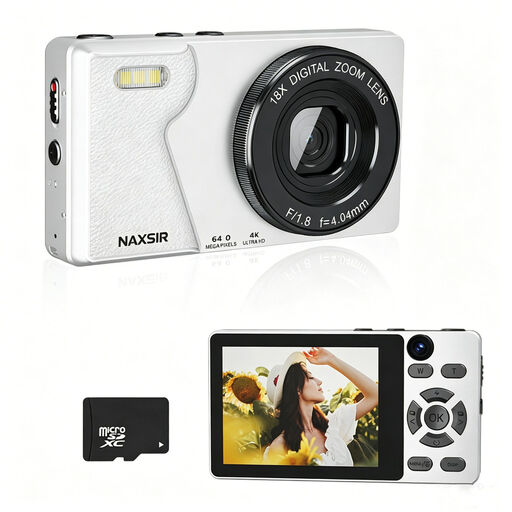 No image available
A compact camera option for individual cover photos; take a test shot to see whether the smallest text you need is readable.
The product name lists 64 MP photo resolution, 18× digital zoom, autofocus and an included 32 GB memory card.
 No image available
The product name mentions a tripod; check whether the included setup lets you position the camera securely and directly above your book.
The listed features are 64 MP, a 330° rotating lens, a 1.72-inch touchscreen and Type-C.
 No image available
The product name mentions photography; take a test shot to see whether this camera can frame your book cover the way you want.
The product name lists a 1-inch CMOS sensor, 4K/120fps video and a 2-inch rotating touchscreen.
 No image available
The kit includes an E PZ 16-50mm zoom lens, so you can adjust the framing within that lens’s range.
The product description lists an APS-C sensor and 24.2 MP. An SD card and adapter/charger are not included.
 No image available
A compact camera option for a home setup; take a test shot to check whether the lens captures the whole cover and the smallest text you need in focus.
The product listing mentions 20 Mpx, a zoom lens, a tilting screen and JPEG and RAW files.
No. First, test whether your existing lens or the one included with your camera can show the whole cover and the smallest text you need clearly at the intended output size. The 0.25× magnification listed by Canon applies specifically to the RF-S 18-45mm lens in manual focus mode.
Position the camera securely above your work surface and keep the framing fixed as you change books. Canon’s product photography tips describe a tripod as a way to repeat the same framing and background; also check the lighting for each book.
First, check how the light falls on the cover, then set the white balance to match the lighting you’re using. A polarising filter can reduce some unwanted reflections, but check its effect on the actual cover you want to photograph.
For online purchases, you generally have a statutory cooling-off period of up to 14 days after delivery. ACM ConsuWijzer also makes clear that your statutory rights apply in addition to any manufacturer’s warranty offered; check the terms that apply to your specific purchase. Business purchases are not covered by this explanation.
Not necessarily: the Dutch government states that using copyright-protected work may generally require permission, and that a private copy for personal use must not be distributed or made public. Whether a particular cover photo can be used for your purpose under an exception, permission or licence must be assessed for that specific use before you publish it.