What should you look for when choosing?
First decide what result you need: a digital reproduction of the printed design, or a photo that shows the card as a physical object. Then assess your test shots for colour, detail and consistency.
| Buying concern |
What to look for |
Who is this most relevant to? |
| Colours changing between sessions |
Use the same lighting setup as much as possible and check the white balance against a neutral reference. Adobe explains that the colour temperature of light affects the colours in a photo; RAW does not guarantee accurate colour on its own. |
If I want the colours of my cards to look consistent across different shooting days, I focus on lighting and white balance. For around 28% of consumers, colour consistency comes first. |
| Small print details |
Take a test shot at your actual shooting distance and check the corners of the card too. Consumentenbond points out that the lens and sensor both contribute to the photo; megapixels alone don’t determine whether a particular lens will capture small details sharply. |
If I want to show fine lettering, lines or a small crop, that specific detail needs to be clear. Around 22% of consumers say detail reproduction is their main buying concern. |
| Straight, consistent series of shots |
Test whether you can position the camera steadily and squarely in front of the card, and control reflections. The Library of Congress describes workflows for capturing materials under normal lighting; for a portfolio, you can start with a simple test setup. |
When photographing a series of cards, I want consistent framing and as few distracting reflections as possible. For around 22% of consumers, a consistent setup for a series is the top priority. |
| Complete kit and accessories needed |
Check which lens actually comes with the camera and what else you’ll need. Nikon Nederland lists the Z50II as a body-only option and in versions with a lens kit; these are different configurations. |
If I want to put together a usable setup, I want to know exactly what’s in the box and what else I need. Around 17% of consumers prioritise a complete kit and the cost of buying it. |
| Taking photos without buying a new camera |
First take a straight-on photo with your phone and assess the colour, edges and detail. A loose, flat card can also be scanned; Epson Nederland describes flatbed scanners for flat materials. |
If I mainly want to digitise cards easily, I first check whether my phone or a scanner gives me the result I want. For around 11% of consumers, using equipment they already own is the main consideration. |
Cameras at Joybuy
These Joybuy camera options are relevant to the topic; take a test shot to check whether the specific version suits your cards, preferred crop and way of working.
 No image available
KINSI Mini Vlog Camera
The product name mentions photography and a mini tripod; take a test shot to see whether the setup captures the card straight and with the detail you want.
- The product name lists 64 MP and a 330° rotating lens.
- The product name lists a 1.72-inch touchscreen and a mini tripod.
View at Joybuy
 No image available
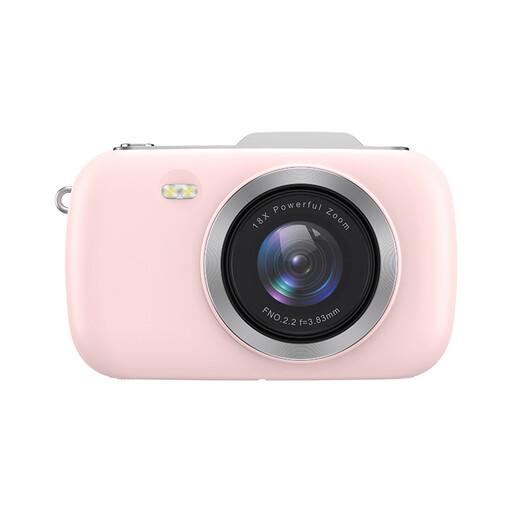
KOMERY G7-A 4K Digital Camera
The product name mentions photography; take a test shot to see whether the camera captures your cards’ print details and crop as you want.
- The product name lists 80 MP and 18× zoom.
- The product name describes a portable camera for photography.
View at Joybuy
 No image available
DJI Osmo Pocket 3
The product name mentions photography and a rotating touchscreen; test whether the framing method and shooting distance work for your cards.
- The product name lists a 1-inch CMOS sensor and 4K/120fps video.
- The product name lists 3-axis stabilisation and a rotating 2-inch touchscreen.
View at Joybuy
 No image available
Sony ZV-E10 + 16–50mm Zoom Black
The product name lists a camera with a 16–50mm zoom lens; take a test shot to check whether the lens captures the card and crop you want at your working distance.
- According to the product name, this version includes a 16–50mm zoom lens.
View at Joybuy
 No image available
Sony Alpha A6100 + 16–50mm f/3.5–5.6 OSS II
The product name lists a mirrorless camera with a 16–50mm lens; take a test shot to check whether the combination works at your shooting distance.
- According to the product name, this version includes a 16–50mm f/3.5–5.6 OSS II lens.
View at Joybuy
Frequently asked questions
Do you need to buy a macro lens straight away for printed art cards?
Not for every card. First take a test shot of the whole card and the smallest crop you want to show. If the details don’t look large or sharp enough, check the focusing distance and magnification of a compatible lens; the number of megapixels in the body isn’t the only factor.
How can you keep colours consistent between photo sessions?
Use the same lighting setup as much as possible and check the white balance against a neutral reference. RAW can make it easier to make corrections later, but still compare the result with the physical card under consistent lighting.
What should you check after buying, and how should you maintain your equipment?
Check that the body, lens and other kit contents you receive match your order, then take a test shot of one of your own cards. Keep the lens and card clean without damaging the printed design. For a faulty consumer product, the seller is responsible for the statutory guarantee, according to the Authority for Consumers and Markets (ACM).
Do online purchases always come with a 14-day cooling-off period?
ACM ConsuWijzer explains that consumers generally have a 14-day cooling-off period for online purchases, starting from delivery of the product. Check for any exceptions and consider your status as a buyer: consumer rights do not automatically apply when you buy as a business.
Can you publish photos of art cards in your portfolio?
According to the Dutch government, copyright automatically applies to artwork created by the artist. If the card features someone else’s work, you can’t automatically publish copyright-protected material; check whether you need permission or another applicable legal basis before publishing.


