What should you look for when taking photos?
First, take a test shot with your current camera and assess it for the intended use. Only then consider whether you need a different camera or set-up.
| What to consider |
What should you check? |
Who is this important for? |
| White paper and dark charcoal |
Compare a test shot with the original; check that both the paper and the lighter lines remain visible. |
If I want to show white paper clearly without losing the lighter charcoal lines, I assess both in the same test shot. Around 31% of consumers put tonal rendering first. |
| Straight, even reproduction |
Check that the whole drawing fits in the frame, the edges look straight and the light falls evenly across the paper. |
If I want to compare several drawings, I look for straight framing and even lighting. Around 25% of consumers prioritise consistent reproduction. |
| Fine lines and output size |
View the test file at the intended size and check a detail showing the finest charcoal lines. |
If I want to assess fine lines or need a larger crop, I first test how much detail my current shot captures. Around 25% of consumers put detail or larger output first. |
| Simplicity and extra equipment |
First, take a shot with what you already have; if you’re buying a new camera, check whether the package you’ve chosen includes a suitable lens. |
If I mainly want a usable overview photo without buying unnecessary extra equipment, I start with my current camera. Around 19% of consumers prioritise simplicity and keeping additional purchases to a minimum. |
Cameras at Joybuy
The selection below includes digital cameras and Sony mirrorless cameras with a specified zoom lens. Assess a test shot and check the version and included items before choosing a model.
 No image available
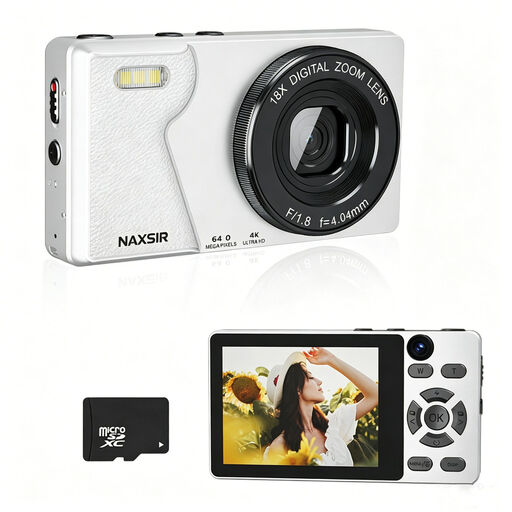
NAXSIR Digital Camera 4K Ultra HD, 64 MP, 18x digital zoom, with 32 GB memory card
The product title mentions autofocus and an included memory card; take a test shot to check whether the camera captures the drawing sharply and as you’d like.
The title lists 4K Ultra HD, 64 MP photo resolution and 18x digital zoom.
A 32 GB memory card is listed.
View at Joybuy
 No image available
KOMERY G7 5K Digital Camera, 80 MP, 18x zoom, white
The product title describes a digital camera for photography; take a test shot to assess whether the framing and visible details meet your documentation needs.
The title lists 5K, 80 MP and 18x zoom.
View at Joybuy
 No image available
Komery W6, 12x optical zoom, 4K, Wi-Fi
The product title describes this as a camera for photography; take a test shot to assess how it captures the drawing in your set-up.
The title lists 12x optical zoom, 4K and Wi-Fi.
View at Joybuy
 No image available
Sony ZV-E10 + 16-50mm Zoom Black
The product title lists a Sony ZV-E10 with a zoom lens; check whether the stated version suits your working distance and desired framing.
The product title lists a 16–50 mm zoom lens.
View at Joybuy
 No image available
Sony Alpha A6100 + 16-50mm f/3.5-5.6 OSS II
The product title lists the Sony Alpha A6100 with a lens; check the framing and visible details using a photo of your own drawing.
The title lists a 16–50mm f/3.5–5.6 OSS II lens.
View at Joybuy
Frequently asked questions
Do I need to buy a new camera to document my charcoal drawing?
No, first try what you already have. The Cultural Heritage Agency of the Netherlands considers a good mobile phone camera or compact camera suitable for documentation. Check your test image for sharpness, paper colour and visible lines at the size you need.
How can I stop the white paper looking grey?
Take a test shot and check the exposure. According to Canon Europe, automatic metering can make a very bright subject look too dark. Adjust the exposure if necessary, and check at the same time that the lighter charcoal lines remain visible.
How should I position the camera and lighting for an overview photo?
Keep the distance, camera angle and lighting as consistent as possible. Even lighting can help make the drawing clear throughout; if surface texture matters, you may also want to take a separate shot using raking light.
What lens should I check when buying a mirrorless camera?
Check which lens is actually included with the body or kit version you’ve chosen, and whether its angle of view suits your working distance. A kit listing alone doesn’t mean that a different version contains the same sales package.
Can I post a photo of a drawing online?
This depends, among other things, on who created the drawing and whether it is protected by copyright. According to the Dutch Government, copyright arises automatically for an original drawing of your own. For publishing someone else’s copyright-protected work, the Cultural Heritage Agency of the Netherlands gives the rights holder’s permission as the starting point; exceptions may apply separately.


