
Tutorial writer who uses lots of windows
You want to see your edits, instructions and examples at the same time while writing. Horizontal screen space and a practical window layout are therefore important considerations when choosing a monitor.


Choose an ultrawide if you mainly want to view editing windows, tutorial text and references side by side. A 27-inch 4K monitor may suit you better if sharp photo and text detail on a more compact screen matters most. For colour-critical work, you’ll also need to consider the colour space you require and calibration. Whichever you choose, check the connections, scaling settings and space available.
You want to see your edits, instructions and examples at the same time while writing. Horizontal screen space and a practical window layout are therefore important considerations when choosing a monitor.
You create tutorials where accurate colour assessment matters, and want to be able to calibrate and profile your display. Adobe recommends calibration and profiling for colour-critical work.
You want to view text and photo detail clearly without using an extra-wide screen. The screen size, positioning and connections need to suit your workspace and computer.
First decide whether your work mainly involves keeping several windows visible at once, or whether you’d rather view photos and text on a more compact screen. Then check how colour management, connections and the space available fit into your decision.
| What to consider | What should you check? | Who is this important for? |
|---|---|---|
| Space for split documents | Aspect ratio and pixel width; the window layout in your editing software. | If you want to see a photo, a set of steps and a reference at the same time, horizontal workspace comes first. Around 36% of consumers prioritise space for windows. |
| Colour assessment | The colour space you require; calibration and profiling options. | If you want to assess colours in tutorial images carefully and profile your display for your workspace, this matters. Around 29% of consumers prioritise colour. |
| Sharpness and readability | Screen size combined with resolution; text size at your preferred scaling setting. | If you want to view both instructions and photo detail while writing, readability is important. Around 21% of consumers say sharpness and readability are their top priority. |
| Connections and positioning | Ports, video functionality and required power delivery; dimensions and adjustability. | You need to be able to connect the monitor to your computer and fit it on your desk. Around 14% of consumers prioritise connections or positioning. |
Picture-by-picture can display content from two computers side by side. To view two windows of one image in Photoshop, use the software’s window features.
First check how your editing software opens and arranges document windows. Then decide how much screen space you need.
A stated colour space is not the same as a monitor that has been calibrated and given a suitable profile for your setup. Adobe distinguishes between calibration and profiling.
Compare the colour space you require and check how you can calibrate and profile the monitor as part of your own workflow.
Colour-critical work may require additional calibration equipment.
An ultrawide has a different screen layout from a 27-inch 4K monitor; resolution alone won’t tell you how much physical space a window takes up.
Measure the space available on your desk and check text size, preferred window width and connections with your own computer.
The LG 34BA75QE-B is an ultrawide option if you want to arrange windows side by side.
The SW272U is a 27-inch 4K model for anyone who places a high priority on colour management.
According to ASUS, the ProArt PA279CRV combines a 27-inch 4K screen with colour settings for creative work.
The S2725QC and U2725QE are different 27-inch models with distinct features.
The ColorEdge CS2740 is a 27-inch 4K model designed for colour management.
This Joybuy selection includes ultrawide and 4K monitors for anyone who wants to arrange photos, editing steps and reference text on one screen while writing. Screen size, resolution and connections vary by model.
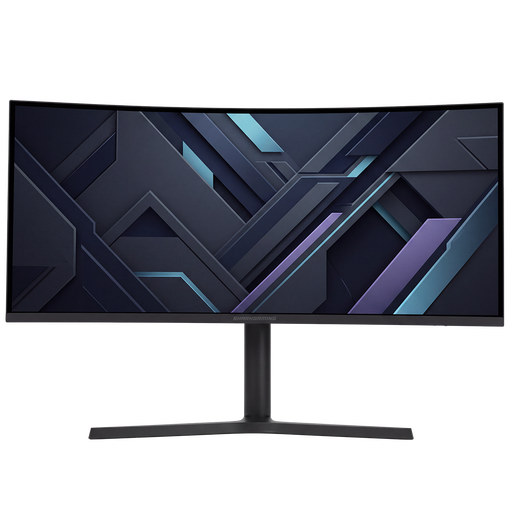 No image available
Could suit you if you want to position editing windows and tutorial text side by side and have room for a wide screen.
34 inches, 21:9, 3440 × 1440 pixels and a curved VA panel.
The stand is height-adjustable.
 No image available
Could suit you if you want to view photos and instructions on a larger 4K screen; check that its dimensions fit your desk.
32 inches, curved screen with 3000R curvature and 3840 × 2160 pixels.
The product information lists 100% sRGB and a height-adjustable stand.
 No image available
Could suit you if you want to view photo and text detail on a 27-inch screen; check that text is easy to read at your chosen scaling setting.
3840 × 2160 pixels, 60 Hz and 4 ms.
The product name lists HDMI, DisplayPort and a height-adjustable stand.
 No image available
Could suit you if you want to arrange editing windows alongside tutorial text on an ultrawide screen.
34 inches, 3440 × 1440 pixels and an MLA+ OLED panel; the product information lists 240 Hz.
The product information lists 98.5% DCI-P3 and a stand that is height-adjustable, swivels and tilts.
 No image available
Could suit you if you want to view several documents side by side and have room for a wide screen in your workspace.
3440 × 1440 pixels and a QD-OLED panel; the product information lists 99% DCI-P3 and 97% Adobe RGB.
According to the product information, the stand is height-adjustable, swivels and tilts.
No, not necessarily. In Photoshop, you can open an additional window for the same image and arrange the document windows side by side. Picture-by-picture on the LG 34BA75QE-B is a different feature: it displays content from two computers on one screen.
Calibrate and profile the monitor for your own workspace. Adobe recommends this for colour-critical work; a stated colour space is no substitute for a suitable profile for your setup.
According to the European Commission, computer monitors are generally covered by EU energy labelling and ecodesign rules. For a particular model, compare the information on its energy label and in EPREL.
Dutch government guidance describes an ergonomically sound home workspace and the employer’s duty of care. If necessary, discuss a setup that suits your working arrangements with your employer.