Choose a USB stick after working out which catalogue files and photos you want to be able to restore, and how much space they take up together. Then check that the connector is compatible and, for large or regular transfers, compare the stated write speed. Don’t keep irreplaceable photos on a single stick, and test that you can restore the files.
Who is this buying guide for?
Photo manager who wants to restore everything
This user wants to avoid mistaking a copy of the catalogue for a copy of the photos it refers to. Adobe describes the Lightroom Classic catalogue as a database that, among other things, keeps track of where photos are stored; VeiligInternetten lists external storage as a possible backup destination.
Collector with lots of photo files
This user needs enough usable space for their chosen collection and, for regular, large transfers, also checks the write speed of the exact stick. Kingston and Transcend publish specifications for their individual models.
Photographer with sensitive or shared images
This user wants to know who can access the copy if the stick is lost, and distinguishes between personal use, business use and sharing images. The Autoriteit Persoonsgegevens covers the context of image material and the security of personal data.
What should you look for in a USB backup?
First work out which files you’ll need to restore; then choose the capacity, connector and any security features to suit your workstation and how you use it.
| What to consider |
What should you check? |
Who is this important for? |
| Separate, restorable copy |
Decide which catalogue files, originals and any exports you need to include. Test whether you can open or restore files from the copy. |
I want to know that both the catalogue and the photos I need can be found, and I keep a separate copy. Around 33% of consumers put recoverability first. |
| Space for your selection |
Check the size of the selected folders and compare their combined size with the available storage; allow for anything you may want to add later. |
I want to fit my entire chosen selection without leaving out any files. Around 27% of consumers give having enough room for their catalogue and photos top priority. |
| Write time |
Compare the write speed listed for the exact model and check your computer’s USB mode. The manufacturer’s maximum speeds are not guaranteed transfer speeds. |
I regularly copy large photo folders and want to know the stated write speed in advance. Around 20% of consumers prioritise write time for repeated backups. |
| Connector |
Check the physical port on your workstation and the connector on the exact model; USB Type-A and Type-C are different connectors. |
I want to connect the stick directly to my workstation. Around 13% of consumers give connector compatibility top priority. |
| Confidentiality |
Decide who should have access. If you need encryption, check which files and features of the model or software you choose are actually protected. |
I want to stop sensitive images from being easily accessed if the stick is lost. Around 7% of consumers prioritise confidentiality. |
Common mistakes when choosing a backup stick
-
Copying only the catalogue and assuming all your photos are backed up
In Lightroom Classic, the catalogue keeps information about photos. Check separately which image files you need to restore your collection.
Before you buy, make a list of the files you want to copy and use that selection to work out the capacity you need.
-
Assuming the maximum read speed is the speed of a backup
Read speed doesn’t tell you how quickly files will be written to the stick. The stated speed also depends in part on your computer, software and usage.
Look up the write speed for the exact model and check that your workstation’s USB port supports the relevant mode.
A large transfer may take longer than you expect.
-
Keeping the stick as your only remaining copy
Physical storage can be damaged or lost, leaving the copy on your stick inaccessible.
Keep another separate copy and regularly check that you can actually restore files.
Brands to consider
Transcend
The JetFlash 920 is a USB Type-A range for those who regularly write large files. The manufacturer also mentions backup and recovery features through its separately downloadable Elite software.
- Transcend lists maximum speeds of 420 MB/s read and 400 MB/s write for the range, with models available up to 512 GB.
- These are manufacturer claims, not independent test results or a guarantee of photo backup speed.
Kingston
The DataTraveler Max comes in separate USB Type-A and Type-C models. Choose the connector that matches your workstation’s port.
- Kingston lists USB 3.2 Gen 2, capacities from 256 GB to 1 TB, and maximum speeds of 1,000 MB/s read and 900 MB/s write for the Max range.
- The manufacturer says speed depends on the host, software and usage; the two connector types are different models.
Samsung
The BAR Plus is a compact USB Type-A range; the datasheet distinguishes between models including 256 GB and 512 GB versions.
- Samsung lists a maximum read speed of 400 MB/s for models from 128 GB up to and including 512 GB.
- Read speed doesn’t tell you how quickly you can write files to the stick, so don’t use it to predict backup time.
SanDisk
The Extreme PRO USB 3.2 Solid State Flash Drive is a separate USB 3.2 Gen 1 range for file transfers.
- SanDisk lists model SDCZ880-256G-G46 as a 256 GB version and describes a protected folder accessed through the SanDisk app.
- A protected folder doesn’t mean that every file on the stick is encrypted by default; check which files the feature covers.
USB sticks at Joybuy
This selection includes USB sticks for an additional copy of selected photo files, with a range of capacities and connectors. Check each model to make sure its capacity and connector suit your workstation.
 Image unavailable
Kingston DataTraveler Exodia, 128 GB, USB Type-A
An option if your chosen files fit within 128 GB and your workstation has a USB Type-A port.
128 GB; USB 3.2 Gen 1; USB Type-A.
View at Joybuy
 Image unavailable
Kingston DataTraveler SE9 G3, 64 GB
This model is suitable for a smaller selection that fits within 64 GB and uses a USB Type-A connection.
64 GB; up to 100 MB/s write speed according to the product description; USB Type-A.
View at Joybuy
 Image unavailable
Kingston DataTraveler SE9 G3, 512 GB
A higher capacity may suit you if your chosen collection fits within 512 GB and your computer has a USB Type-A port.
512 GB; USB 3.2 Gen 1; up to 220 MB/s read speed according to the product listing. Read speed doesn’t indicate write speed.
View at Joybuy
 Image unavailable
MOVESPEED YSUYC-256GSN, 256 GB
The dual connector may be useful if you want to use the copy with devices that have USB-A and Type-C; check which ports your workstation has.
256 GB; USB-A and Type-C; up to 500 MB/s write and 550 MB/s read according to the product listing. The description mentions AES-256 and fingerprint access; check which files these features protect.
View at Joybuy
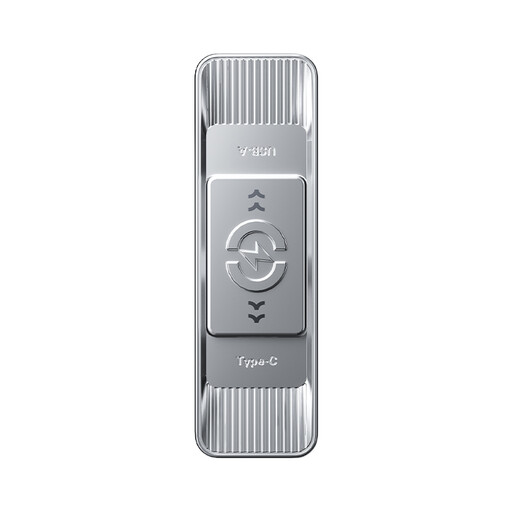 Image unavailable
MOVESPEED YSUSP05-512GSR, 512 GB
This model is designed for a chosen collection that fits within 512 GB; the dual connector is useful if you use devices with USB-A and Type-C.
512 GB; USB 3.2 Gen 1 and Type-C; up to 520 MB/s write and 570 MB/s read according to the product listing.
View at Joybuy
Frequently asked questions
Is a copy of the catalogue the same as a copy of all your photos?
Not necessarily. Adobe describes the Lightroom Classic catalogue as a database that includes information such as where photos are stored and how they’re organised. For your photo software, work out separately which original image files you want to back up, and test that you can find them alongside the catalogue.
How do you use and check a USB stick as a backup?
Copy the files you selected in advance, check the copy and try restoring some files. Then store the stick separately from your workstation. VeiligInternetten lists a USB stick as a possible external backup destination and points out that physical storage can be damaged.
Does a manufacturer’s warranty give you all your rights in the Netherlands?
No. A manufacturer’s warranty is in addition to your statutory rights, and the retailer is your point of contact if a product is faulty. According to the Rijksoverheid, there is no fixed two-year period for the statutory guarantee in the Netherlands; what you’re entitled to expect also depends on the product and the information provided.
Does the GDPR apply to family photos kept for personal use?
The Autoriteit Persoonsgegevens describes an exception for personal or household use when photos remain private or are shared only with a very limited group. This exception doesn’t automatically apply to business use or wider publication; in those cases, assess the specific processing and security separately. This doesn’t mean that every personal USB stick has to be encrypted.


