
Album designer checking prints
Wants to assess colour and tone as well as composition for an intended album print. A workflow that aligns screen and print profiles is relevant here.


For checking spreads digitally, a screen that’s easy to read and offers sufficient resolution is important. For a print preview, you’ll also need calibration and the right profile for the intended print. Some manufacturers specify hardware calibration for certain models, but this doesn’t guarantee a match with every album print. Check the noise level of the exact model separately: a matt or anti-reflective finish says nothing about how much noise it makes.
Wants to assess colour and tone as well as composition for an intended album print. A workflow that aligns screen and print profiles is relevant here.
Wants to see the order, crop, text and balance between the left- and right-hand pages at the same time.
Doesn’t want monitor noise to distract them while designing. Check the acoustic characteristics of the exact model before making quiet operation a deciding requirement.
First, decide whether you’re only viewing the digital page layout or also want to assess a print preview. Then check the connection options and noise level of the specific model.
| What to consider | What should you check? | Who is this important for? |
|---|---|---|
| Colour for prints | Check the colour gamut, calibration method and whether the print service provides a suitable profile for the intended print. EIZO and BenQ specify hardware calibration for the CS2740 and SW272U respectively. | If I want to assess colours for an album print, I want to align my screen settings with the print profile. Around 36% of consumers give colour for the intended print top priority. |
| Two pages at once | View one of your own spreads at your preferred zoom level and check legibility, screen size and desk space. EIZO, BenQ and ASUS list 27-inch models with 3840 × 2160 pixels. | When I want to assess text, crops and the balance between two pages at once, the spread needs to remain legible at my usual zoom level. Around 29% of consumers prioritise space for viewing a spread. |
| A quiet study | Ask for noise information for the exact model and, if possible, assess it in a quiet environment. Check the screen coating and acoustics separately. | If I work in a quiet room, I don’t want distracting noise while I’m designing. An estimated 21% of consumers give a calm working environment top priority. |
| Laptop connection | Check your laptop’s video output, the cable and the power delivery required. EIZO, BenQ and ASUS specify USB-C power delivery of up to 60 W, 90 W and 96 W for the CS2740, SW272U and PA279CRV respectively. | If I want to use my laptop with as few separate connections as possible, the video output, cable and power supply all need to be suitable. Around 14% of consumers prioritise a simple laptop connection. |
The screen, profile and actual print conditions all affect how a print preview looks. A stated colour gamut coverage on its own doesn’t predict the result for a specific album.
Before buying, check what you’ll need for calibration and whether a suitable profile is available for your album workflow.
Depending on your workflow, you may need a measuring device or an additional proof print.
A description of the screen finish tells you nothing about the monitor’s noise level.
Ask for noise information for the exact model or assess it in similar room conditions.
Video over USB-C, a suitable cable and sufficient power delivery are separate requirements.
Check the requirements for your laptop, monitor and cable before relying on a single cable for video and power.
Depending on the connection, you may need a different cable, an adapter or a separate laptop power supply.
The ColorEdge CS2740 is a 4K option for photography-focused colour work.
The PhotoVue SW272U is designed for photographic colour work and print-focused assessment.
The ProArt PA279CRV combines a 27-inch 4K screen with ASUS-specified colour gamut coverage and laptop connectivity.
The UltraSharp U2725QE is a 27-inch 4K hub monitor for those who also consider connectivity and an adjustable workspace.
These Joybuy products are intended for checking photo album spreads digitally. The listed screen sizes and resolutions can help you choose a monitor for page layouts and detail, but don’t confirm colour proofing or quiet operation.
 No image available
An option to consider for checking digital spreads, based on screen size and resolution.
27 inches; 4K; IPS.
 No image available
An option to consider for checking digital spreads, based on screen size and resolution.
27 inches; 4K UHD; IPS; 3840 × 2160 pixels; 60 Hz; 4 ms.
 No image available
An option to consider if you want to view digital spreads on a larger screen.
31.5 inches; 3840 × 2160 pixels; 4K UHD; QD-OLED.
 No image available
An option to consider if you want to view digital spreads on a larger screen.
31.5 inches; 3840 × 2160 pixels; 4K Ultra HD; LCD.
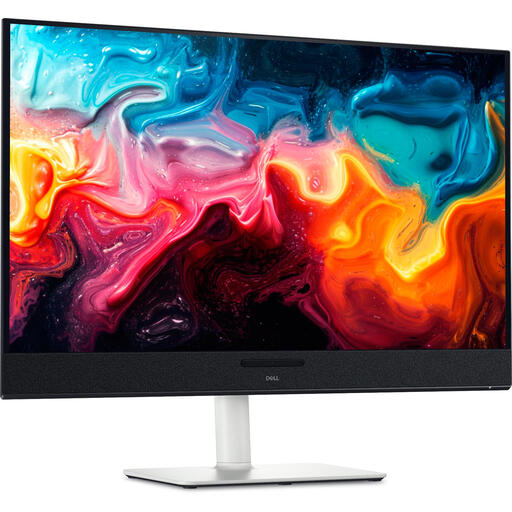 No image available
An option to consider if you want to view digital spreads on a larger screen.
31.6 inches; 3840 × 2160 pixels; 4K Ultra HD; QD-OLED.
No. That percentage describes the stated screen coverage, not the result of a specific print combination. Where available, use a suitable profile for the actual print conditions and manage your monitor profile too.
Set up your monitor and calibrate or profile it according to the model’s capabilities and the software you use. Then check which profile is appropriate for the intended print process in your colour-managed application; an arbitrary printer profile won’t predict how your album will look.
Only if your laptop supports video through the connection you’re using, the cable is suitable and the monitor provides enough power. Check the requirements of all three before relying on a single cable.
For a typical online consumer purchase, you generally have a cooling-off period of up to 14 days after delivery, subject to legal exceptions. You’re also entitled to the statutory guarantee that a product meets what you could reasonably expect from normal use; this is separate from any manufacturer’s guarantee. ACM ConsuWijzer provides information about the cooling-off period and statutory guarantee.
Computer monitors are covered by the EU energy labelling requirements for electronic displays. Compare the energy label and model-specific information; don’t estimate energy consumption based only on screen size or maximum USB-C power delivery. The European Commission provides information about energy labels for electronic displays.