For one short call, you can usually try using your phone as a hotspot first, provided your network allows tethering and you have a usable mobile signal in your hotel room. A separate MiFi router is more suited to sharing a connection regularly while travelling, or if you want to keep your phone free; both options depend on mobile coverage and your data allowance. Test both upload and download speeds in your room before the call.
Which option is right for you?
Traveller with one short call
You want to make a video call on your laptop without taking another device with you. Apple Support and Google Android Help explain how to share a mobile phone connection; just check that tethering is available with your phone and plan.
Regular hotel caller
You often share mobile data while travelling or use several devices. A separate MiFi may be worth comparing, but you’ll also need a compatible device, a mobile data plan and a way to keep it charged.
Caller discussing confidential work
As well as coverage, you need to consider your organisation’s approved secure calling options and rules. The Dutch Data Protection Authority notes that organisations must facilitate secure communication; using your own hotspot doesn’t replace an approved process.
What should you consider when choosing?
Your phone as a hotspot
Choose this if: you’re having one short call and want to try sharing a connection between your existing phone and laptop first.
Bear in mind: it will use your phone’s battery and data allowance; tethering terms can vary between providers.
A separate 4G MiFi
Choose this if: you often share a connection while travelling, want to connect several devices or need to keep your phone available.
Bear in mind: you’ll need to carry and charge another device, and provide it with a suitable mobile data plan.
Hotel Wi-Fi
Choose this if: a test call confirms the connection is suitable and it meets the security requirements for your call.
Bear in mind: there may be a charge, and you’ll need to follow your organisation’s secure process for confidential work.
| What to consider |
What should you check? |
Who is this important for? |
| Connection during the call |
In your hotel room, test both upload and download speeds using the calling app you plan to use. For a one-to-one 720p call, Zoom recommends 1.2 Mbps in both directions, subject to its other HD requirements. |
I want to know in advance whether my connection can handle the call in my room. Around 31% of consumers say a usable connection is their top priority. |
| Getting connected quickly |
Check that your provider allows tethering, your laptop can connect and your phone or router has mobile data. |
For one short call, I’d prefer to get started straight away using the phone and laptop I already have. Around 31% of consumers prioritise connecting quickly without an unnecessary purchase. |
| Data use and costs |
Check how much data you have left, your provider’s tethering terms and any charges for hotel Wi-Fi. Check roaming separately if you’re travelling outside the Netherlands. |
If I share mobile data, I want to know how much of my allowance will be left and what terms apply. Around 23% of consumers prioritise data use and additional costs. |
| Confidentiality |
For work calls, follow your organisation’s secure calling options and instructions, whether you use a phone, MiFi or hotel Wi-Fi. |
For a confidential work call, I want to be able to follow the approved process. Around 15% of consumers prioritise confidentiality. |
Common buying mistakes
-
Assuming a router’s maximum speed guarantees good video calls
A quoted maximum won’t tell you how strong the mobile signal is in your hotel room or how stable the connection will be there.
Test your chosen connection where you’ll be using it. Don’t base your decision solely on a higher theoretical maximum speed.
-
Buying a MiFi before trying your phone’s hotspot
For one short call, your phone may already be able to share mobile data with your laptop. A MiFi also requires a compatible device and a suitable mobile connection.
First, check your phone, your provider’s terms and the connection where you’ll be using it. Then decide whether a separate device would solve a problem.
This helps you avoid buying an unnecessary device; a separate MiFi still needs mobile data.
-
Assuming your own hotspot is approved for confidential use
Even with your own mobile connection, the security of the calling app and your organisation’s rules still matter.
For work calls, use the secure option and process specified by your organisation.
Brands to compare
TP-Link
The M7350 is a portable 4G MiFi with a SIM card slot and screen, designed to manage a mobile connection separately.
- According to TP-Link, the M7350 V5 supports up to 10 connected devices and has a quoted battery life of up to 8 hours, depending on usage conditions.
- These figures apply to the version specified and don’t guarantee the connection or battery life in a particular hotel room. Check which version of the model is on offer.
D-Link
The DWR-932 is a compact 4G MiFi for sharing a mobile connection.
- For revision F1, D-Link lists an integrated SIM card slot, WPA/WPA2 and a battery life of up to 5 hours.
- Check which revision is on offer: these specifications don’t automatically apply to every version of the DWR-932.
ZTE
The U10 is a 4G MiFi with a nano-SIM and Wi-Fi 6, for anyone looking for a separate portable hotspot.
- ZTE lists support for up to 32 connections for this model.
- ZTE states that speed and battery figures are based on laboratory data and that specifications may vary by region. The quoted number of connections doesn’t predict the quality of a video call.
Joybuy products
Below are some Joybuy options for mobile routers and hotspots. For each model, check that the SIM card and mobile networks are compatible with your provider and how you plan to use it.
 Image unavailable
TP-Link M7750 mobile router/modem
This model is an option if you want to share a separate mobile connection over Wi-Fi.
The description mentions 2.4 and 5 GHz Wi-Fi and WPS.
Joybuy
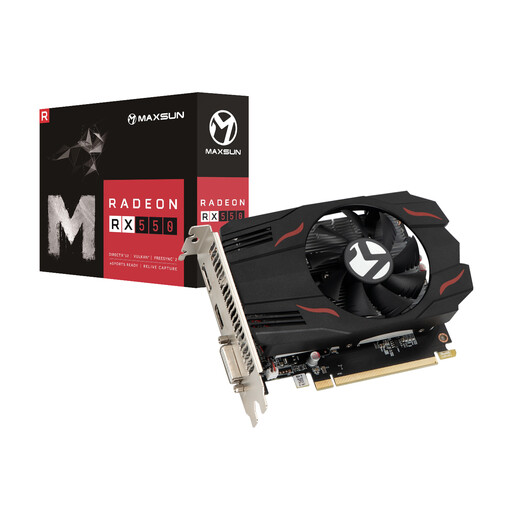 Image unavailable
MS-RX550 TF 4G
If you’re considering this model for a mobile connection, check first that it’s compatible with your SIM card and provider.
The product name includes 4G.
Joybuy
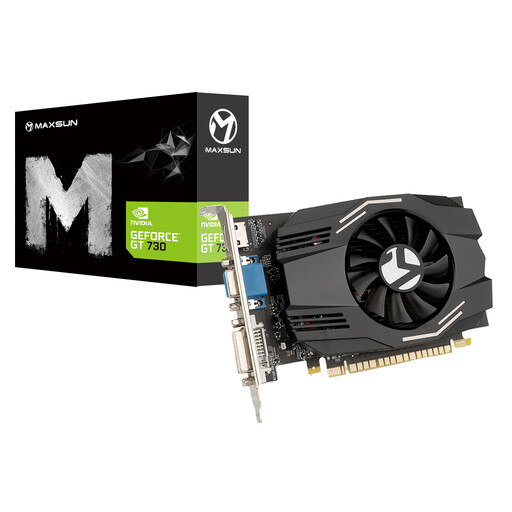 Image unavailable
MS-GT730 PH 4G L1
If you’re considering this model for a mobile connection, check first that it’s compatible with your SIM card and provider.
The product name includes 4G L1.
Joybuy
 Image unavailable
Acer Connect M6E 5G MiFi router, WiFi 6E, nano-SIM/eSIM, 1 GB
This is an option if you’re looking for a separate mobile hotspot; check which SIM format and mobile networks are compatible with your provider.
The product title lists 5G, WiFi 6E, nano-SIM and eSIM, as well as 1 GB and support for up to 32 devices.
Joybuy
 Image unavailable
TP-Link M7350 4G (CAT4) mobile Wi-Fi router
This model suits anyone who wants a separate mobile hotspot and would like to check connection information on the device.
The product title lists 4G (CAT4), a colour display, 150 Mbps and a 2000 mAh battery. The description mentions a SIM card and a display showing details such as signal and network traffic; the quoted speed doesn’t guarantee a connection in your hotel room.
Joybuy
Frequently asked questions
How can you tell if the connection in your hotel room is good enough?
Before your call, test both sending and receiving using the same calling app. For a one-to-one 720p call, Zoom recommends 1.2 Mbps for both upload and download, provided its other HD requirements are also met. This isn’t a universal requirement for every app or call.
How do you set up a phone hotspot and limit battery use?
Apple Support explains how to turn on Personal Hotspot and share a connection over Wi-Fi or USB. Google Android Help explains how to share over Wi-Fi and, on supported devices, via USB. Google recommends keeping devices plugged in while tethering and turning tethering off afterwards.
Do you always need a separate SIM card for a MiFi?
The MiFi models mentioned use a SIM card for mobile data. That doesn’t necessarily mean you need a new plan: check which SIM card or data allowance you can already use and what terms your provider applies.
What should you check about data allowances and warranties in the Netherlands?
Check your remaining data allowance, any tethering terms and any hotel Wi-Fi charges separately. According to ACM ConsuWijzer, statutory guarantees apply alongside any manufacturer’s warranty; if a product is faulty, the seller is responsible for providing an appropriate solution. There isn’t one fixed warranty period for all routers.
Is your own hotspot enough for a confidential work call?
No. A hotspot on its own doesn’t give you general permission to discuss confidential work. The Dutch Data Protection Authority notes that organisations must provide secure communication options and that stricter requirements apply in some sectors. So follow your organisation’s instructions for the calling app and the call itself.


