
Vandaag of morgen in huis

Kwaliteit gegarandeerd

Welkomstaanbiedingen ontgrendelen: GRATIS bezorging | Tot 80% korting | Gratis 30 dagen JoyPlus-proefperiode
Download de app
A phone gimbal can reduce camera movement when vlogging, livestreaming and travelling. However, not every model is suitable for every smartphone or workflow. A compact phone stabiliser can be useful on the go, while a 3-axis gimbal offers more options for moving shots.
Pay particular attention to three common pitfalls:
A 3-axis gimbal generally corrects movement in three directions: tilt, pan and roll. This is useful when filming while walking or when you want the camera to follow movement smoothly. A 2-axis gimbal can be more compact and simpler to use, but offers fewer correction options.
Also check the maximum phone size and weight. A wide smartphone with a case will not always fit every phone holder designed for filming. With magnetic systems, check whether your device supports MagSafe or whether a magnetic ring is required.
An AI-tracking gimbal can try to keep a face, person or pet in the frame. Exactly how it works varies by brand and software. According to Insta360’s product description, the Flow 2 Pro supports tracking in more than 200 compatible iOS apps via Apple DockKit. This does not automatically mean that every Android app offers the same functionality.
Bear in mind:
Long battery life is practical for travelling and livestreaming, but charging methods and usage also matter. The DJI Osmo Mobile 7P and Insta360 Flow 2 Pro are listed in the product information as offering up to around 10 hours of use, depending on the version and conditions.
Also check:
For a simple smartphone tripod without motors, battery management is usually less important than with a motorised gimbal.
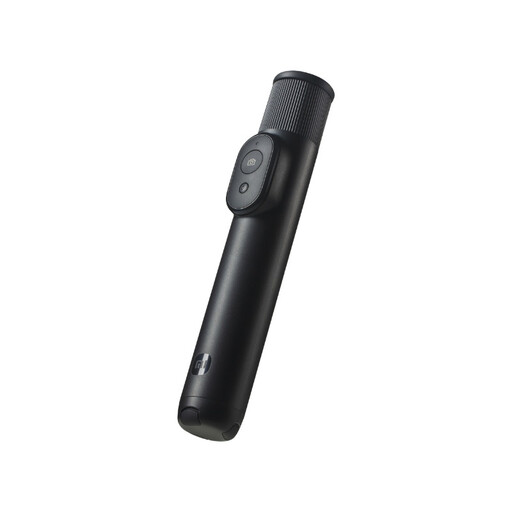
Why it suits this profile: This model combines a compact selfie stick with a built-in tripod and Bluetooth remote control. It is therefore suitable for selfies, group photos and static videos without motorised stabilisation.
The product information clearly mentions tripod and Bluetooth functionality. So do not expect automatic image stabilisation or AI tracking.
Bluetooth remote control, aluminium alloy construction and a stated folded length of 19 cm.
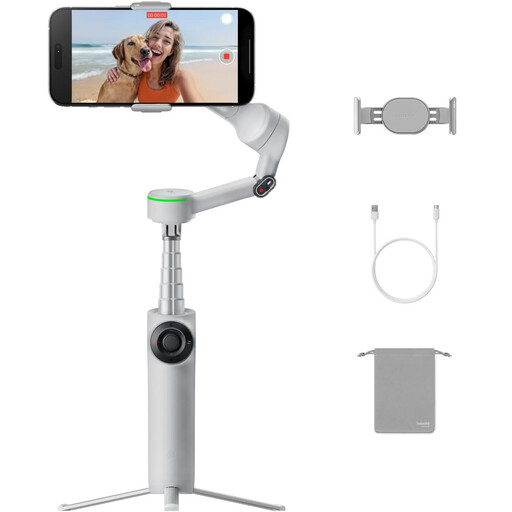
Why it suits this profile: The combination of 3-axis stabilisation, built-in tripod, selfie stick, AI Tracker and teleprompter features suits creators who want to manage multiple shooting situations from one device.
The product description specifies the 3-axis stabilisation and tracking functions separately. However, check compatibility with your app and phone beforehand.
According to the product details: tracking in more than 200 compatible iOS apps, 360° pan movement and up to 10 hours of battery life.
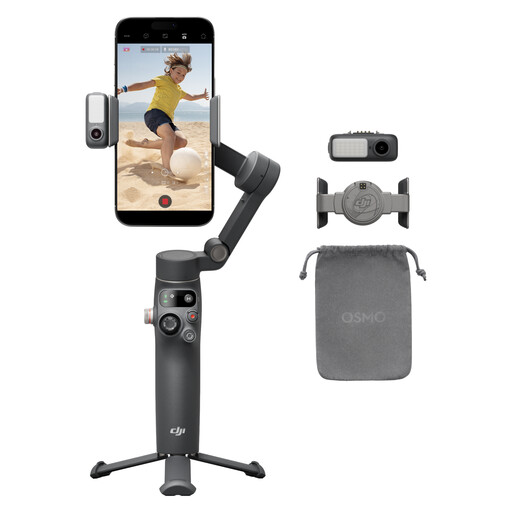
Why it suits this profile: This model is aimed at vloggers and livestreamers who want to combine a built-in extension rod, tripod, tracking and lighting with a phone holder for filming.
The functions are clearly described: 3-axis stabilisation, ActiveTrack 7.0, an extension rod and an integrated tripod. This makes it easier to choose the right function for your workflow.
According to the product specifications, up to 10 hours of use, control at speeds of up to 120° per second and a multifunctional module with fill light.
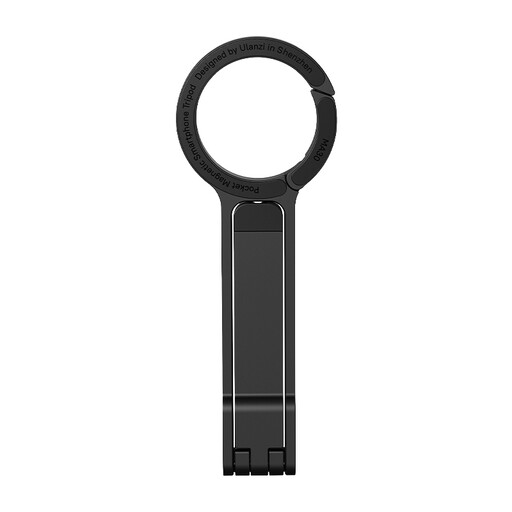
Why it suits this profile: The foldable combination of handle, mini tripod and selfie stick is designed for people who want to use as little space as possible in their bag.
The product information mentions MagSafe compatibility, but not universal magnetic support. Android users should therefore check the mounting option and whether a ring is required.
Aluminium housing, foldable design, portrait and landscape modes, plus a carabiner-style shape for attaching the accessory to a bag.
We have put together a complete, up-to-date list of products that fully meet these strict selection criteria and the applicable European safety regulations.
Always place your smartphone fully in the clamp or on the magnetic mount before lifting the gimbal. Use a tripod with a long pole on a level surface and check that all the legs are fully extended.
Take extra care with magnetic models: according to the safety information, strong magnets can affect pacemakers and other medical devices. Always use magnetic accessories in accordance with the manufacturer’s instructions. Also avoid water, extreme heat and heavy impacts if the product is not designed to withstand them.
Suction-cup mounts, such as those used with certain TILTA Hydra accessories, must not be used on vinyl film, stickers, deep scratches, matt paint or textured surfaces, according to the product warning. Never exceed the stated load capacity.
No. Check the maximum clamp width, weight and support for iOS or Android. MagSafe models often require a compatible case or magnetic ring. Tracking functions can also vary between apps.
A smartphone tripod keeps your phone in one place. A phone gimbal uses motors to correct movement while filming. A selfie stick tripod with Bluetooth remote control is mainly suitable for taking static photos and videos remotely.
This depends on the model, tracking, lighting and usage. The stated product specifications for various models indicate a usage time of around 8 to 10 hours. Charge the gimbal according to the instructions, allow the device to cool down before charging and store it somewhere dry and out of direct sunlight.
