
Home worker who wants the screen in view
You use your phone on your desk for notifications or calls and are looking for a suitable charging stand or holder. Belkin and Zens describe models for this use.


Choose according to your phone and how you use it while working. A suitable magnetic stand keeps the screen in view, while a charging pad is enough if you usually put your phone down to charge. If you also want to charge other devices, or your phone does not support a suitable wireless charging feature, compare a multi-device charging station with a USB-C option. Check the exact compatibility, included power supply and required CE marking for the specific model.
You use your phone on your desk for notifications or calls and are looking for a suitable charging stand or holder. Belkin and Zens describe models for this use.
You want to charge your phone and compatible earbuds or smartwatch in one place. The right charging spot depends on the device model. Belkin and Anker describe stations for multiple devices.
You prefer USB-C ports, perhaps because wireless charging does not suit your phone or the way you want to work. UGREEN describes a wired multi-port option for a desk.
First, check that the charger is compatible with your phone and, if relevant, its case. Then decide whether you want to keep the screen in view, charge other devices at the same time or use a wired USB-C option instead.
| What to consider | What should you check? | Who should consider this? |
|---|---|---|
| Phone and case compatibility | Check your phone model, the supported charging standard and any requirements for a magnetic case. | If you want your existing phone and case to work well with the charger, make compatibility your priority. Around 40% of consumers focus primarily on compatibility. |
| Keep the screen in view without wasting desk space | Compare the viewing angle, adjustability and footprint. If you are considering a clamp holder, measure the edge of your desk too. | If you want to see notifications without using up too much desk space, this matters. Around 30% of consumers give having the screen in view top priority. |
| Charging several devices at once | Check which devices fit on each charging spot and what power supply is needed. Also check what is included with the specific model. | If you want to charge your phone and compatible earbuds or watch in one place, the extra charging spots need to suit your devices. Around 20% of consumers prioritise charging several devices together. |
| Wired charging | Check the connection, cable and power distribution if you use several ports at once. | If you prefer using a cable or your phone is not suitable for a wireless solution, this may be important. Around 10% of consumers give wired charging top priority. |
The charging power you can achieve and the magnetic attachment depend on the combination of charger, phone and sometimes the case.
Check the compatibility requirements for both your phone and case. Don’t rely on the wattage shown on the packaging alone.
Unused charging spots still take up desk space.
An adapter’s stated maximum power is not necessarily what your phone receives. The ports you use and the connected devices also make a difference.
Check the power output for each port and what happens when you use several ports at once.
Belkin describes a magnetic stand for one phone and a 2-in-1 station for a compatible phone and AirPods.
Zens describes the Office Wireless Charger Mount Pro 2 as a wireless holder that attaches to the edge of a desk.
Anker describes the MagGo A25M8 as a station with charging spots for supported iPhones, Apple Watches and wirelessly chargeable earbuds.
The Samsung EP-P2400 series reviewed is a flat charging pad for anyone who does not need an upright phone holder.
The UGREEN Nexode adapter with retractable USB-C cable reviewed is a wired multi-port option, not a wireless phone stand.
These product picks cover wired charging via USB ports, wireless charging for multiple devices and a magnetic charging option for a compatible iPhone. Before buying, check the required CE marking, compatibility and included power supply for the specific model.
 No image available
A wired option if you want to connect several devices on your desk.
The product name specifies 320 W and two retractable USB-C cables.
 No image available
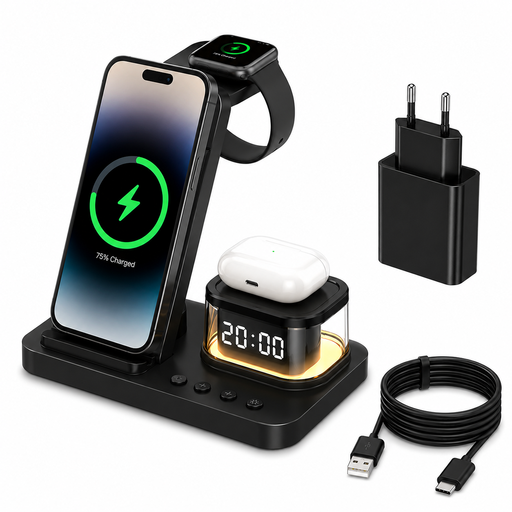
For anyone who wants to charge a phone and other compatible devices in one place.
The product name specifies 15 W of power and an included 20 W USB-C power adapter.
 No image available
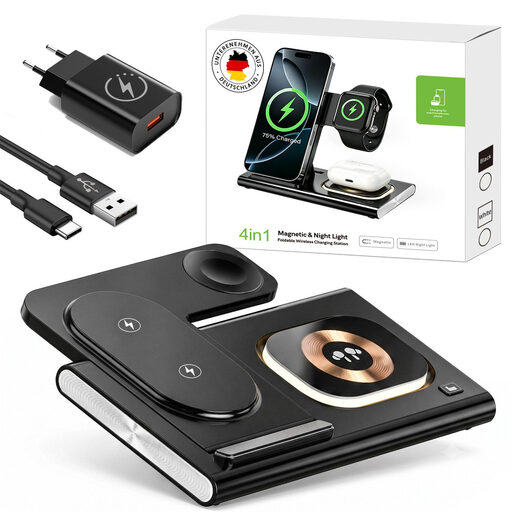
A multi-device station for anyone who wants to charge a compatible watch and wireless earbuds as well as a phone.
The product name specifies 25 W and a foldable design. Check which devices fit each charging spot.
 No image available
A wired option if you want to charge several USB devices in one place.
The product name specifies 10 ports, including both USB-C and USB-A connections.
 No image available
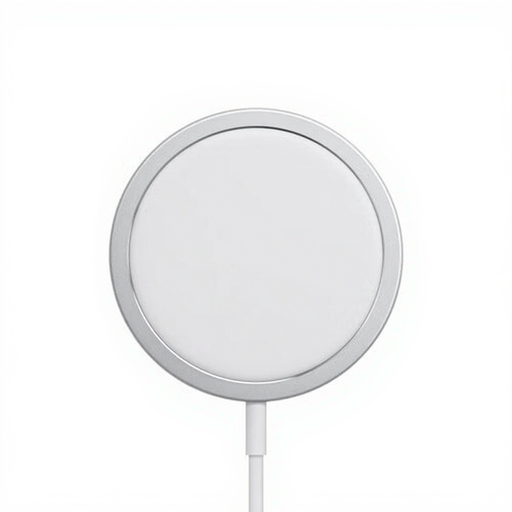
A wireless charging option for a compatible iPhone. Check that your phone is compatible with the model listed.
The product name specifies a 1-metre cable and 15 W. According to the product information, a USB-C power adapter is required and sold separately.
No. Check that your phone supports wireless charging, confirm the exact phone model and look for any requirements for a magnetic case. For example, Belkin specifies a magnetically compatible case for the Samsung S25 series with model WIB007vfWH. A Qi2 logo on the charger alone does not confirm that your phone can attach magnetically.
Place a device on a hard surface while it is charging, advises Brandweer Twente. The fire service also recommends staying nearby while charging and unplugging the charger once the battery is full.
It depends on the specific model. Belkin states that WIB007vfWH comes with a 20 W adapter and WIZ028vfBK with a 36 W adapter. For other models, check before buying which power supply is needed and what is included.
In the Netherlands, statutory rights apply in addition to any manufacturer’s warranty. According to ACM ConsuWijzer, the seller must resolve the issue at no cost if a product breaks during normal use sooner than you could reasonably expect. There is no single fixed statutory warranty period for every product.
The Netherlands Food and Consumer Product Safety Authority states that CE marking is required for electrical products. The Dutch government’s USB-C rule applies to new devices in designated categories that can be charged by cable. It does not require you to buy a wireless charging station for your home-working desk.